



All the cards and loan information in your hand
Easily track your spending, monitor credit limits and points,
view statements and receive real-time notifications for all transactions.
Convenient Bill Payment
Pay easily, enjoy instant credit limit restoration for continued spending,
and never miss a due date with reminders you control.
How To
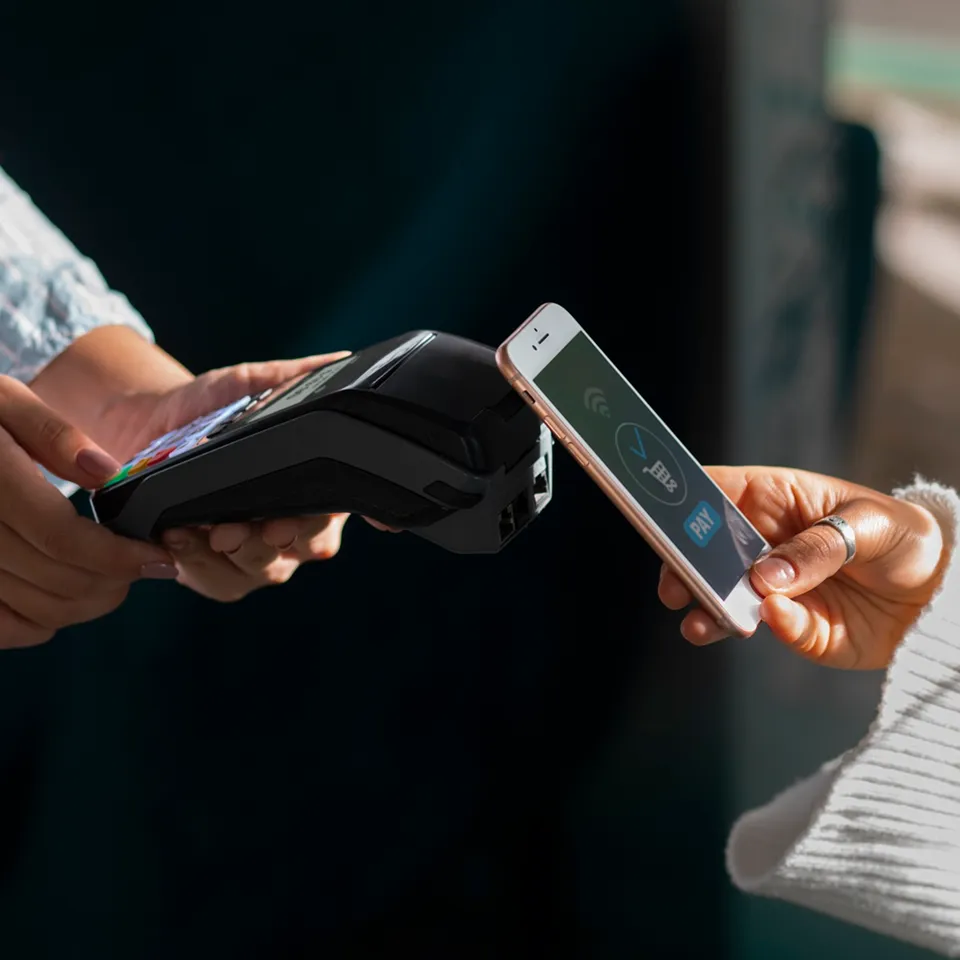
Scan to Pay
QR Payment through the app using KTC credit card and KTC PROUD cash card, no physical cards needed. Enjoy privileges in both Thailand and overseas.
How To
Flexible Installments for Every Purchase
Convert your purchase into installments with no minimum amount required. Enjoy terms of up to 10 months.
How To
Convert Credit Limit to Cash
Instant transfer to your account, via 14 leading banks. Exclusively for KTC PROUD cash card, installment plan available up to 60 months.
How To

Temporary Credit Limit Increase
Get instant approval for uninterrupted spending, no additional documents required.
How To
Permanent Credit Limit Increase
Submit documents directly in the app, track your application status and receive result notifications through the app.
How To
Spending Control
Set your own spending limits for confident and secure usage, and applied instantly upon adjustment.
How To
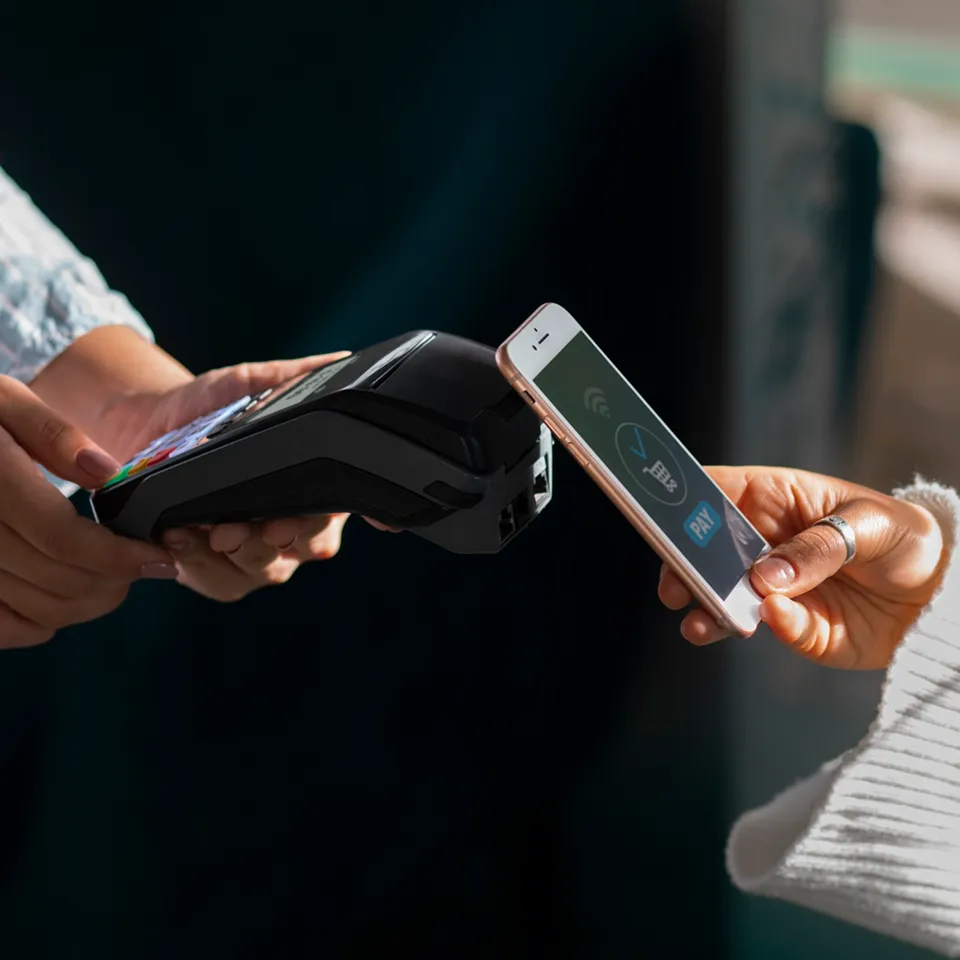
Redeem Coupons
Enjoy products, services, or discounts, and exclusive privileges from leading restaurants and stores that fit your lifestyle, starting with just 1 point.
How To
Points Redemption
Donate your points as cash to support foundations or charitable organizations, or redeem them for cashback credited directly to your account.
How To
Transfer to Miles/Loyalty Points
Convert your points to airline miles, hotel loyalty programs, or leading membership programs to redeem exclusive discounts and special deals.
How To
Transfer Points Between Cards
Consolidate points from multiple cards with no minimum transfer amount to redeem them for exclusive privileges or deals without limitations.
How To
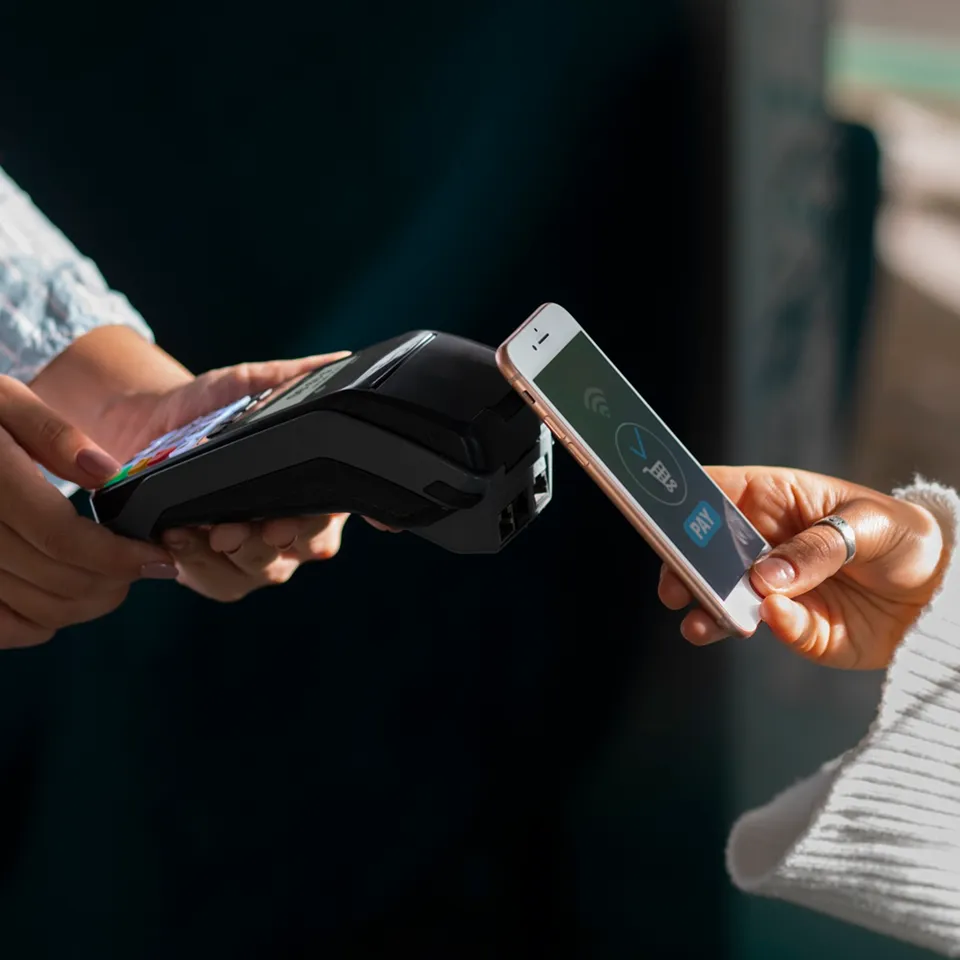
Shop quality products at great value,
Easily order through the KTC Mobile app with confidence in product quality and secure payments, exclusively for KTC cardmembers.
How to Order
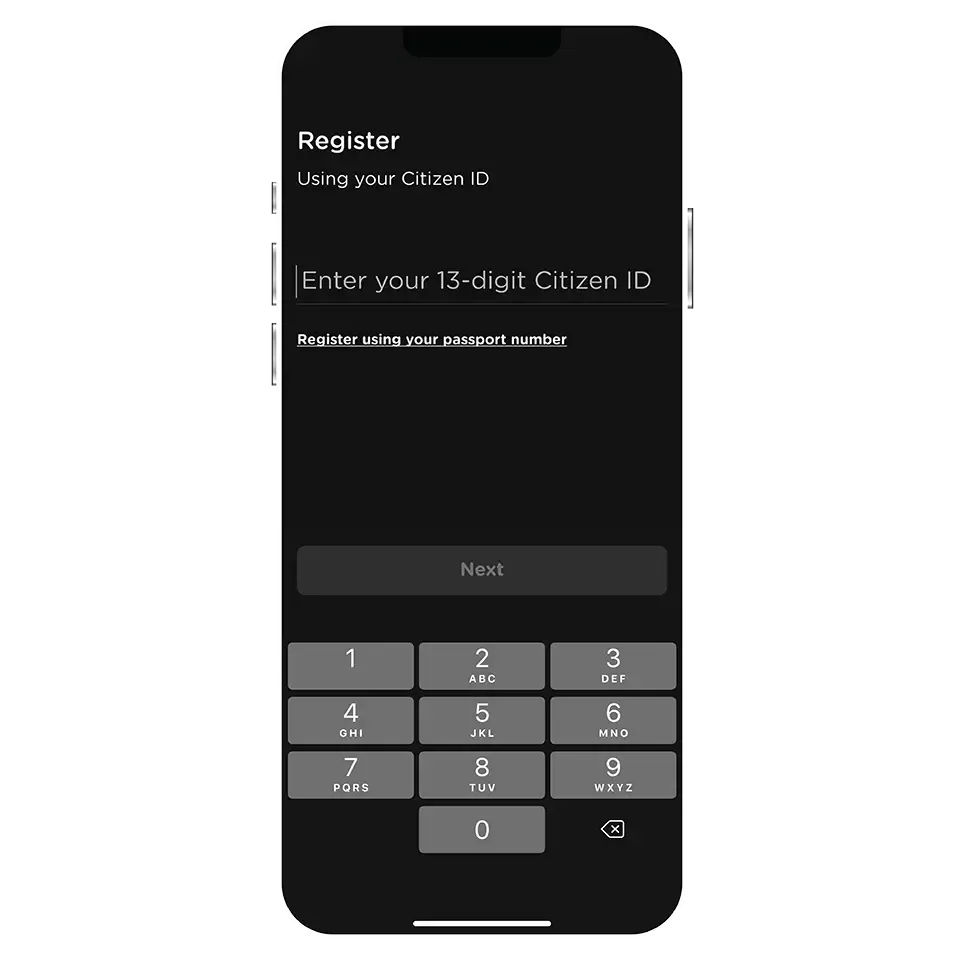
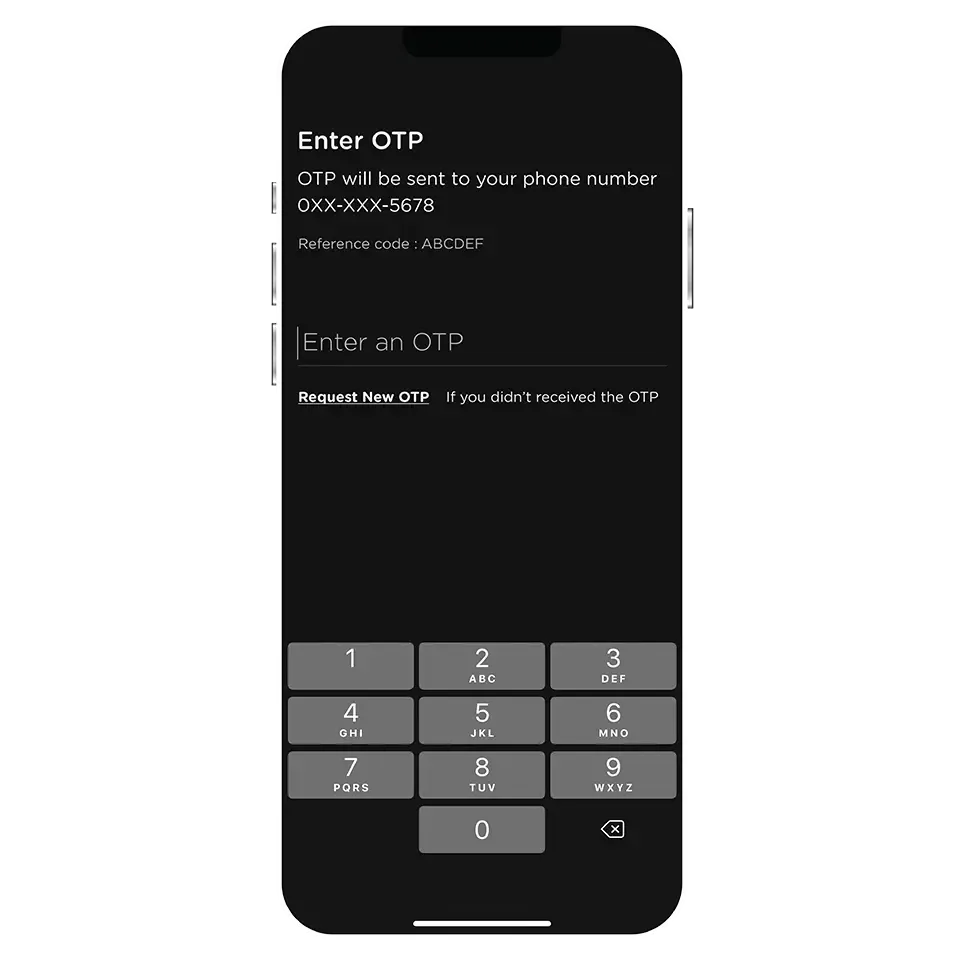
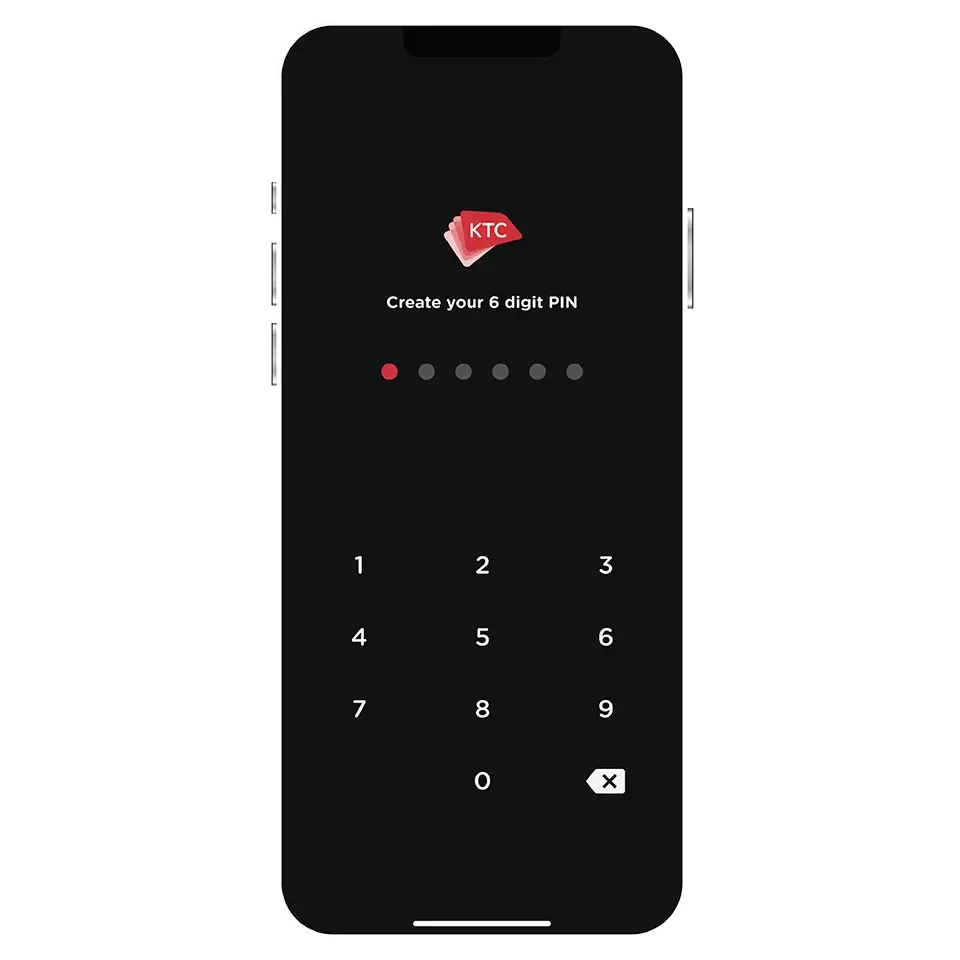
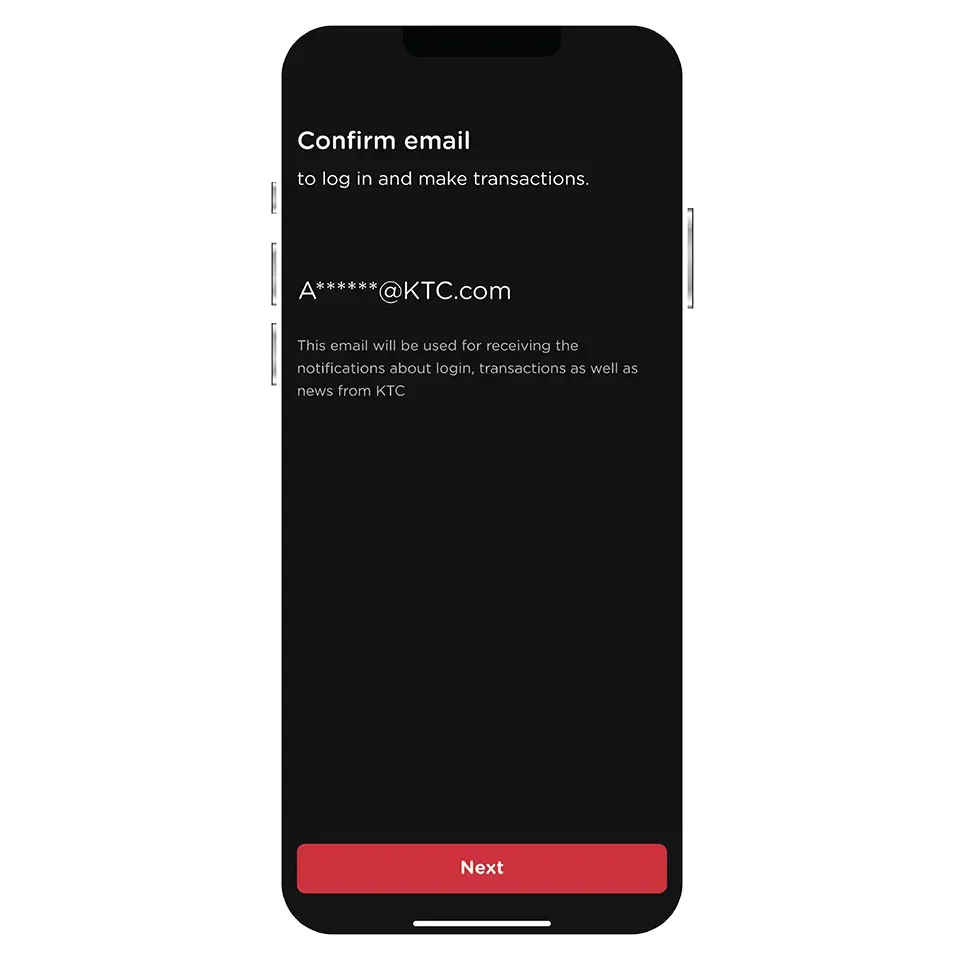
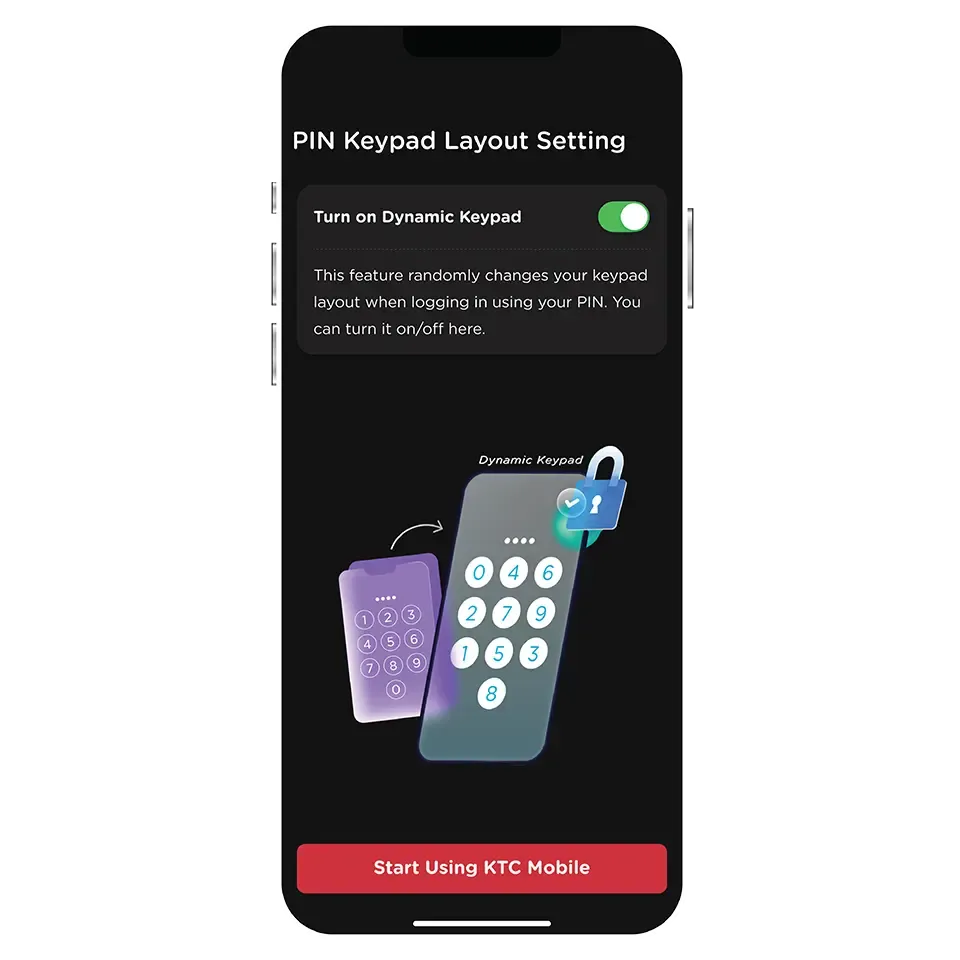
The KTC Mobile app supports iOS version 11 and Android version 6 and above. You can download it from the Apple App Store, Google Play, and Huawei AppGallery.
You can register the KTC Mobile app on only one device at a time.
For security purposes, KTC needs to verify that the phone number provided matches the one sent by the network service provider.
You can change your phone number by contacting KTC PHONE at 02 123 5000.
You can simply register the KTC Mobile app on your new device. The KTC Mobile app on your old device will no longer be functional once the registration on the new device is completed.
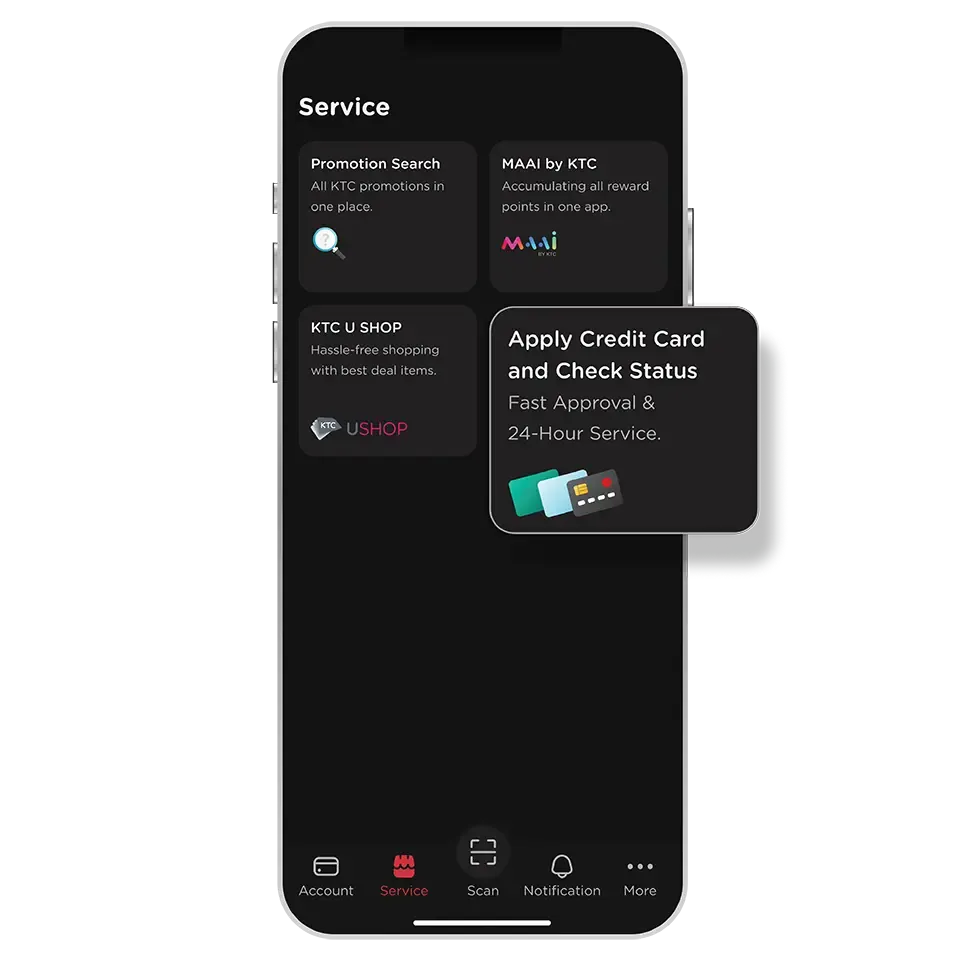
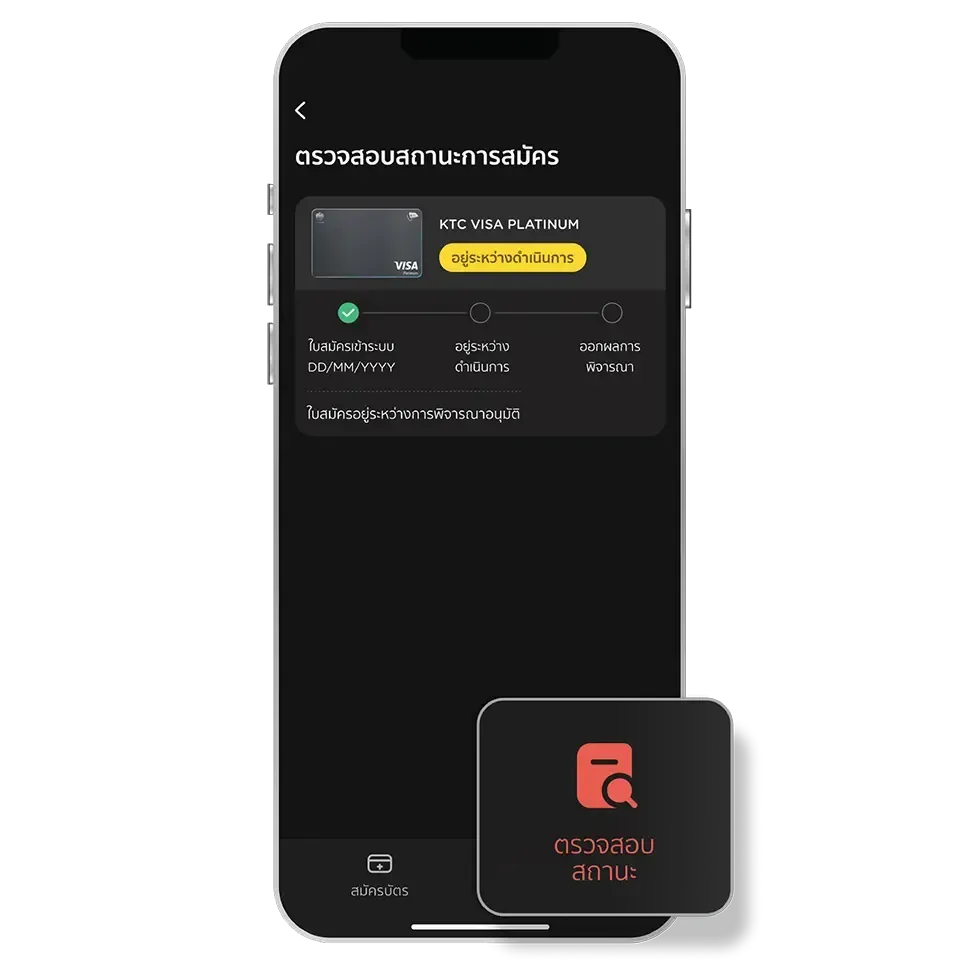
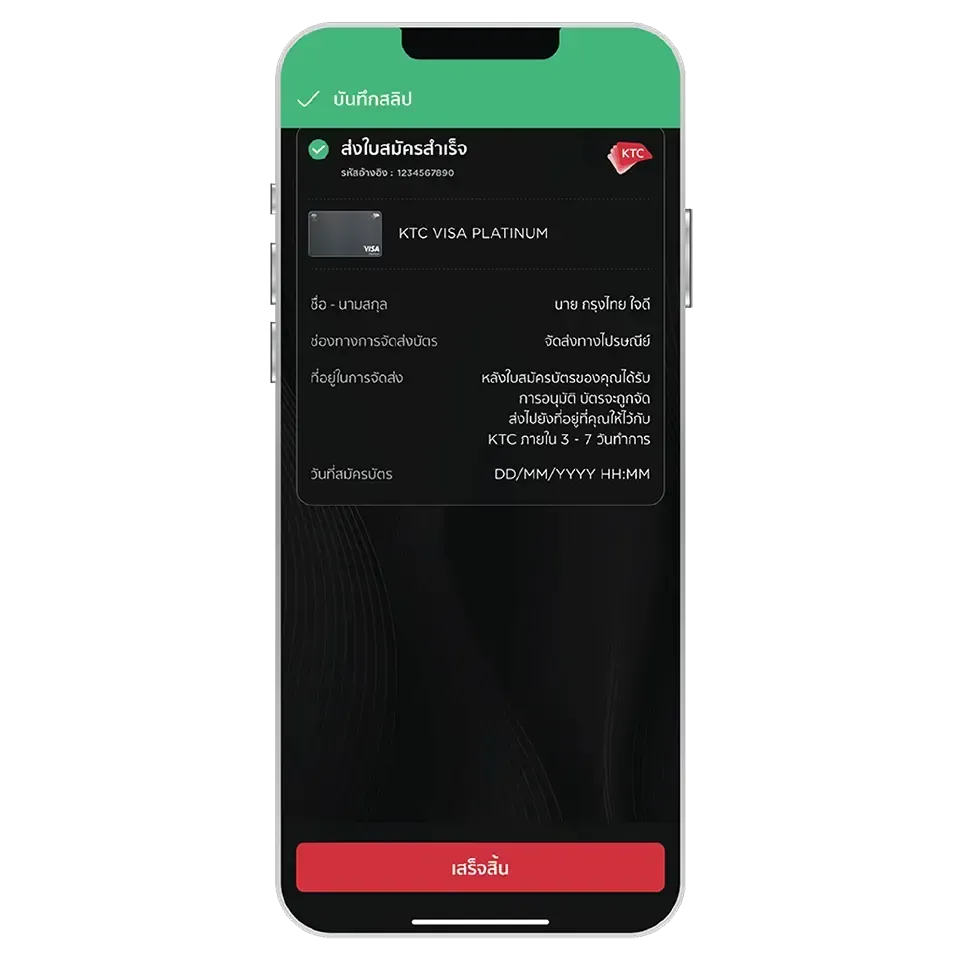
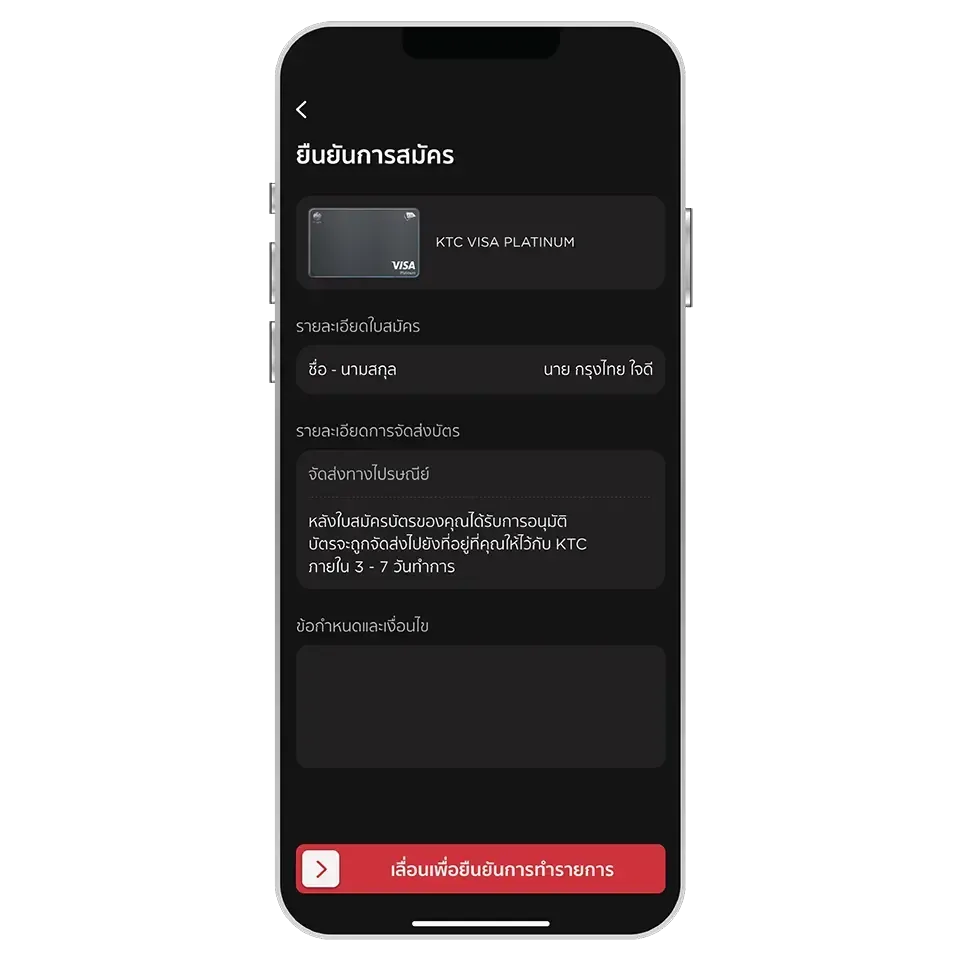
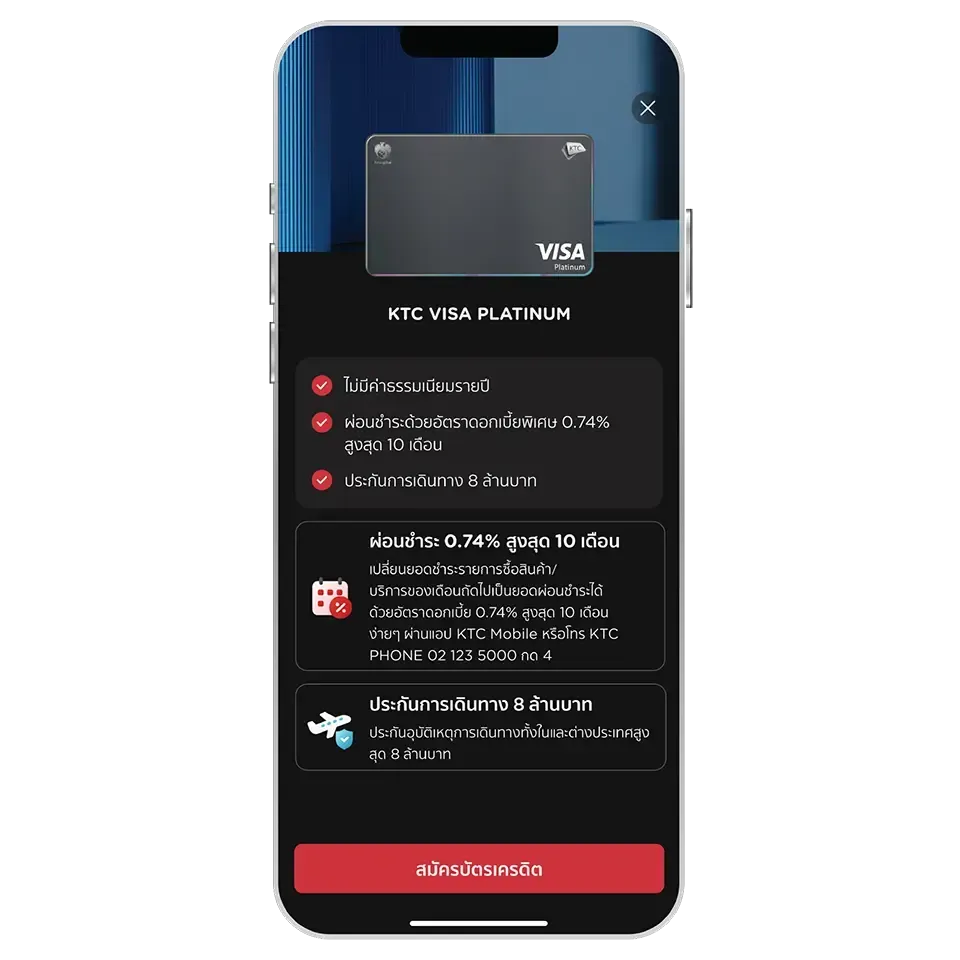
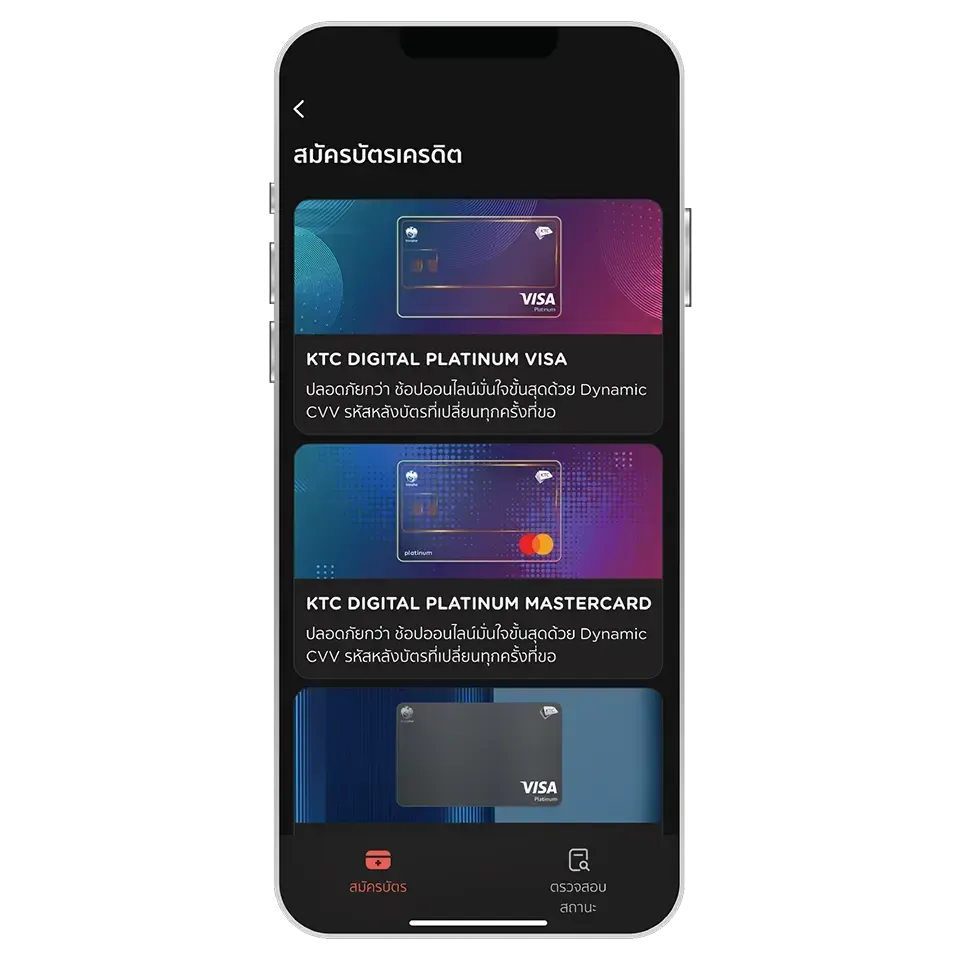
Members of all primary credit cards with normal account status can apply for an additional credit card via the KTC Mobile app immediately
Except for members who held any of the following products:
- All types of KTC VISA CORPORATES credit card
- KTC GOVERNMENT SERVICES credit card
- All types of supplementary credit card
- All types of KTC PROUD cash card
- KTC CASH loan
- All types of KTC P BERM car for cash loan
It’s possible, however; there is an annual fee of 535 THB per card (VAT included).
This does not include any KTC credit cards that have an annual fee.
In this case, we recommend you to contact KTC PHONE at 02 123 5000 (24 hrs). Our staff is willing to help.
To check the status of your application, just simply go to the “Apply Credit Card and Check Status” menu and select “Check Status”
Please note that this status check is available only for KTC credit cards available for application via the KTC Mobile app.
When go to the “Check Status” menu, the result will be displayed as “Approved.”
The card will appear in the “Account” menu under the “Credit Card” category on the KTC Mobile app.
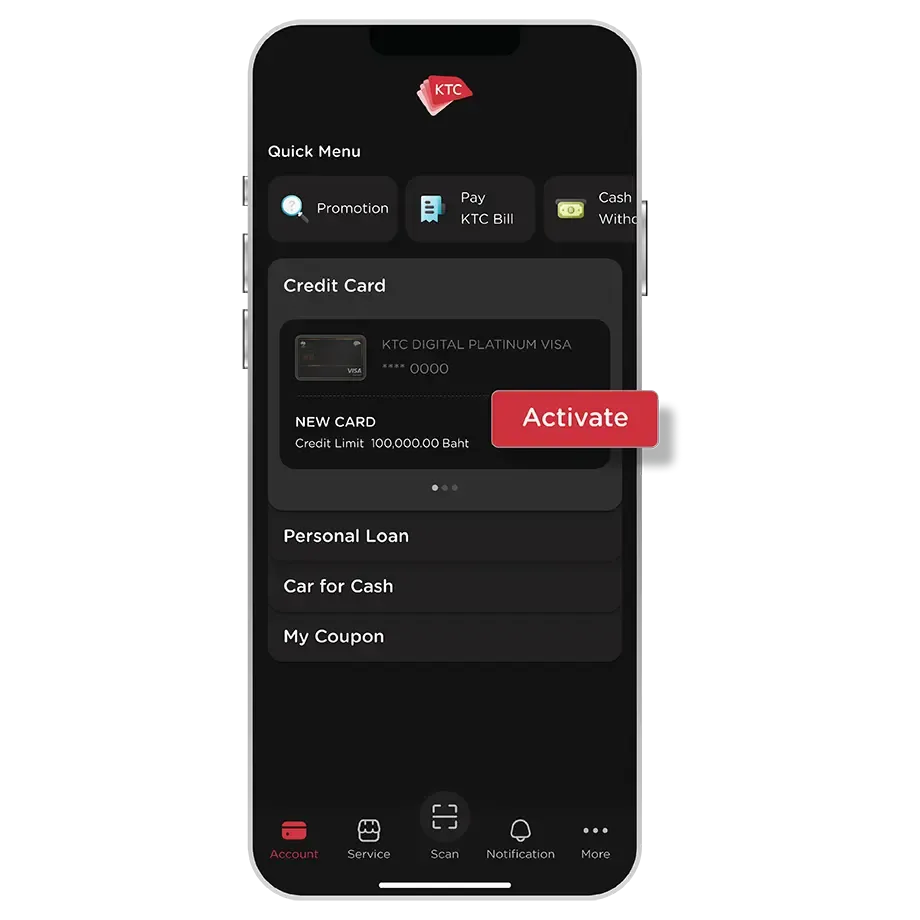
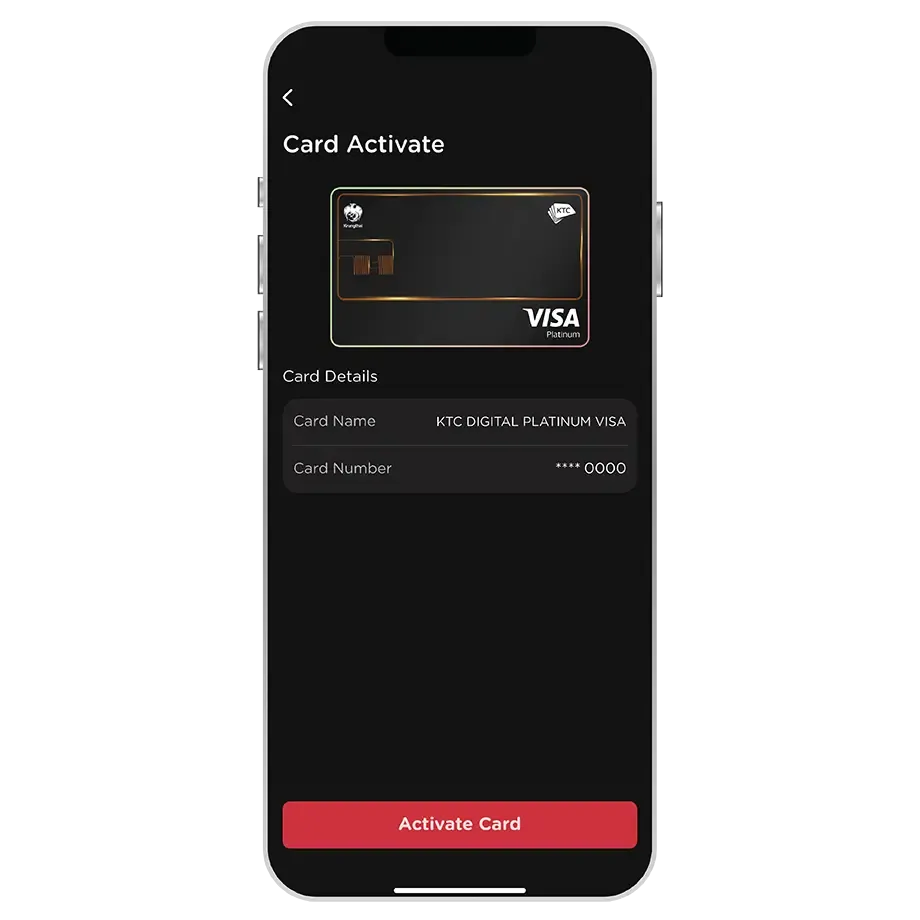
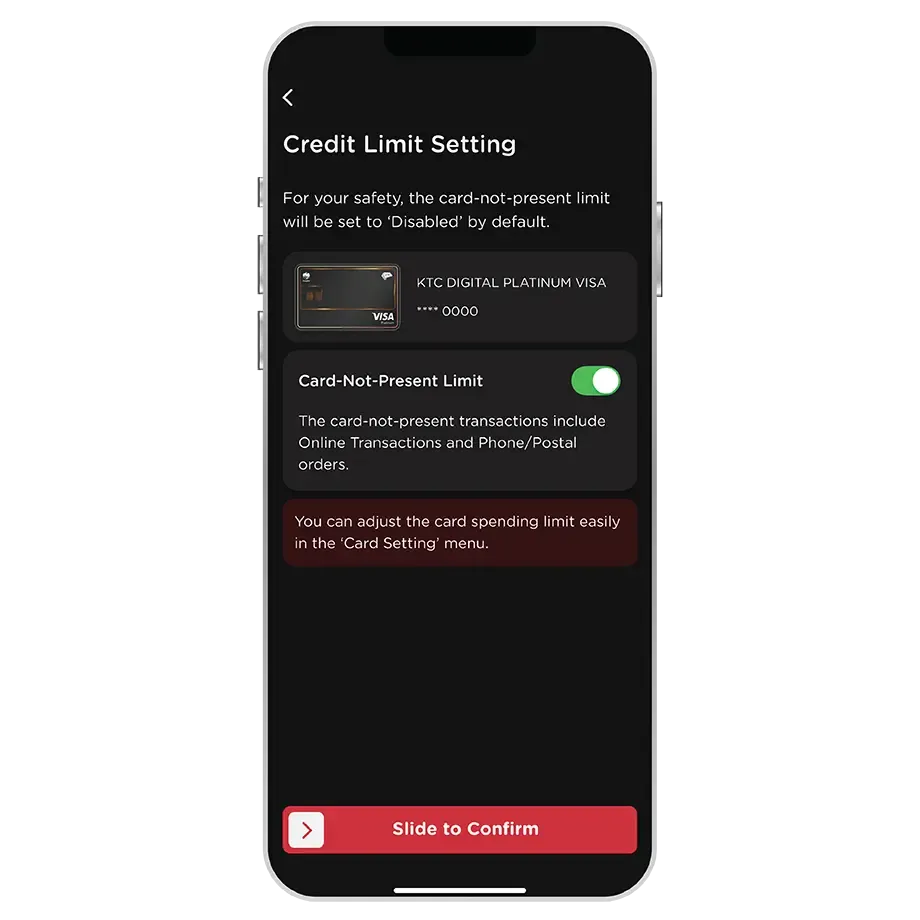
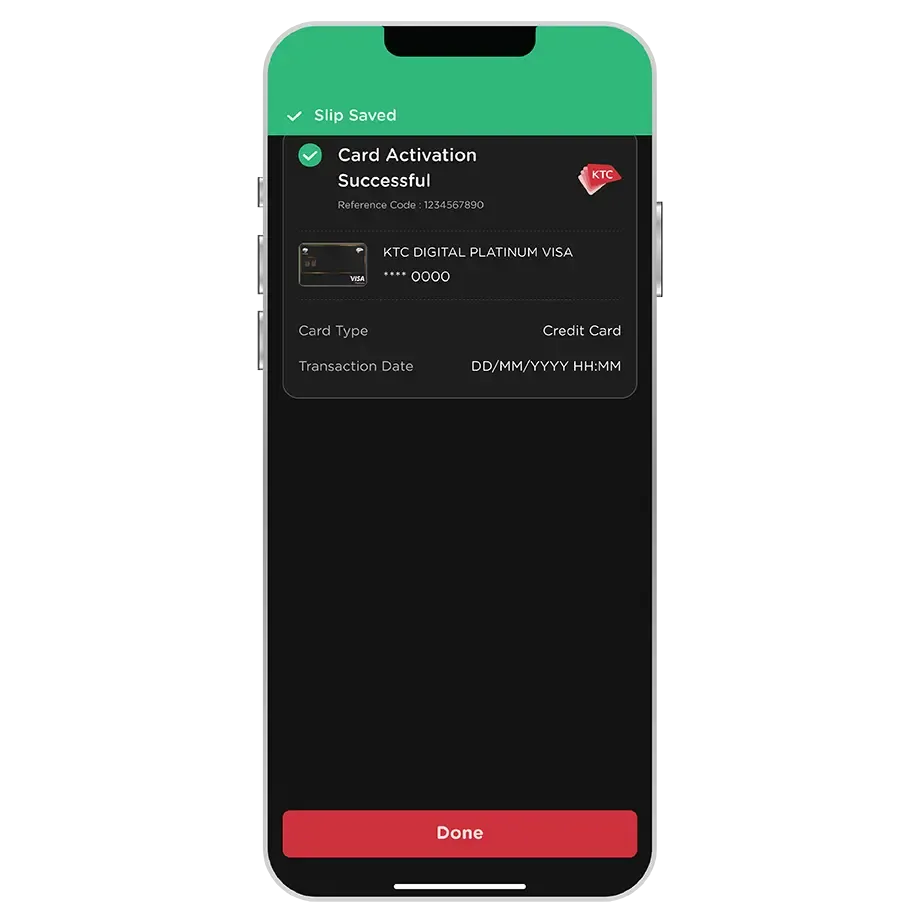
Activate the KTC DIGITAL credit card by enable the Card-Not-Present spending limit via the KTC Mobile app. The Card can be used instantly after activated.
To adjust the Card-Not-Present spending limit, go to the “Spending Control” menu via the KTC Mobile app.
The KTC DIGITAL credit card can be used for
1. All types of Card-Not-Present transactions (Online Transactions, QR Payment, phone/postal orders, and International Recurring Payments)
2. Link the cards to the Wallet application.
3. Link the cards to Device Payment services such as Google Pay, Fitbit Pay, Garmin Pay and SwatchPAY!
4. Online cash withdrawals
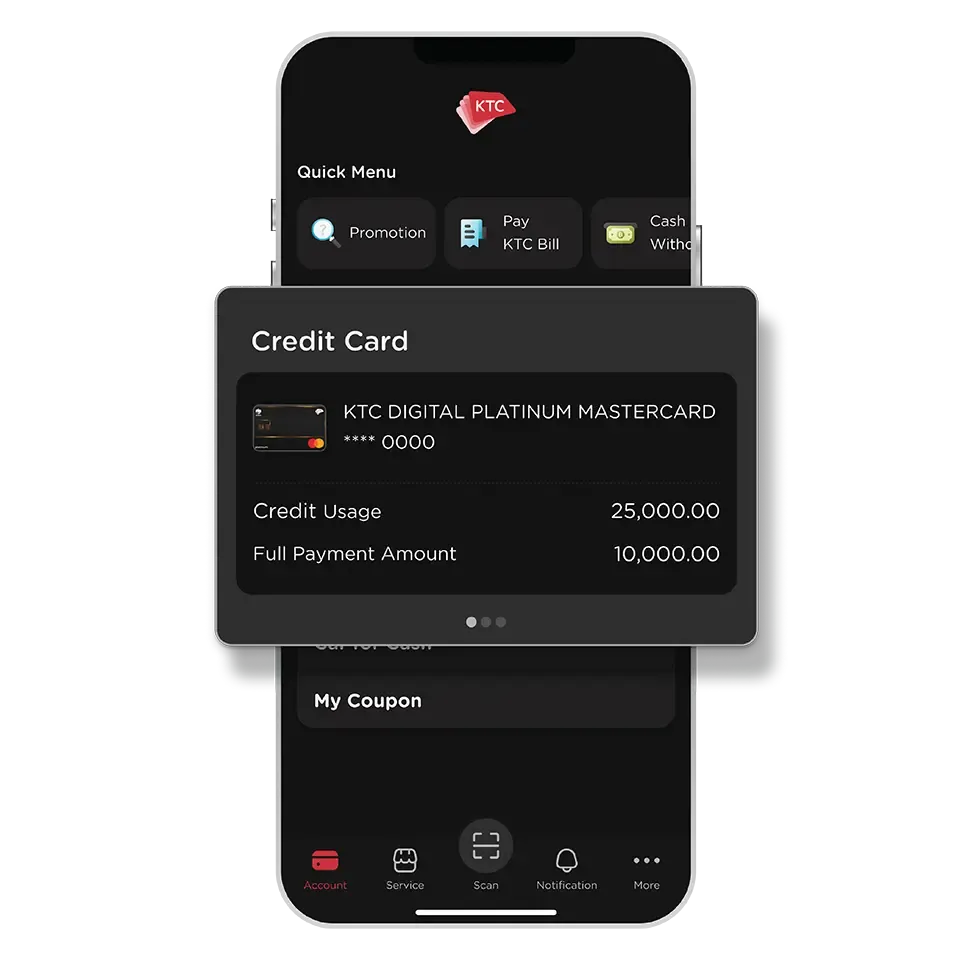
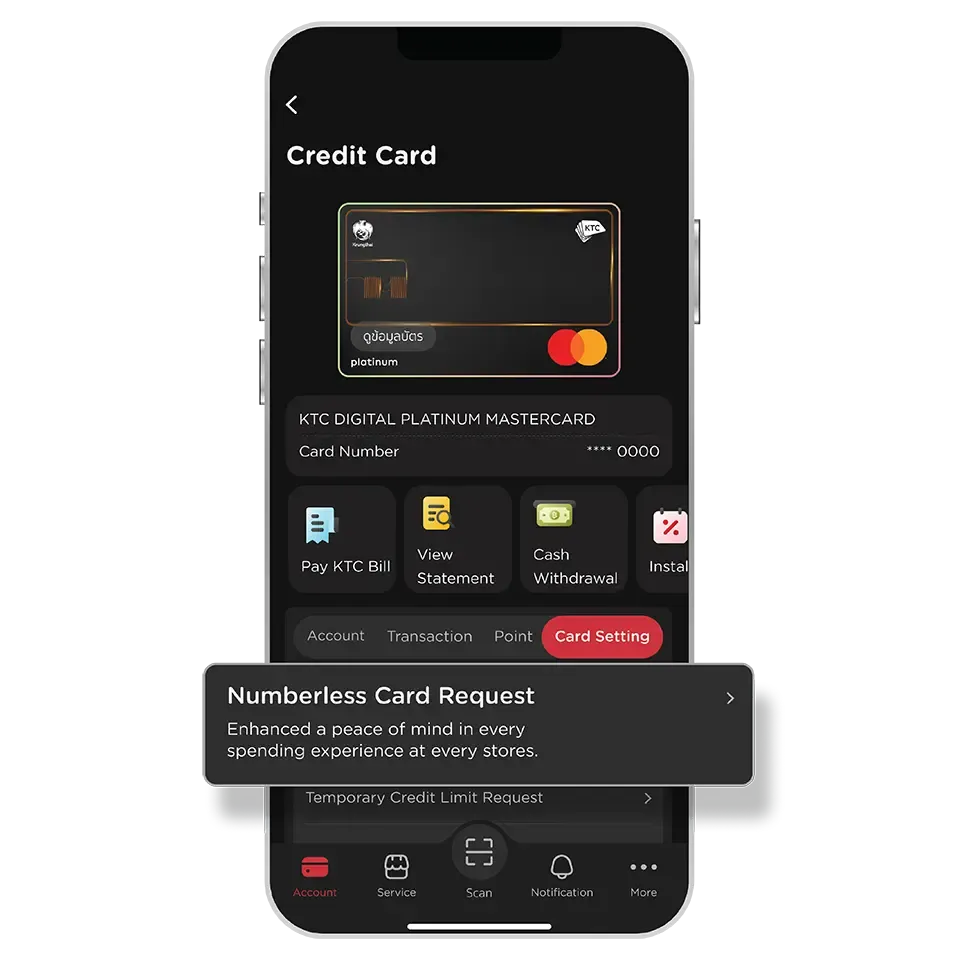
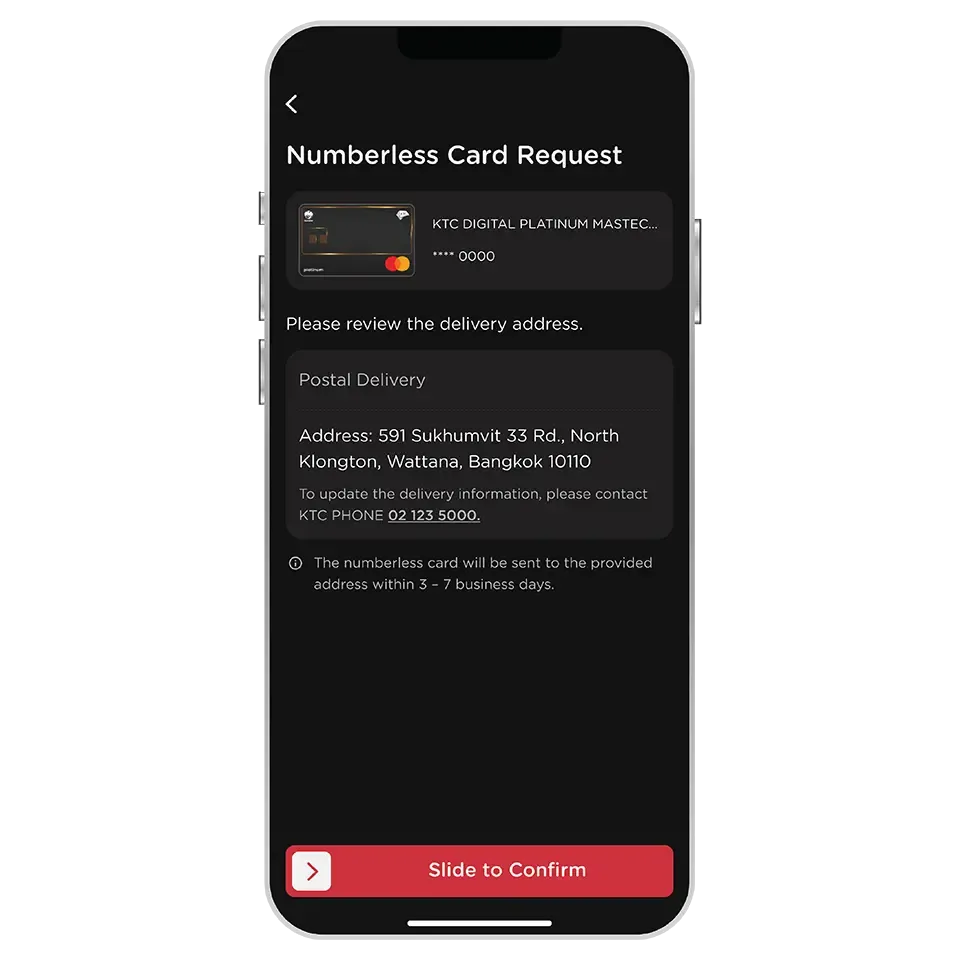
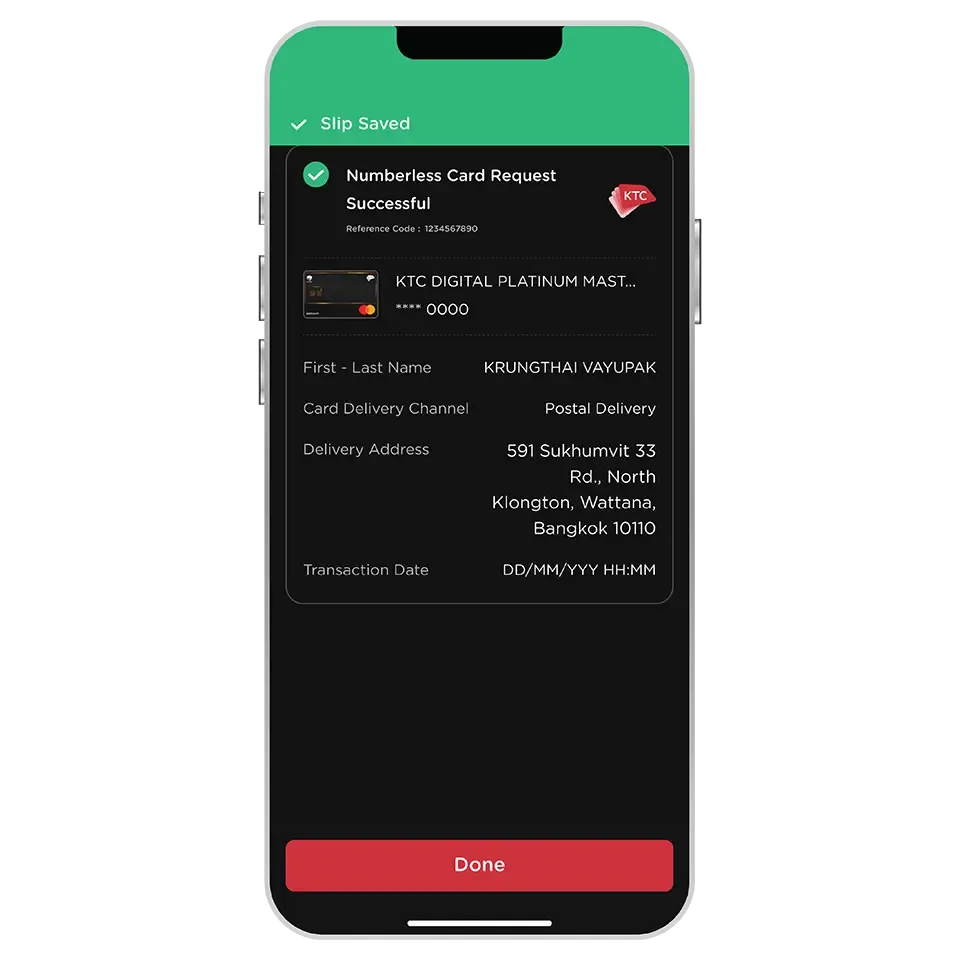
The KTC DIGITAL credit card's numberless card displays cardholder's name and does not display any information, including card number, expiry date, and CVV code. Eliminate concerns about data theft.
However, it functions like a standard credit card for store purchases.
You can immediately request a numberless card when you have activated the digital card of the KTC DIGITAL credit card.
There is no fee for requesting a numberless card.
The numberless card requests made via the KTC Mobile app will only be delivered to the address provided to KTC. The address cannot be changed.
If you wish to update your address, please contact KTC PHONE 02 123 5000 to change the card delivery address.
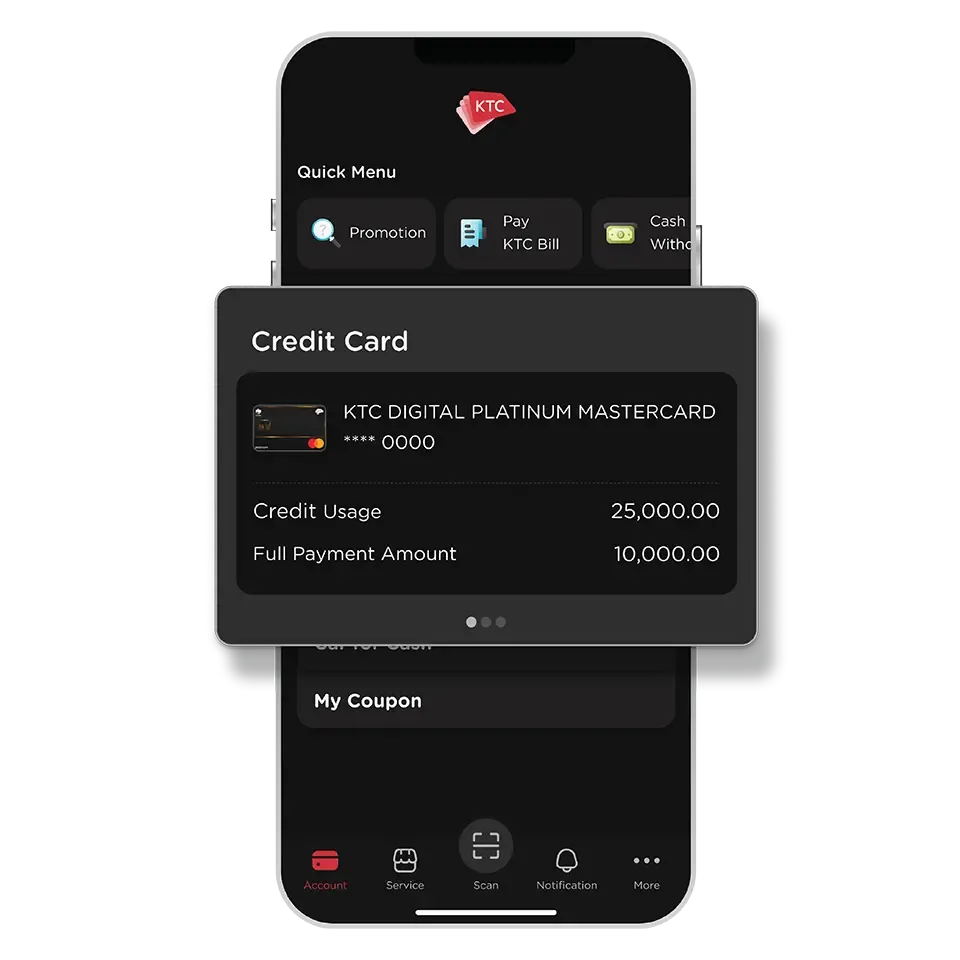
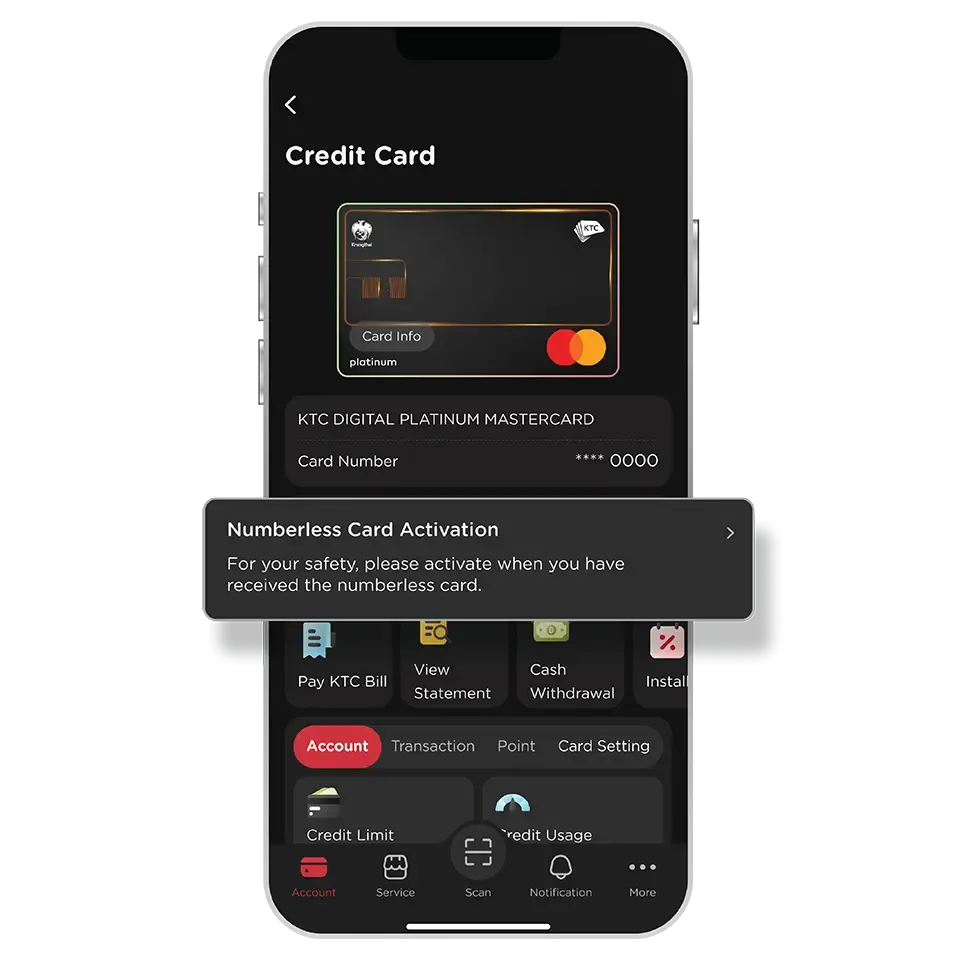
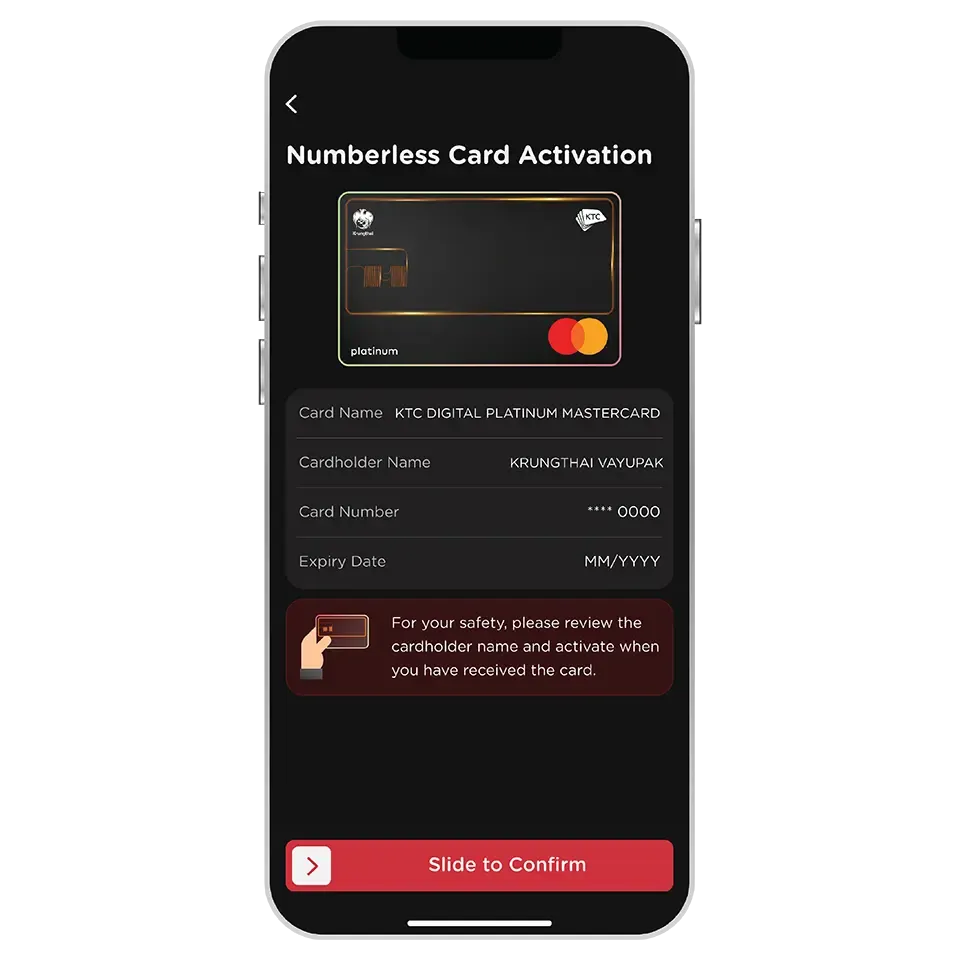
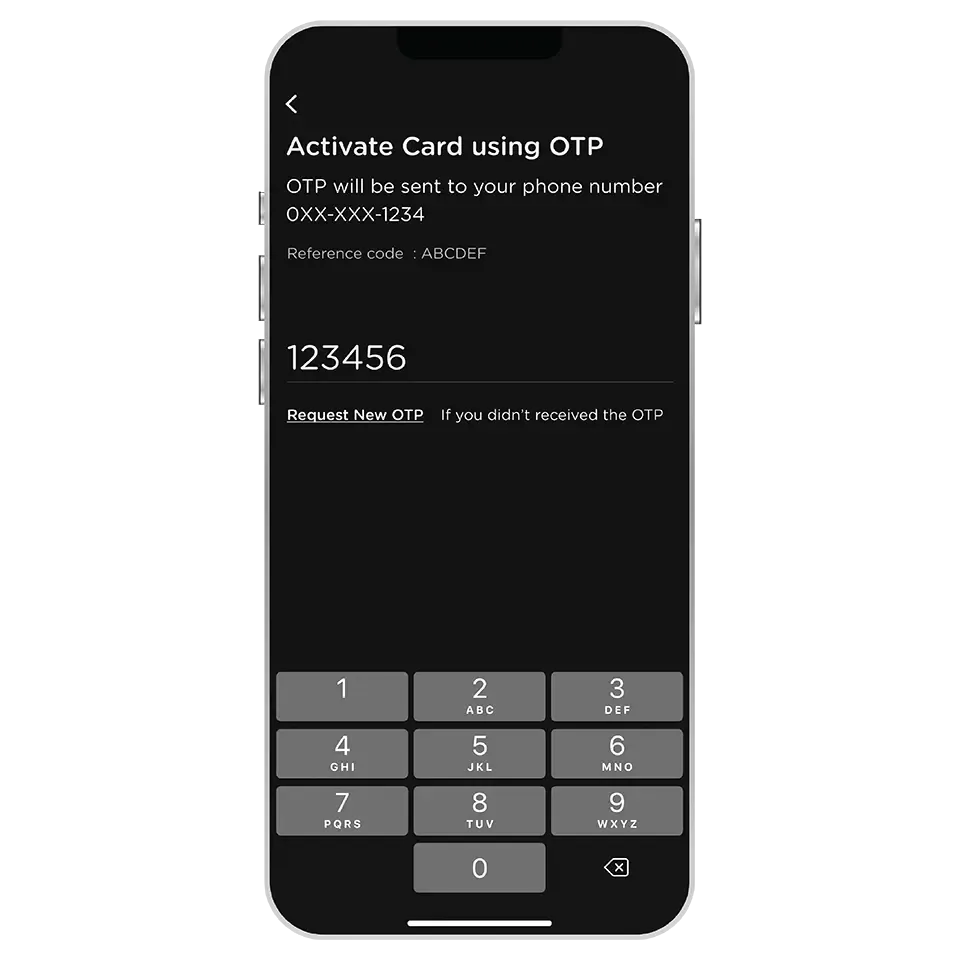
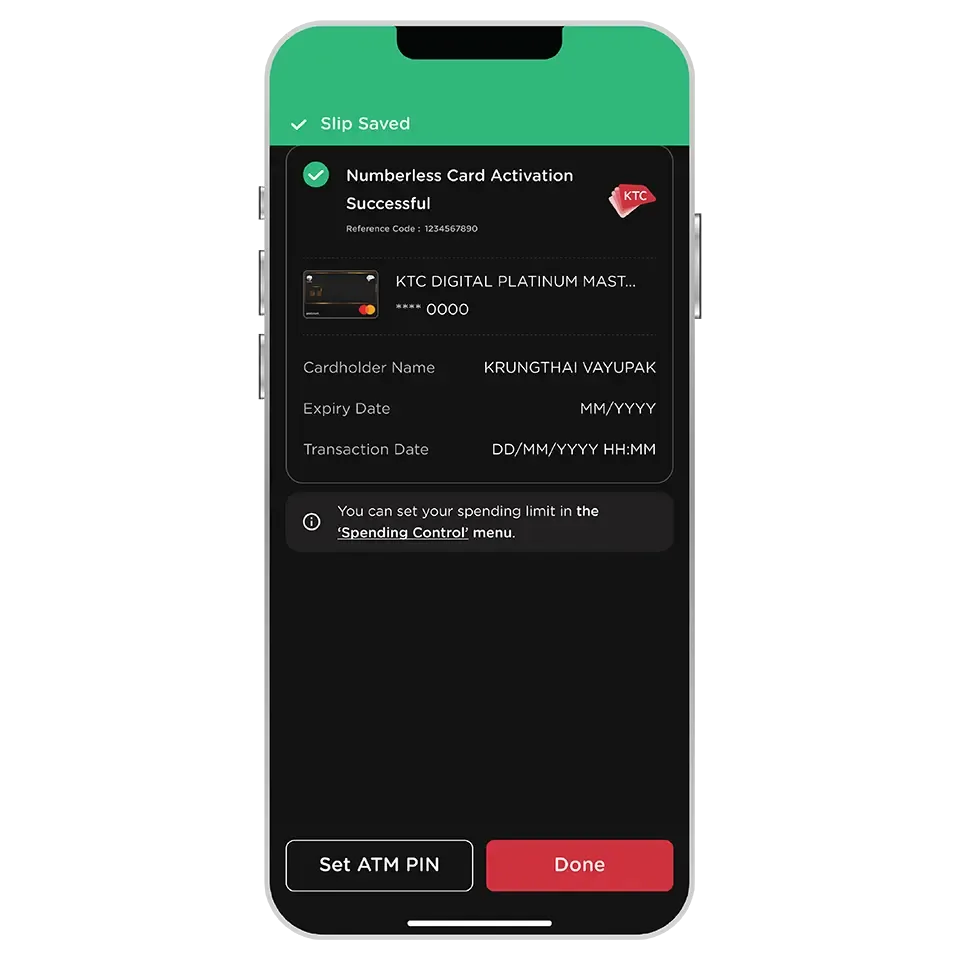
The numberless card must be activated before it can be used at stores.
The activated numberless card and the digital card will display the same information of KTC DIGITAL credit card.
You can view card number, expiry date, and request Dynamic CVV on the KTC Mobile app.
The numberless card still can purchased with an inserted or tap (contactless payment) on Electronic Data Capture (EDC).
It is unable to withdraw cash through an ATM with the numberless card inserted, due to it has no magnetic stripe. Alternatively,
it is recommended to withdraw cash by transferring it to your bank account via the KTC Mobile app.
You can block card temporary via the KTC Mobile app or contact KTC PHONE 02 123 5000.
The replacement card of KTC DIGITAL credit card with a new card number is issued only a digital card on the KTC Mobile app.
Then, you can "request a numberless card" by yourself via the KTC Mobile app after activating a digital card.
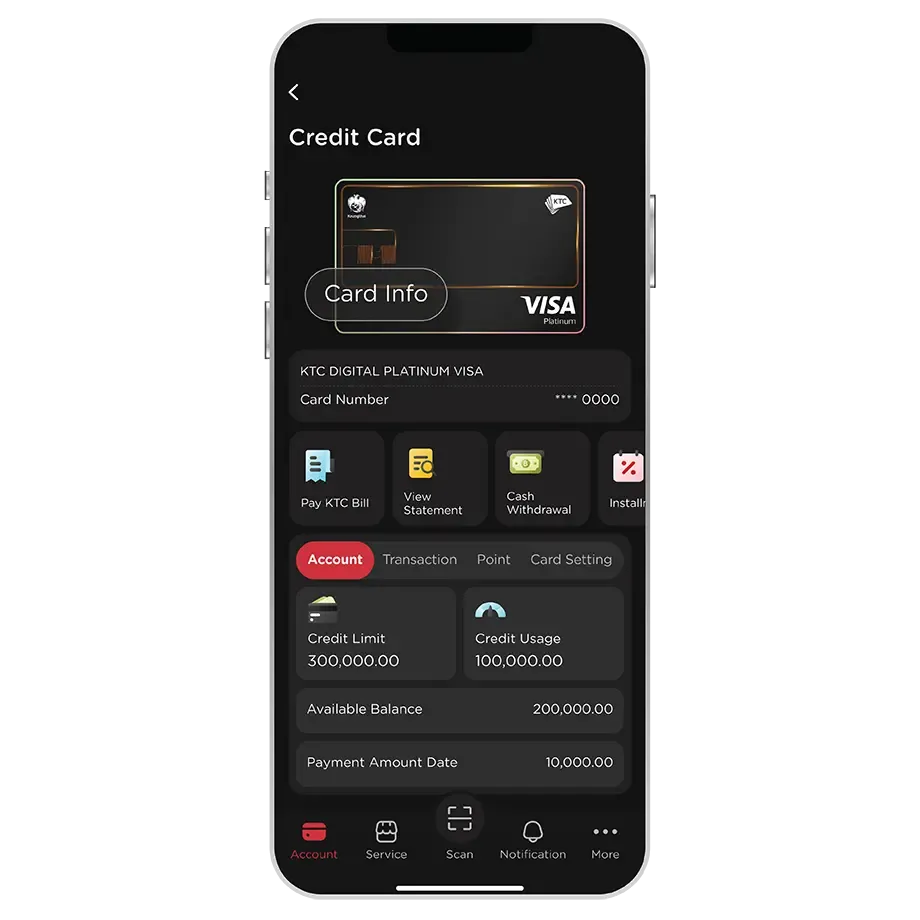
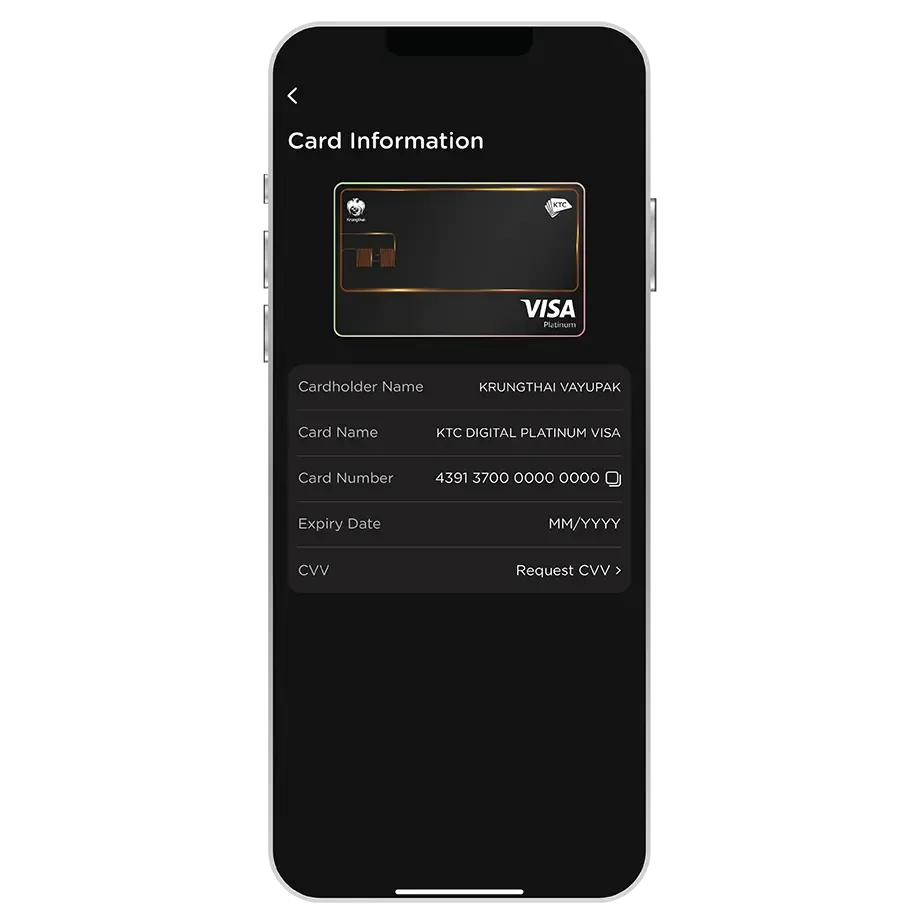
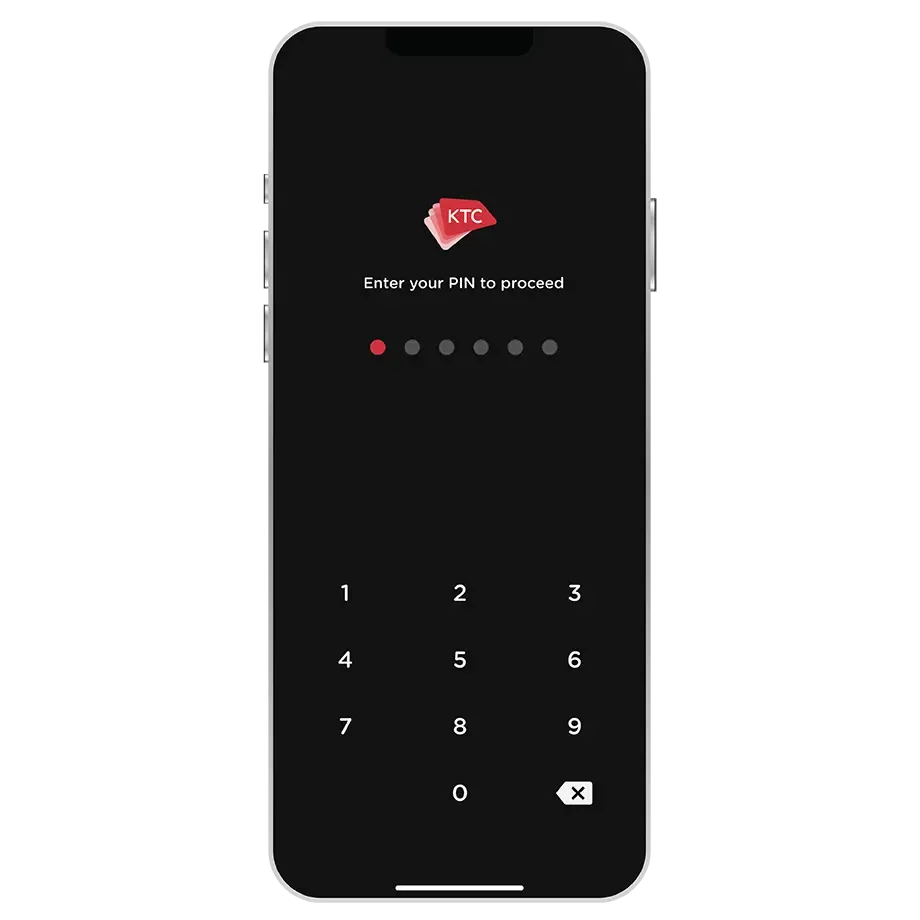
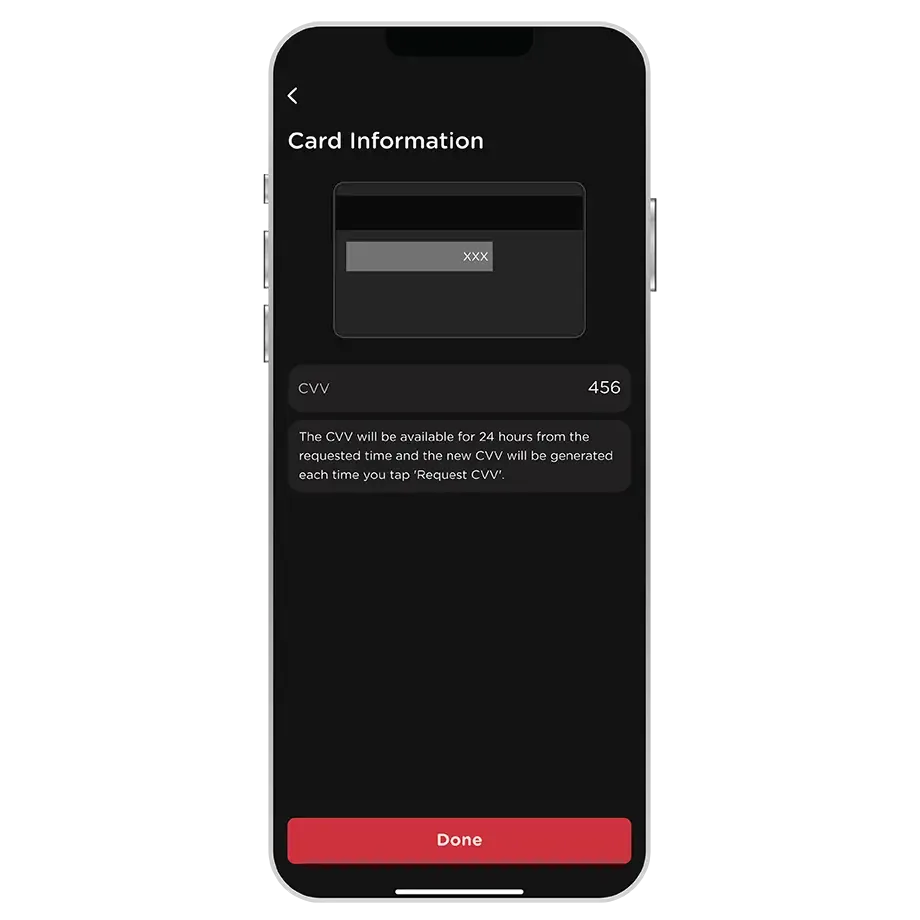
The card information shown on the KTC Mobile app includes:
1. Cardholder Name
2. Card Name
3. Card Number
4. Expiration Date
5. CVV
The CVV of the KTC DIGITAL credit card is dynamic, changing every time you request it. It will remain valid for 24 hours.
If the CVV has expired or is forgotten, a new one can be requested via the KTC Mobile app anytime.
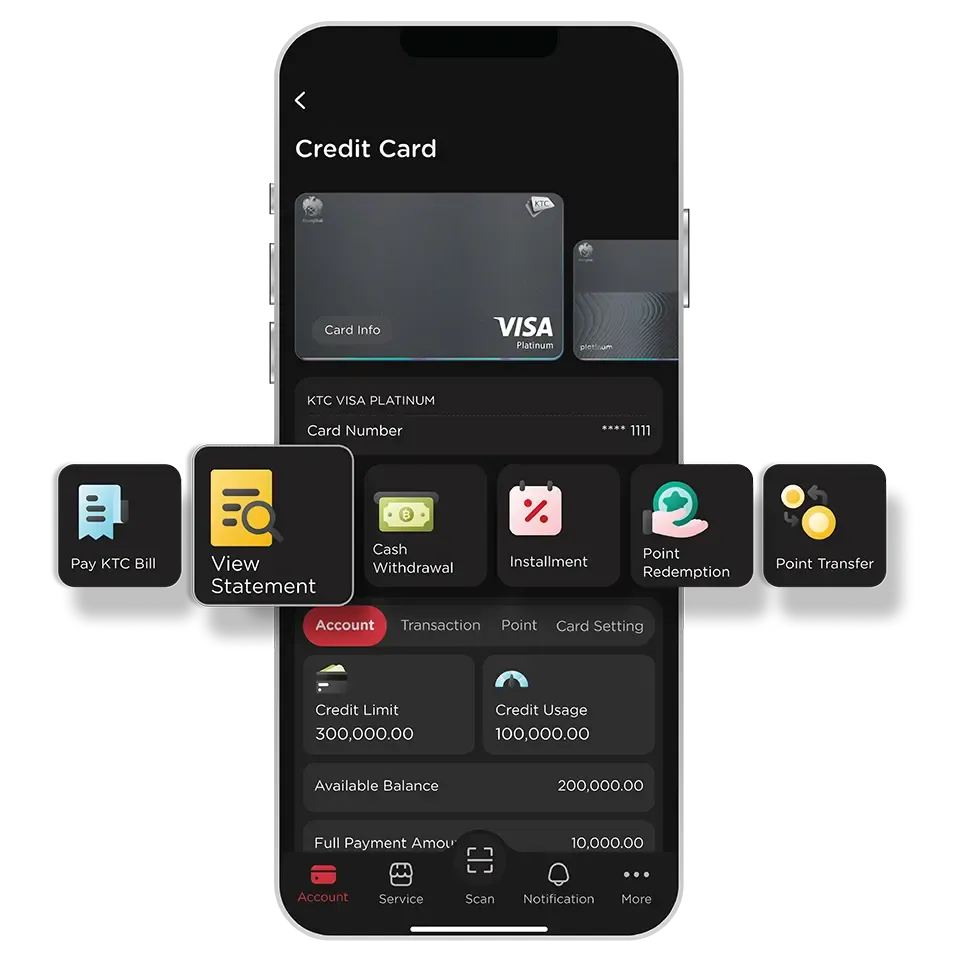
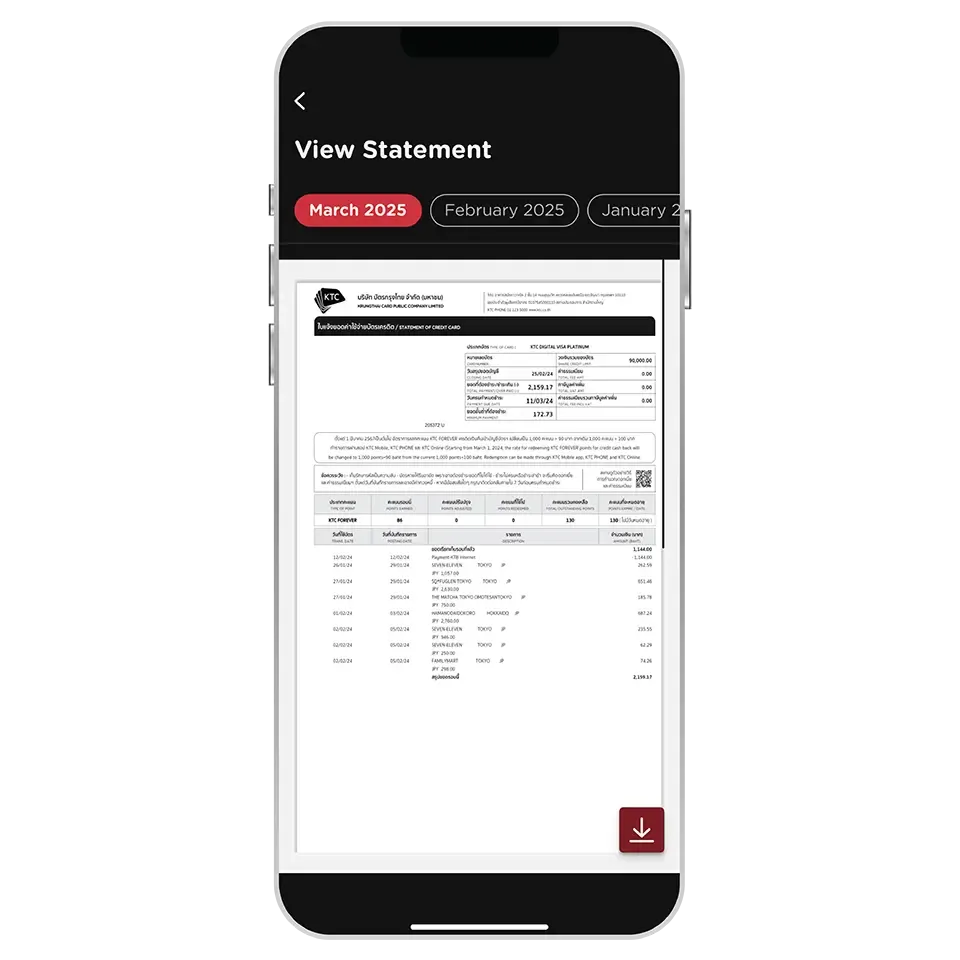
The latest statement will be available within 2 days after the statement closing date .
The past statements can be viewed for up to 6 months.
If there is no statement issued for a particular month, that month's statement will not be displayed.
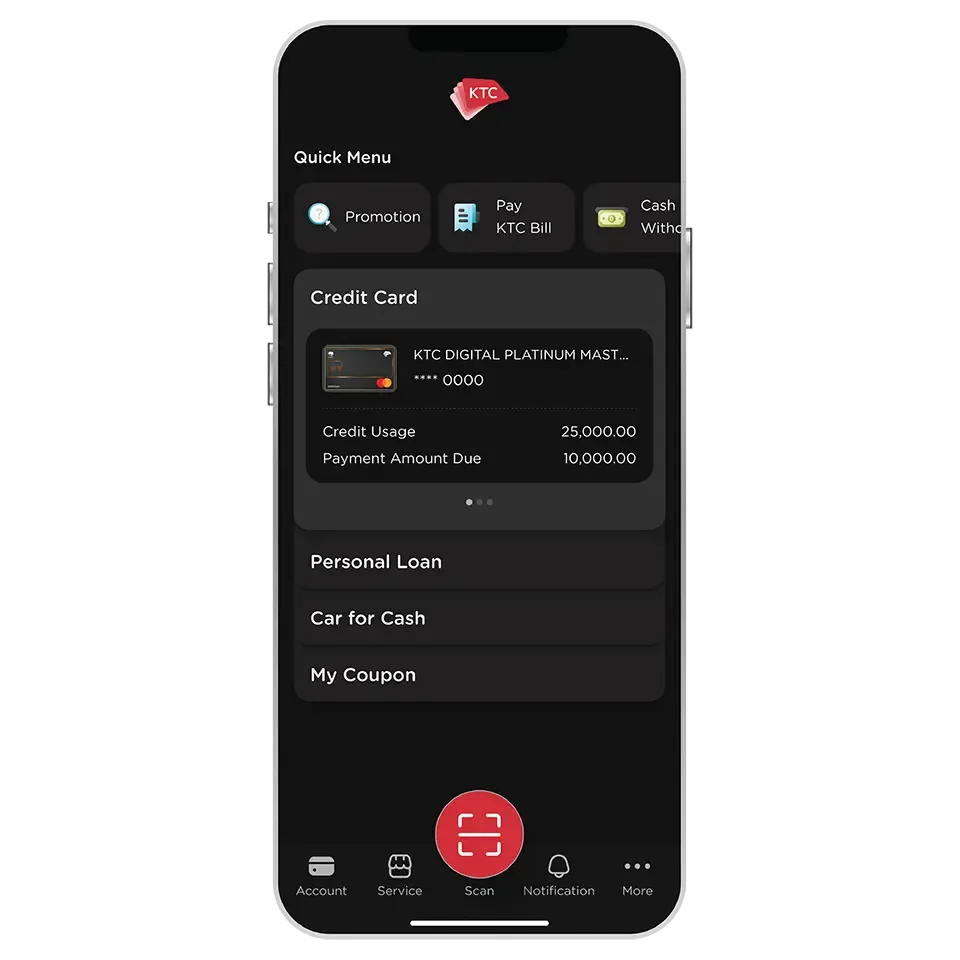
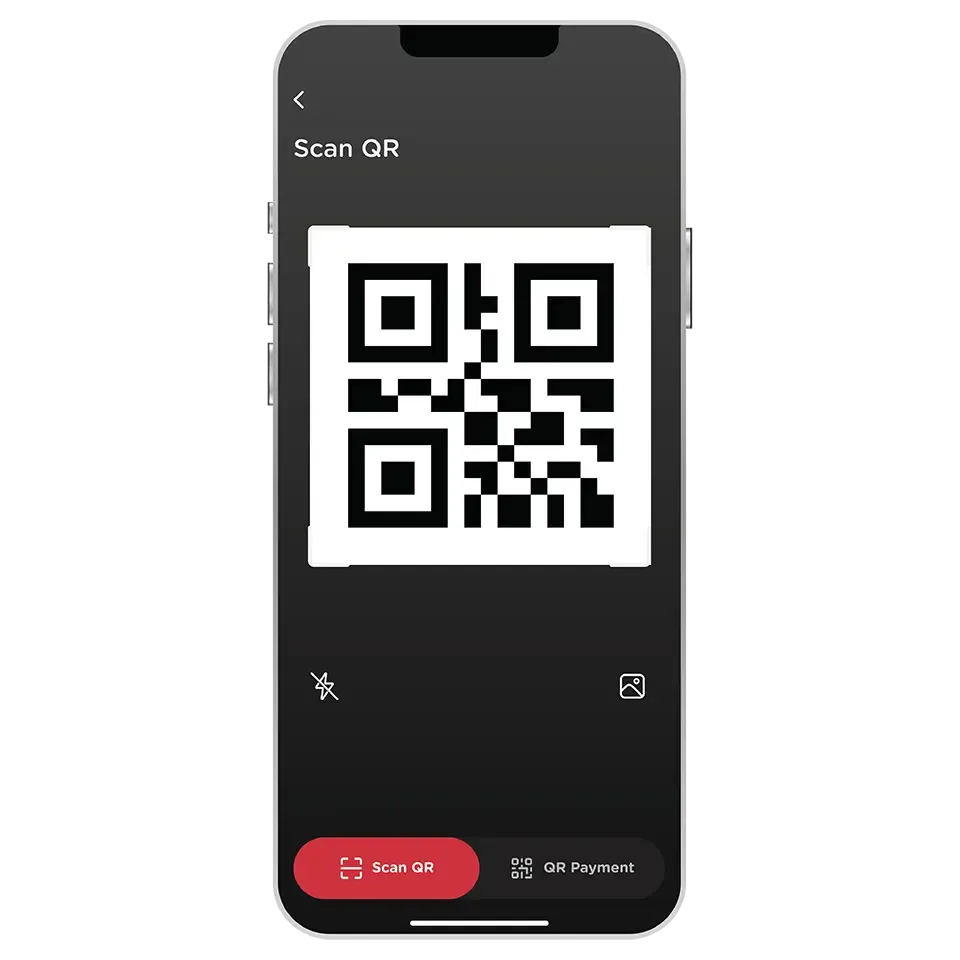
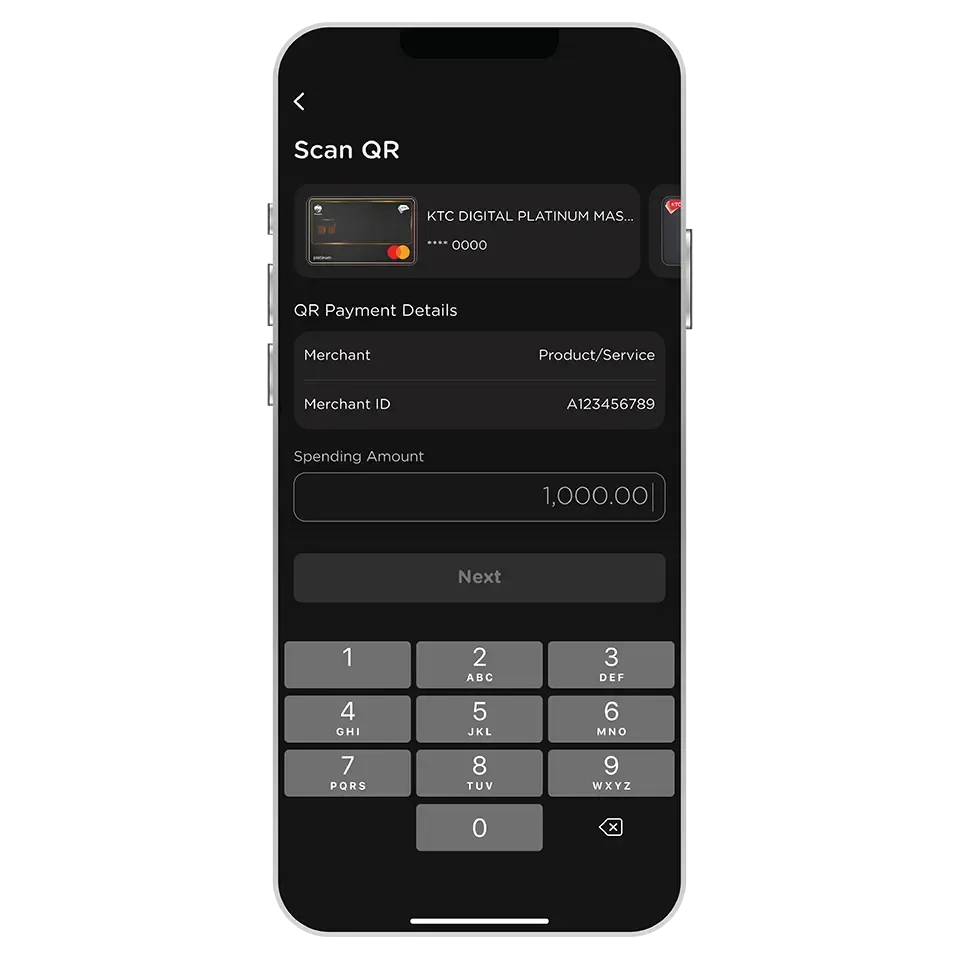
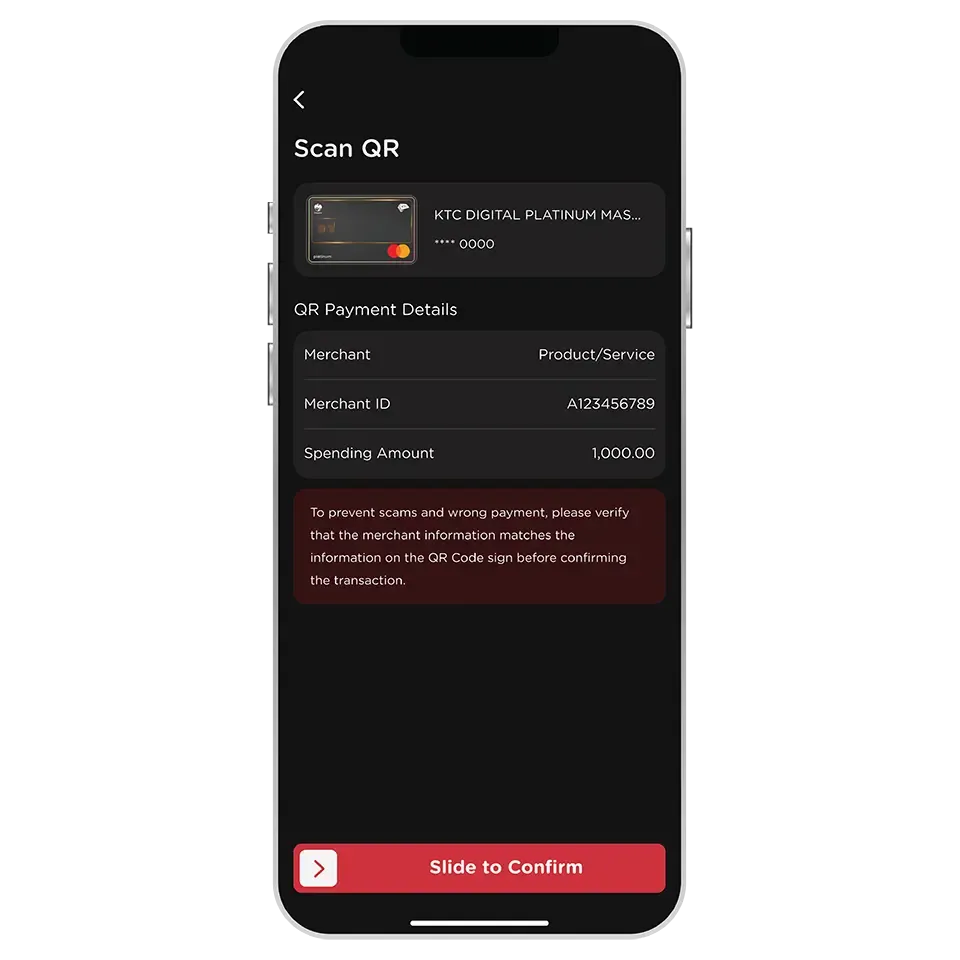
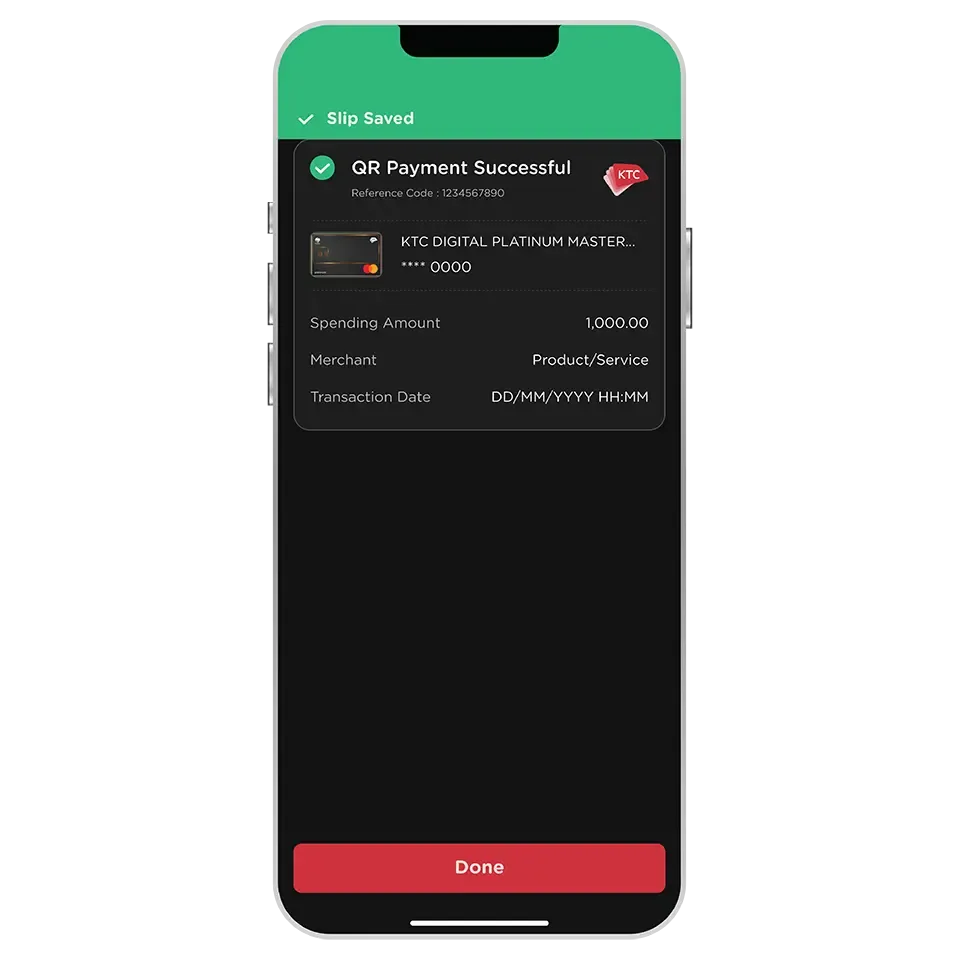
Only all types of KTC VISA, KTC MASTERCARD, and KTC UNIONPAY credit cards can be used for QR Payments.
The QR Payment with a credit card can be used at merchants with Visa, Mastercard, or UnionPay symbol on the QR signs. Use the KTC Mobile app to scan the QR code and select a card to pay.
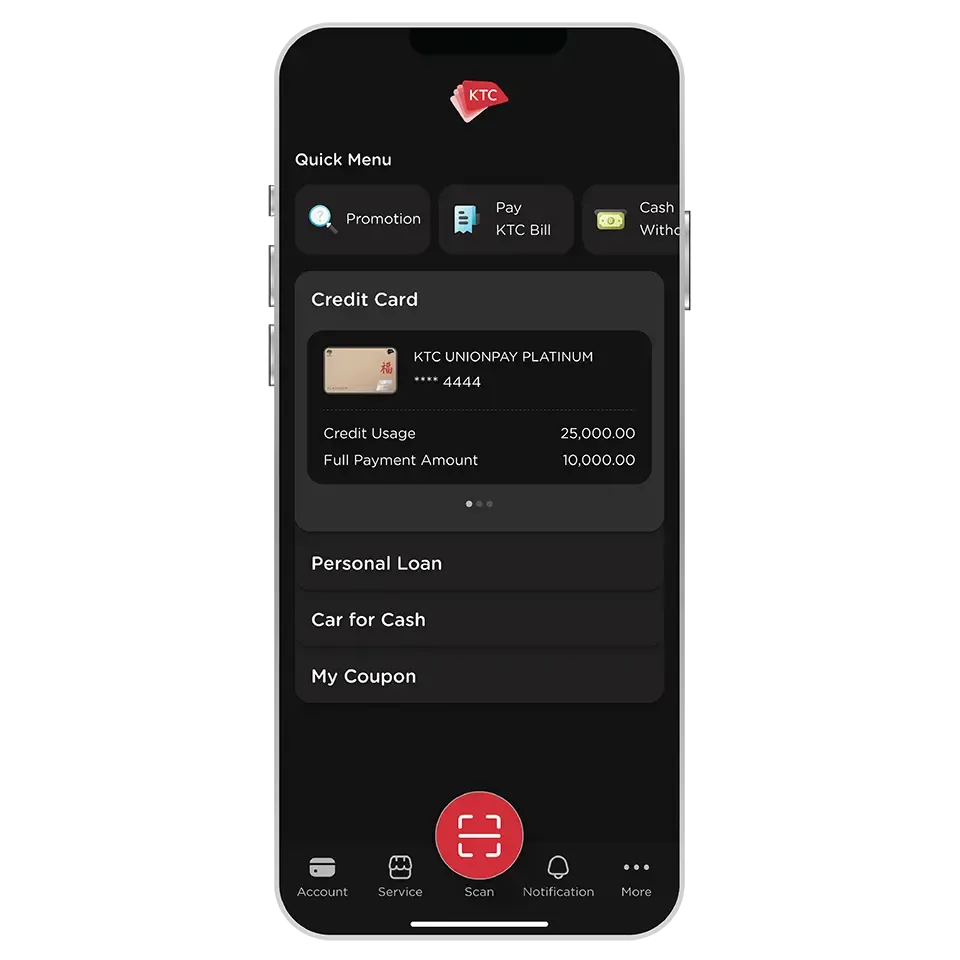
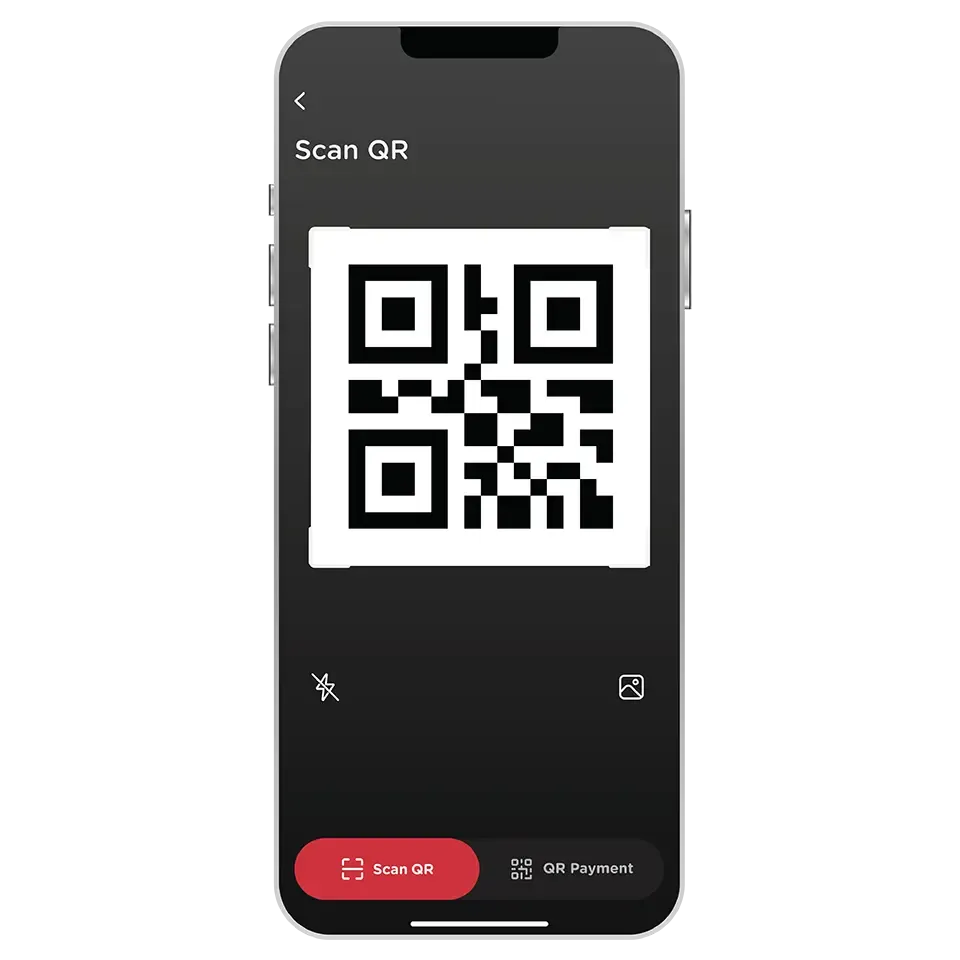
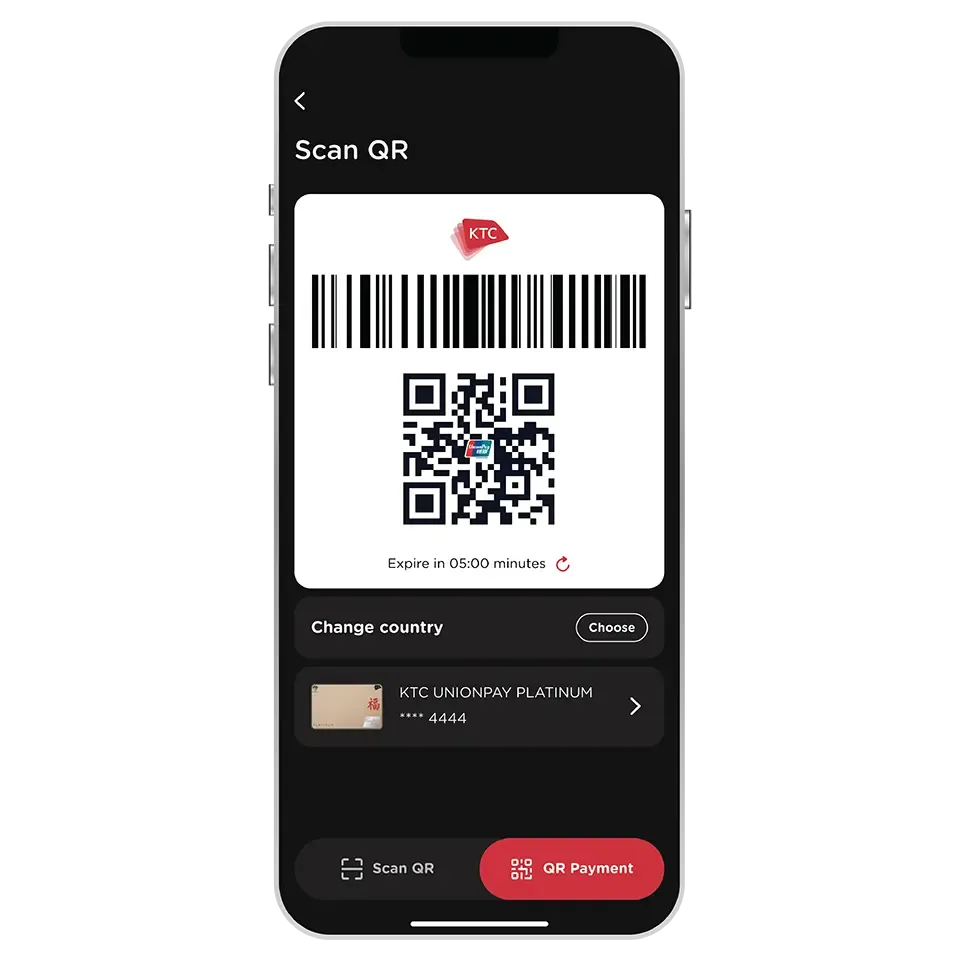
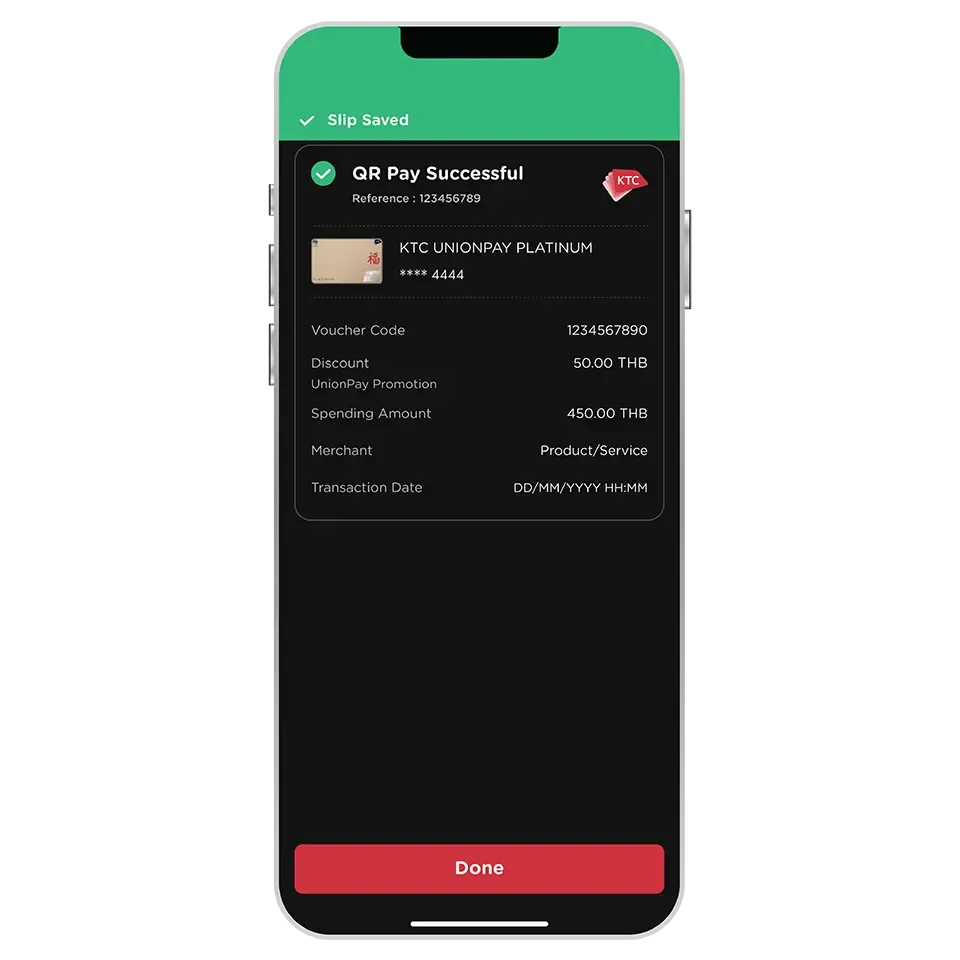
Only all types of KTC UNIONPAY credit card are eligible.
The QR code can be used at merchants with UnionPay or YunShanFu symbol on the QR signs in Thailand and overseas.
Yes, the generated QR code can be used by merchants in any country worldwide, including Thailand by selecting the country to "Others".
Exception for transactions in China, It's required to change the country to "China" to generate a specific QR code and barcode for China.
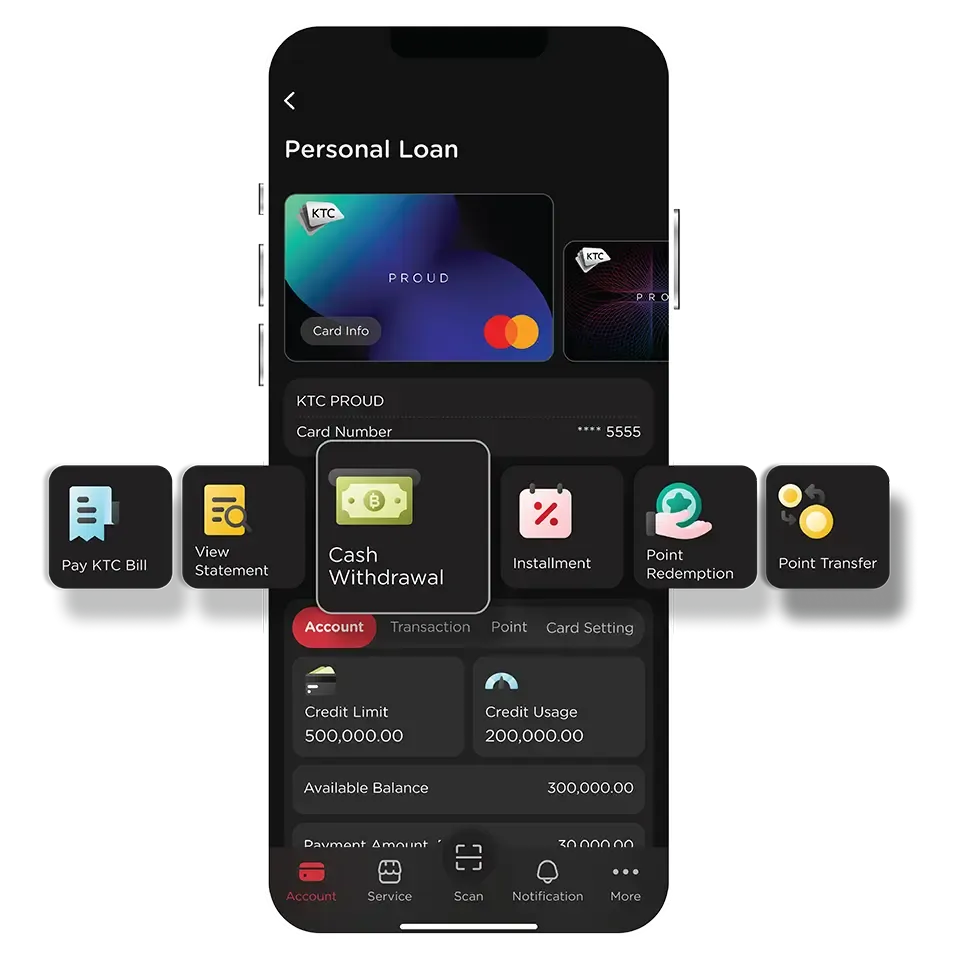
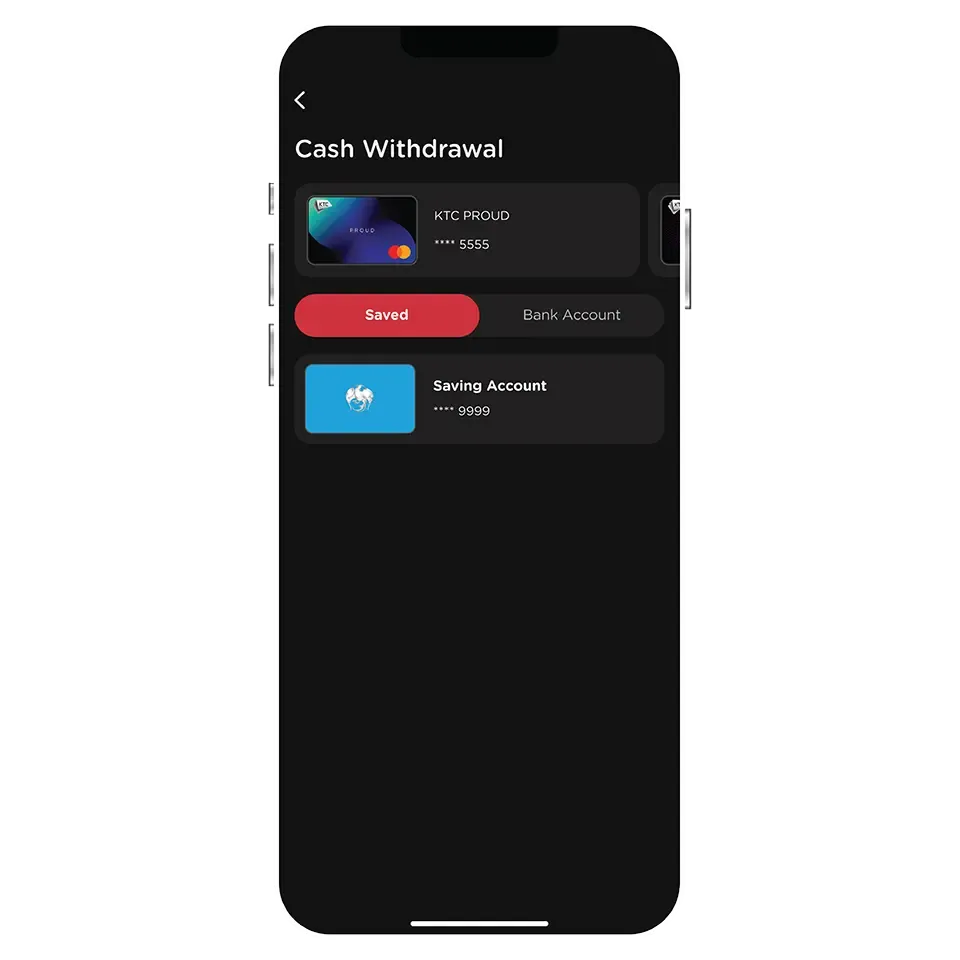
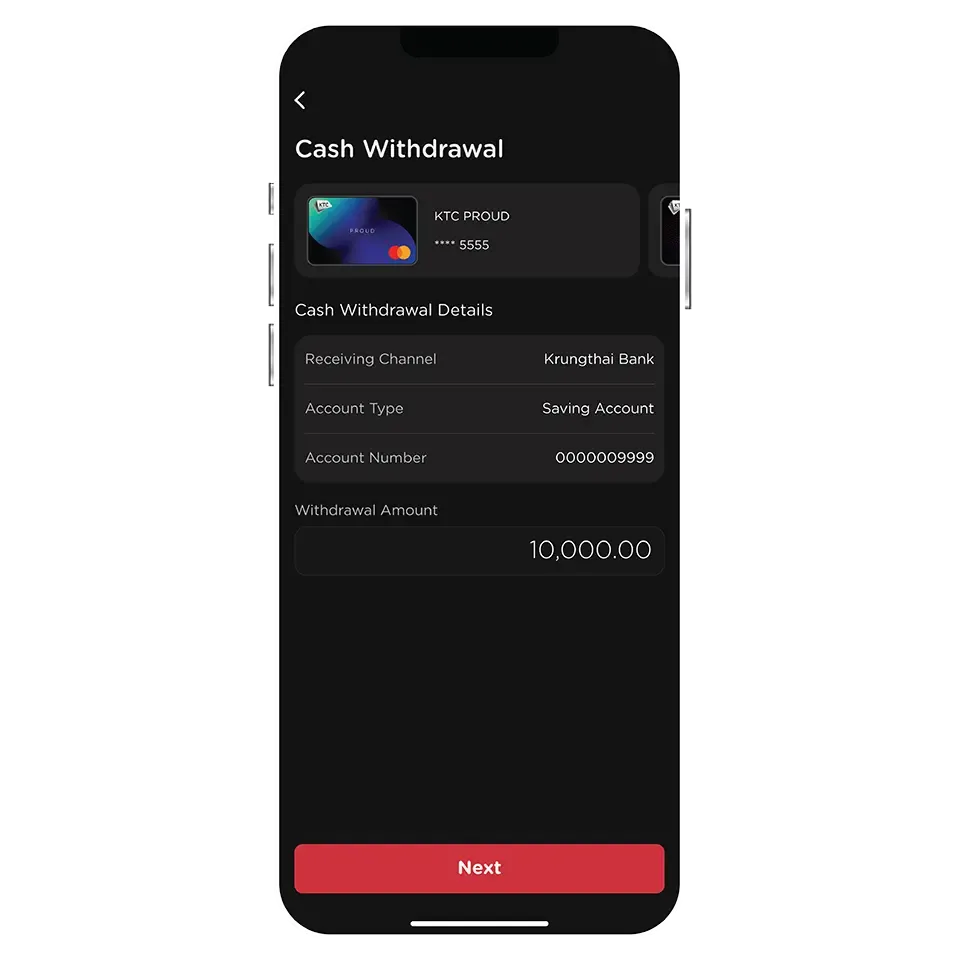
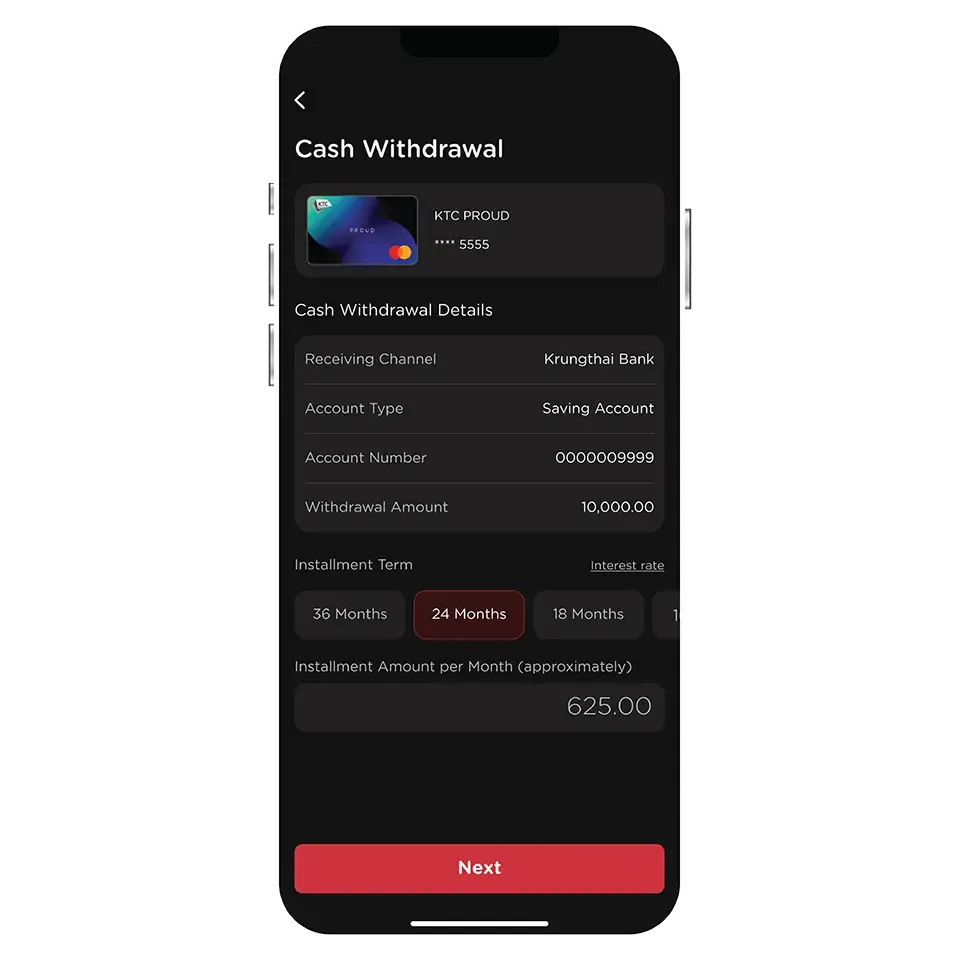
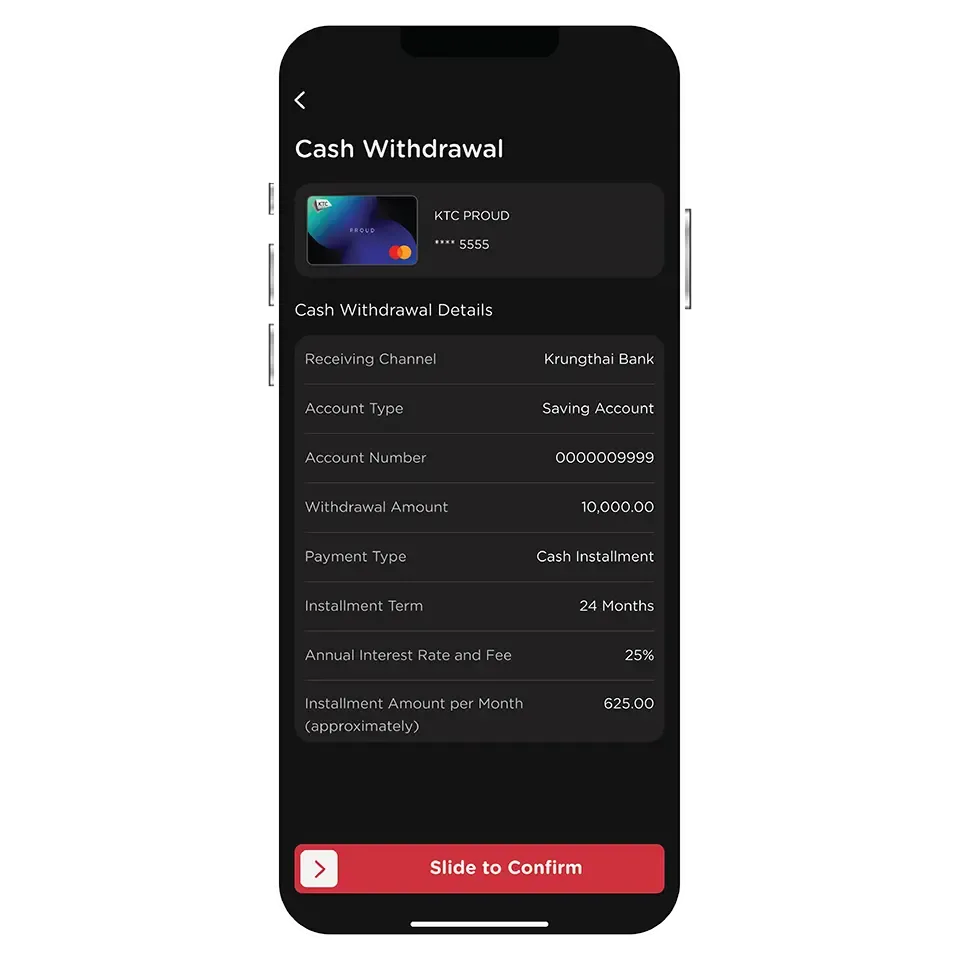
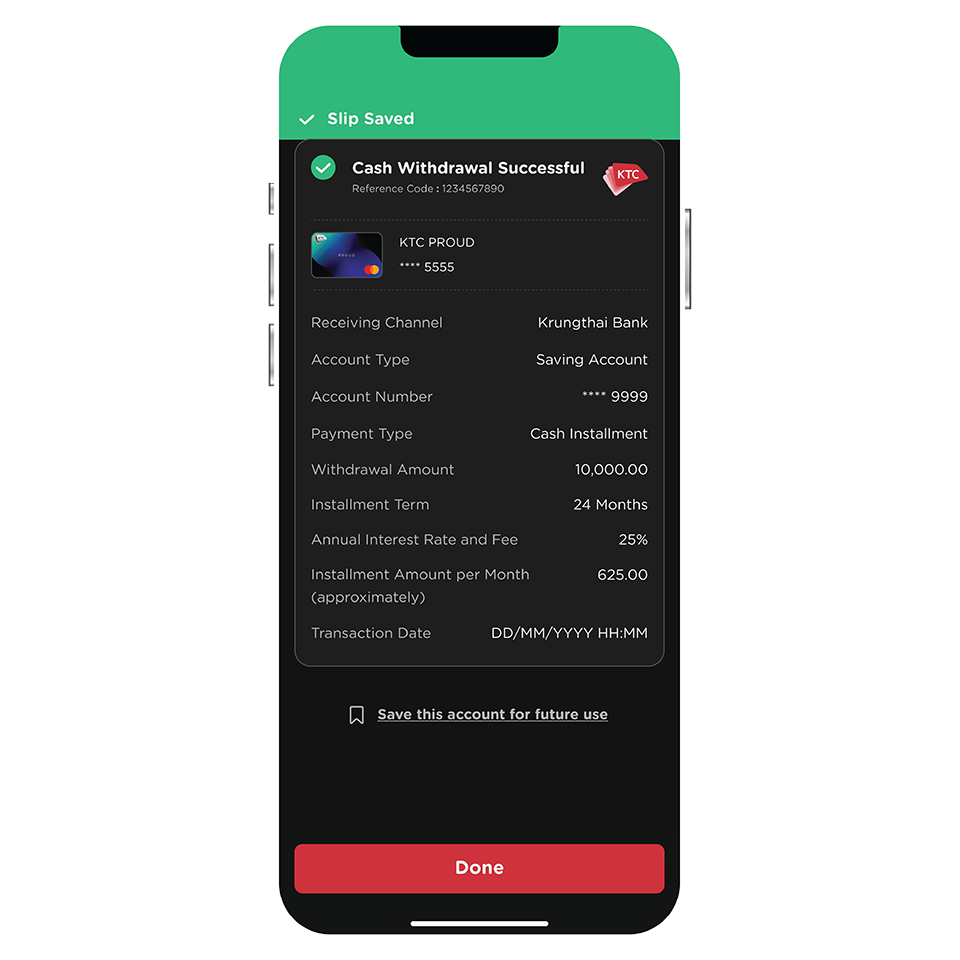
The list of banks that you can withdraw or transfer funds to includes a total of 15 banks:
1. Krungthai Bank
2. Bangkok Bank
3. Bank of Ayudhya
4. Kasikorn Bank
5. Kiatnakin Phatra Bank
6. Citibank
7. CIMB THAI Bank
8. TMB Thanachart
9. TISCO Bank
10. Siam Commercial Bank
11. Bank for Agriculture and Argricultural Cooperatives
12. United Overseas Bank
13. Land and Houses Bank
14. Government Savings Bank
15. Government Housing Bank.
There is no fee for cash withdrawal using KTC PROUD and KTC P BERM cash cards, except for credit cards which incur a 3% fee (+ VAT 7%) based on the withdrawn amount per transaction.
For credit cards, the minimum withdrawal amount is 500 baht per transaction, while for KTC PROUD and KTC P BERM cash cards, the minimum withdrawal amount is 1,000 baht per transaction.
Cash can be withdrawn up to the available credit limit of the card.
*The withdrawal limits are subject to KTC's regulations.
KTC PROUD cash card allows cash withdrawals and installment payments when the withdrawal amount is 10,000 baht or more.
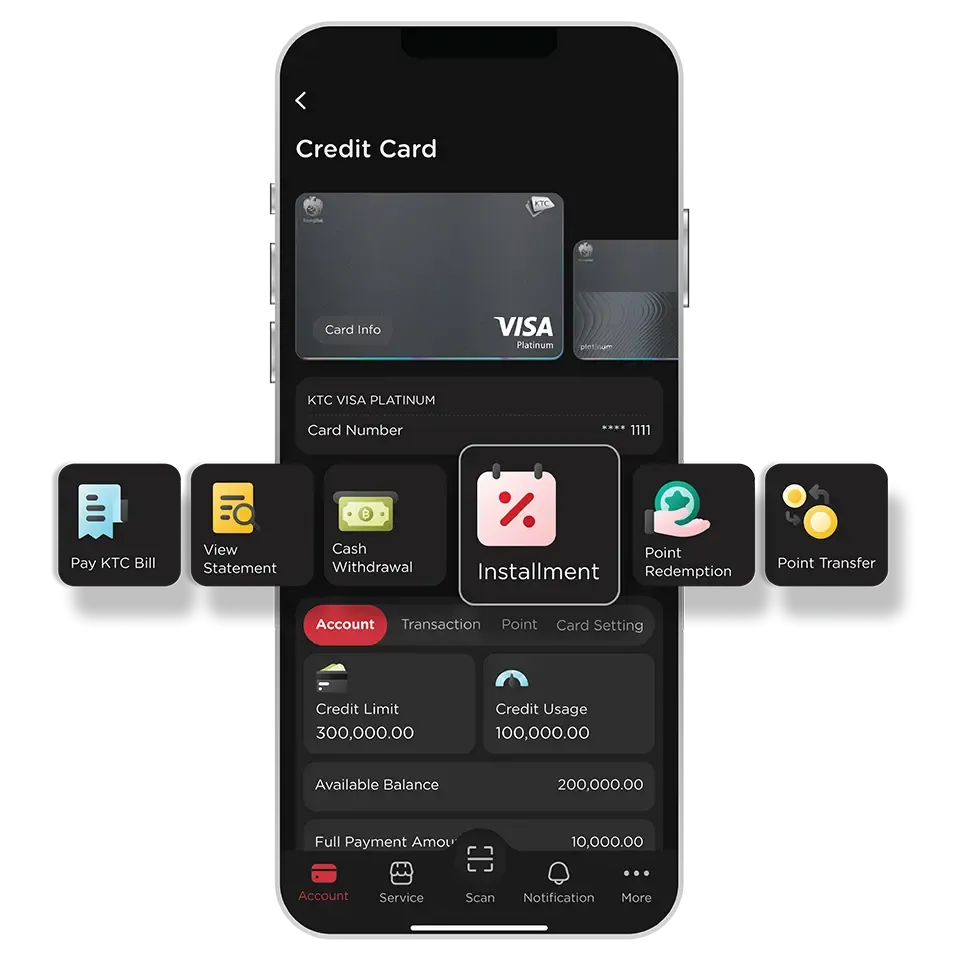
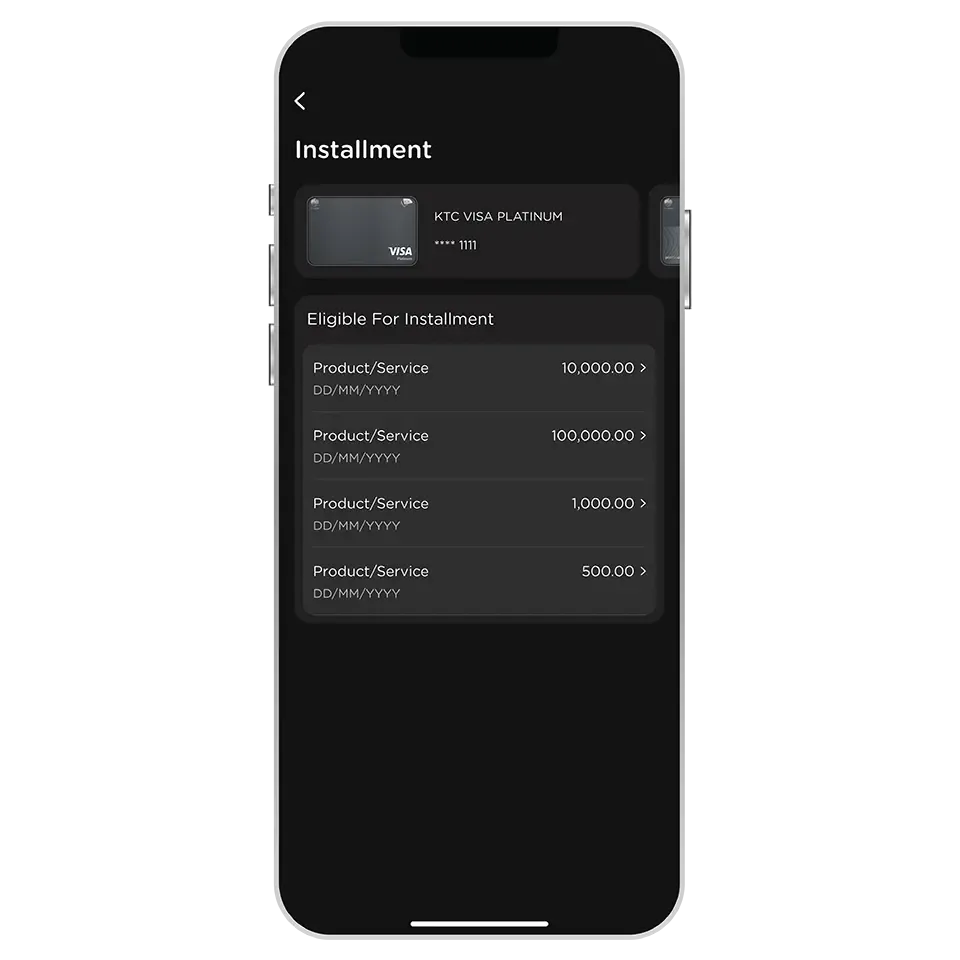
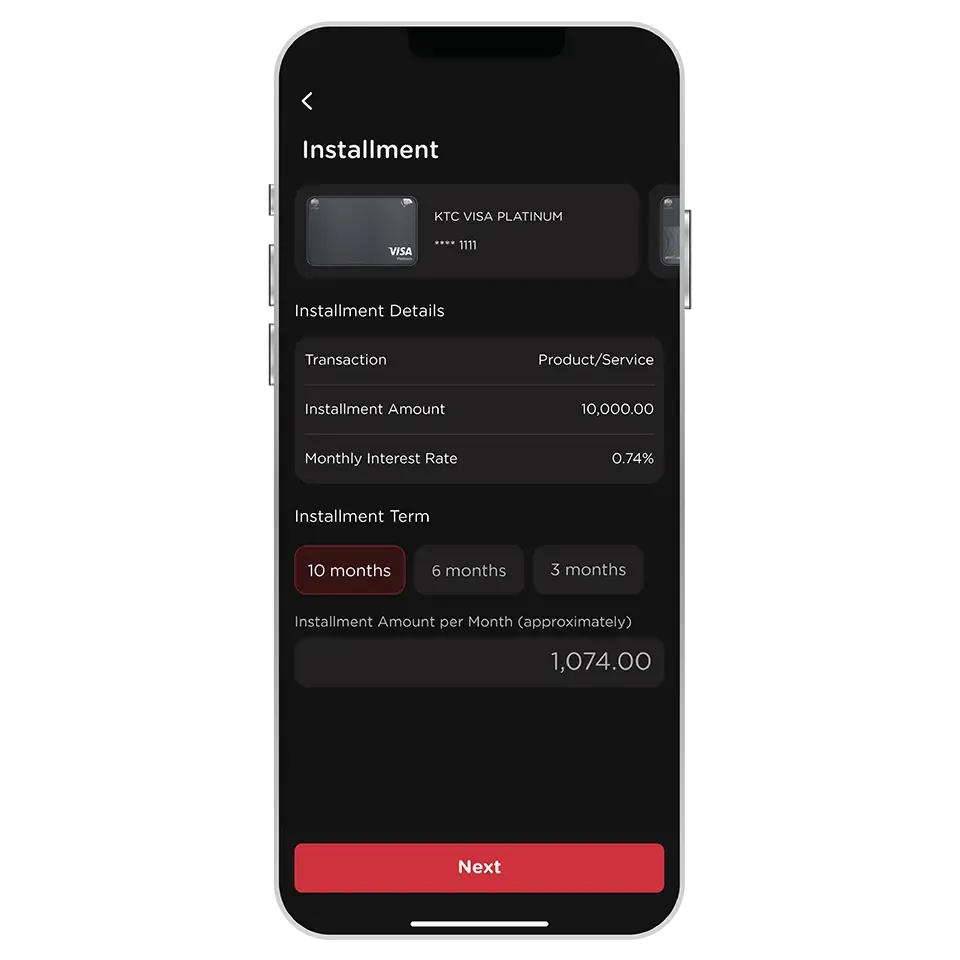
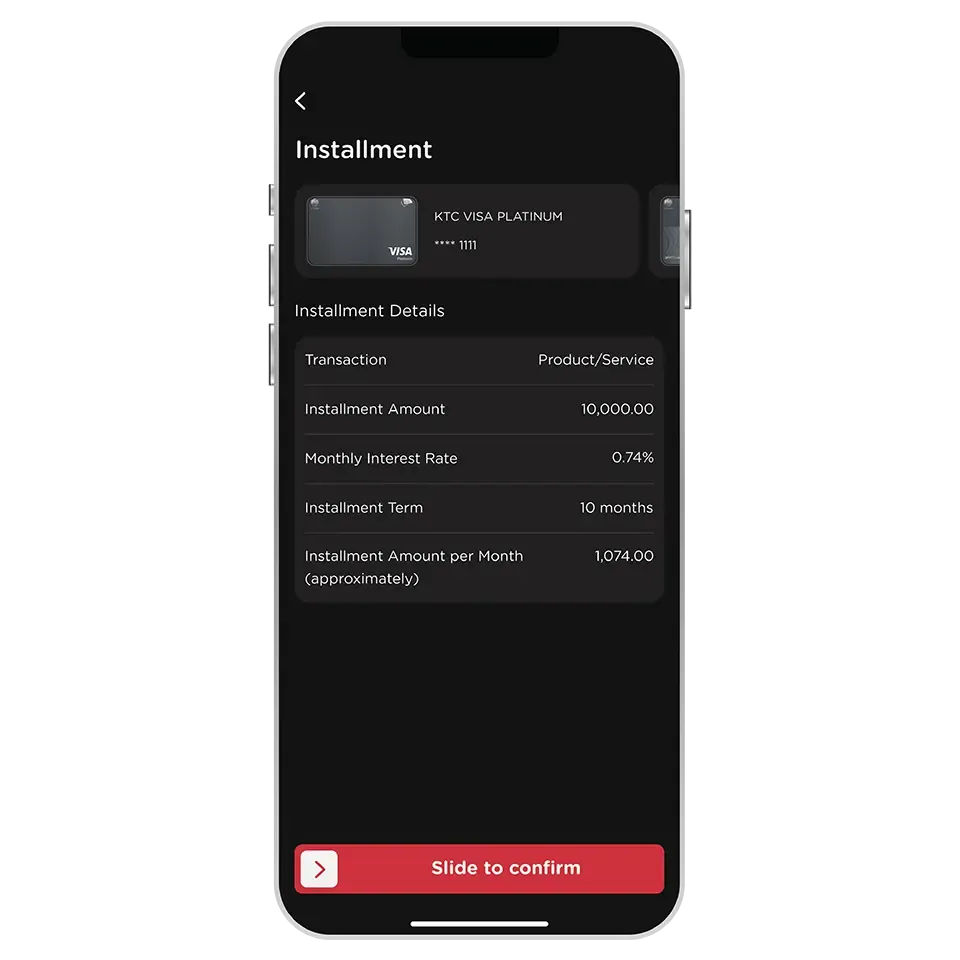
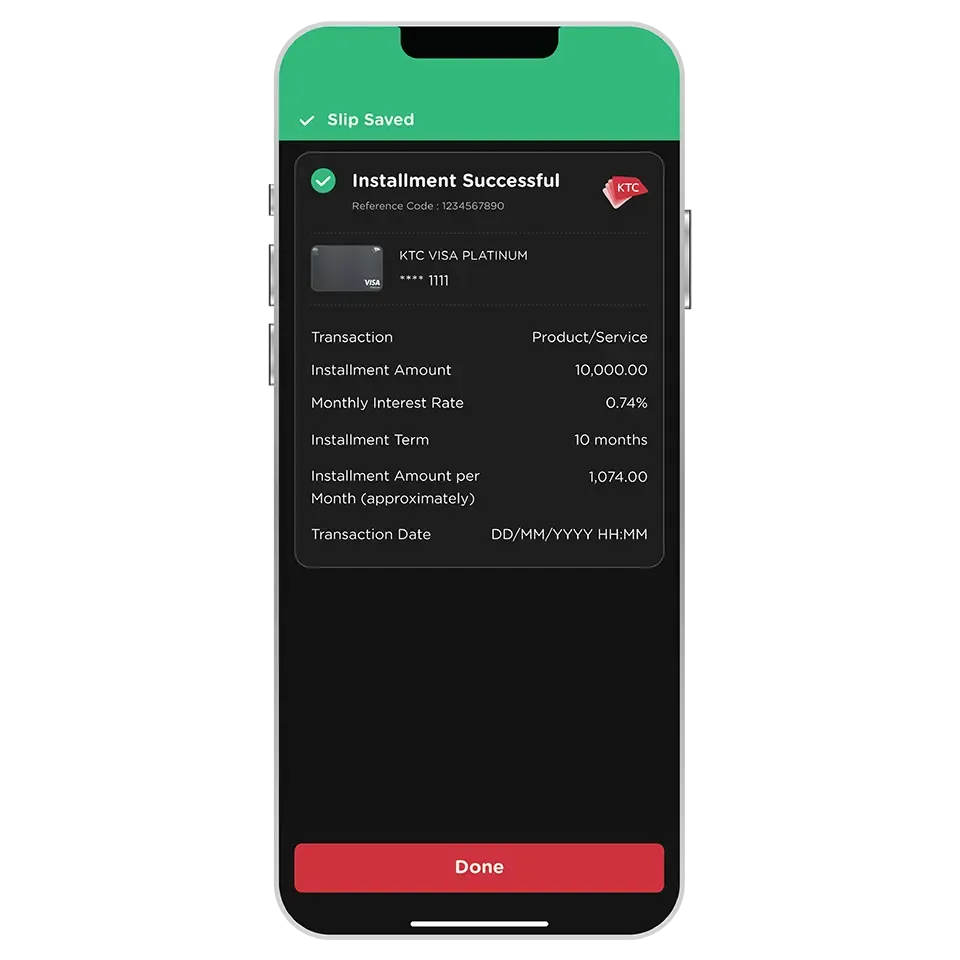
Installment payment via KTC Mobile app:
It's allowed to convert full-payment transactions into installments on your own and can be applied to any transaction from any merchant. Available year-round, without promotions required.
In-store installment payment:
Limited to specific promotions and time periods offered and only applicable to certain transactions based on the terms and conditions provided by KTC and the merchants.
- Only all types of KTC credit cards are eligible.
Except for:
- All types of KTC VISA CORPORATE credit card
- KTC GOVERNMENT SERVICES credit card
Any transaction that has already been charged by the merchant can be converted into an installment payment before the statement closing date. There is no minimum transaction amount required, except fines, interest charges, or other transactions as specified by KTC are not eligible.
Only eligible transactions will be displayed during the installment payment conversion step.
Installment period are 3, 6, or 10 months with a monthly interest rate of 0.74%.
The remaining installment payment can be checked through the KTC Mobile app by selecting the credit card used for the transaction. Then, choose "Credit Limit Used for Installment" in the Account section to see details of ongoing installments for the selected card.
Yes, please contact KTC PHONE at 02 123 5000 for more details and to inquire about paying off the remaining installment balance.
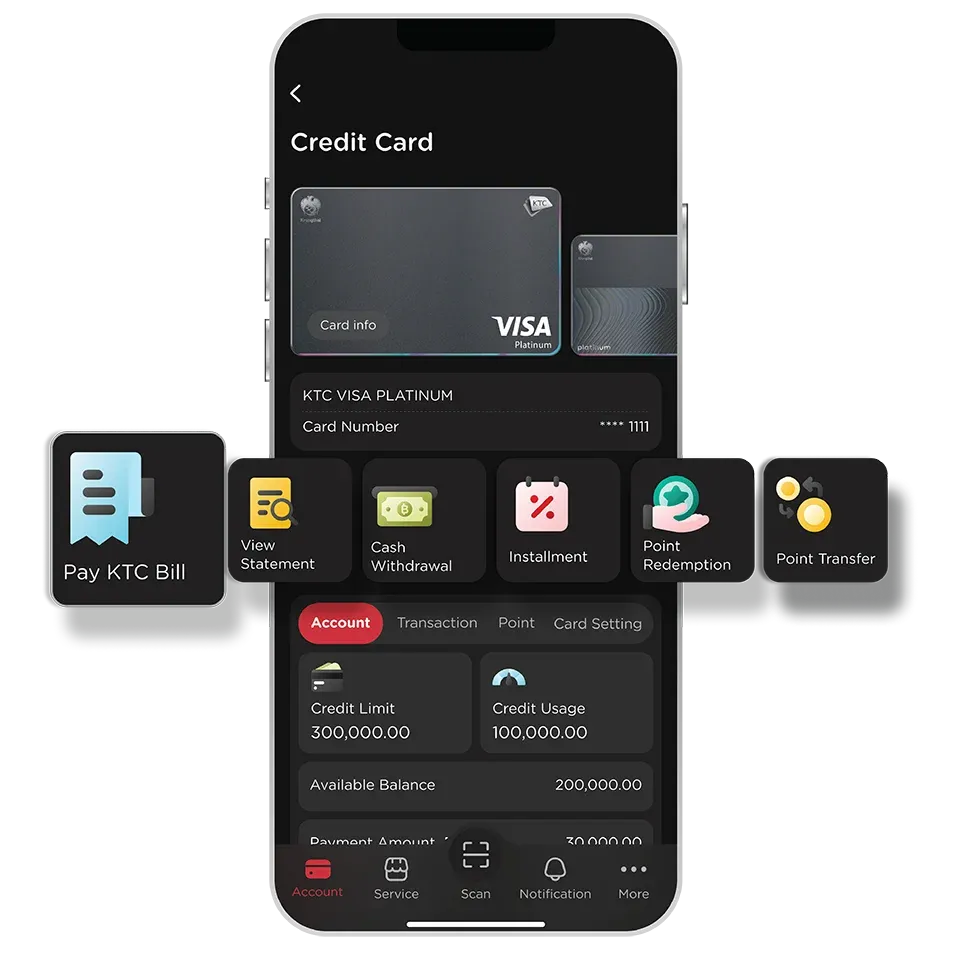
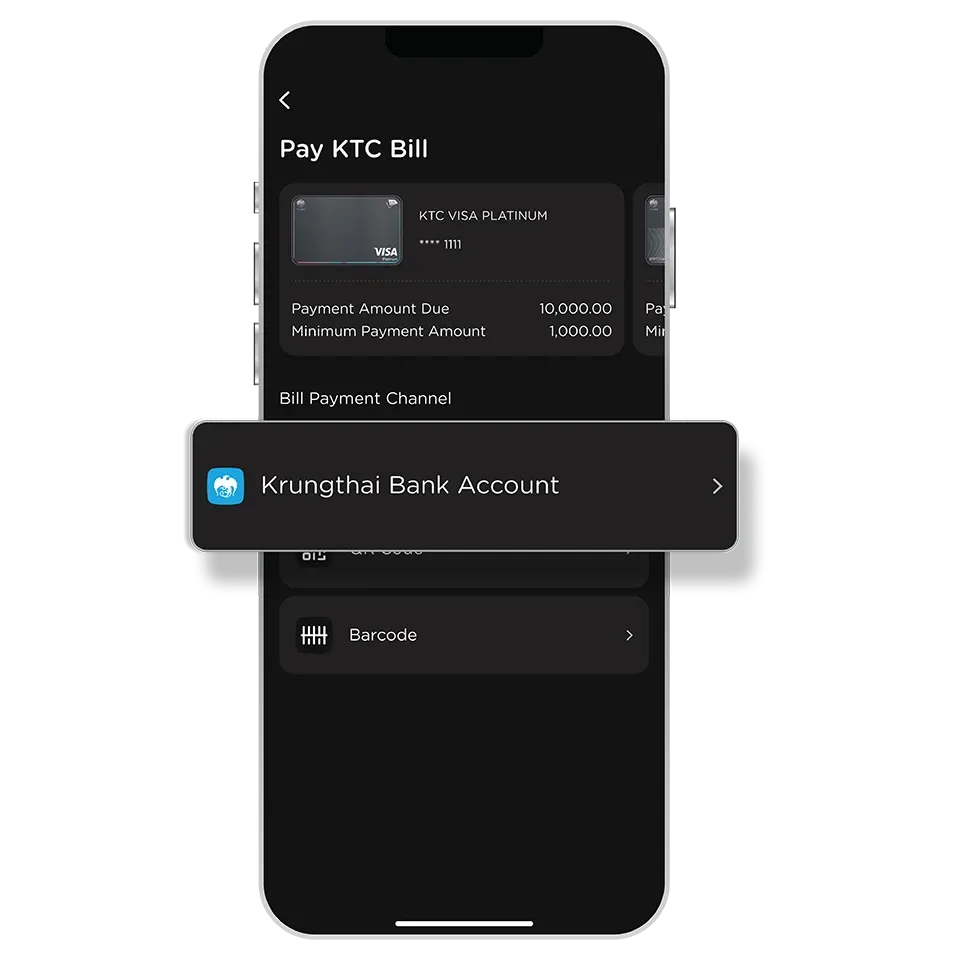
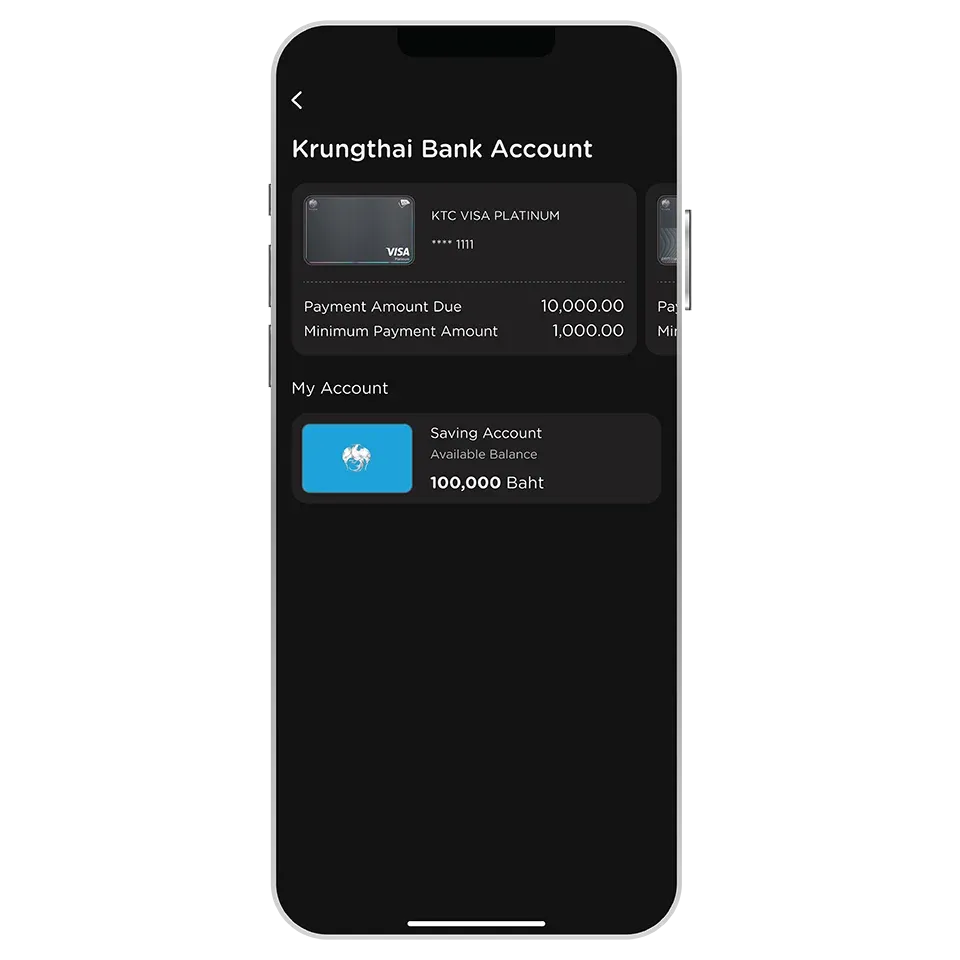
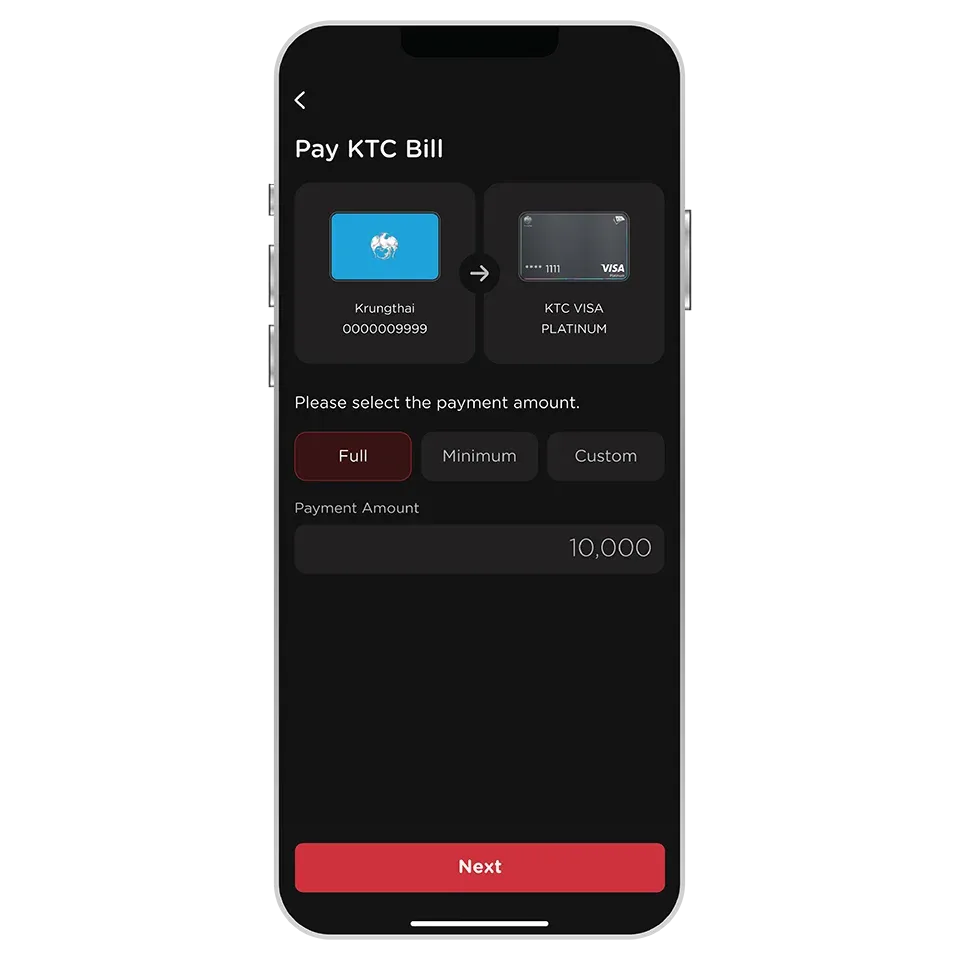
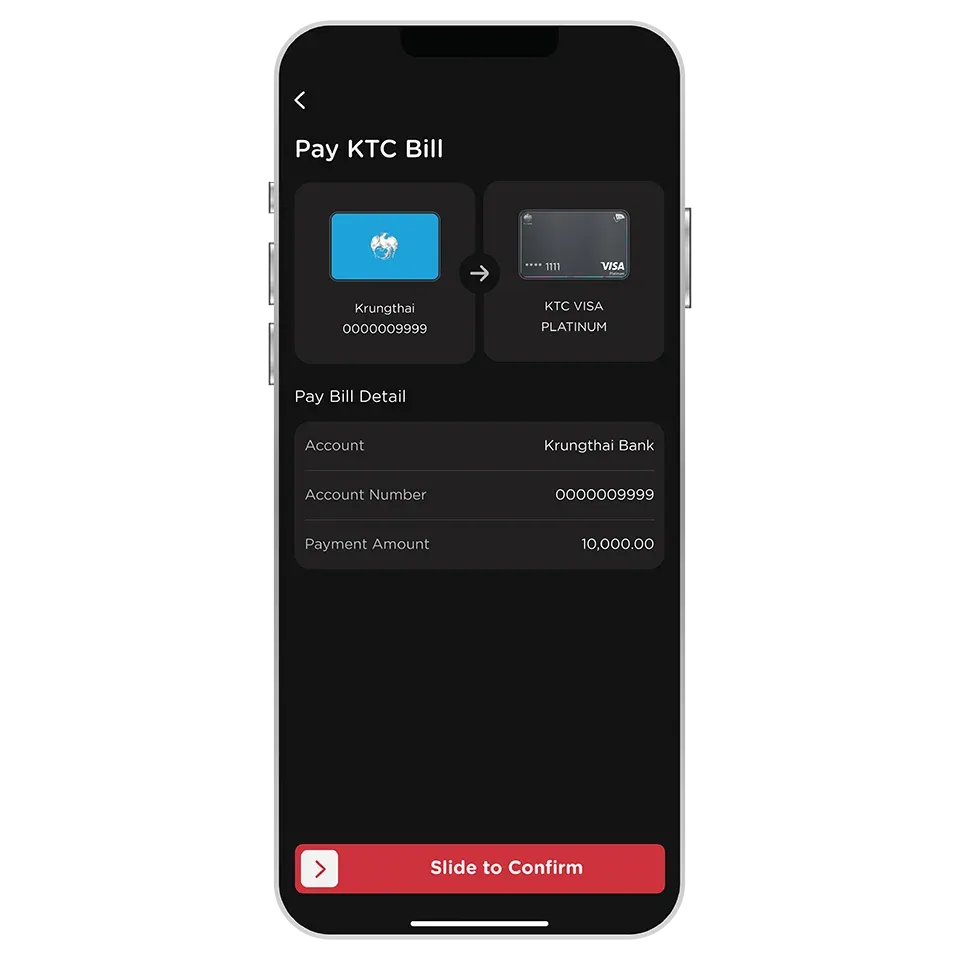
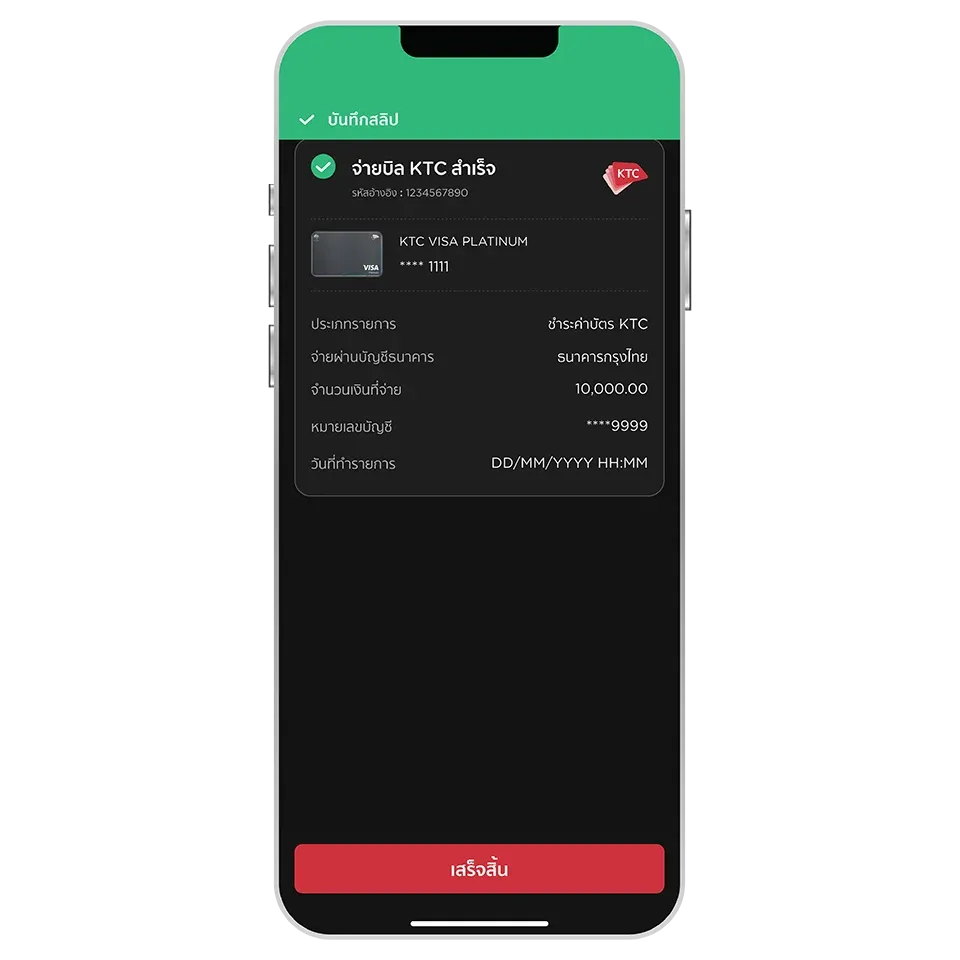
You need to register for the Krungthai NEXT app. Within the KTC Mobile app, the Krungthai Bank account will able be selected as a payment option for KTC bills.
You can check the information under “Full Payment Amount” on the “Card Info” page to see if the payment was successful.
You can choose to generate a QR code or barcode and set the payment amount within the QR code or barcode and save the image on your device. You can then use it to make KTC bill payments through alternative payment channels.
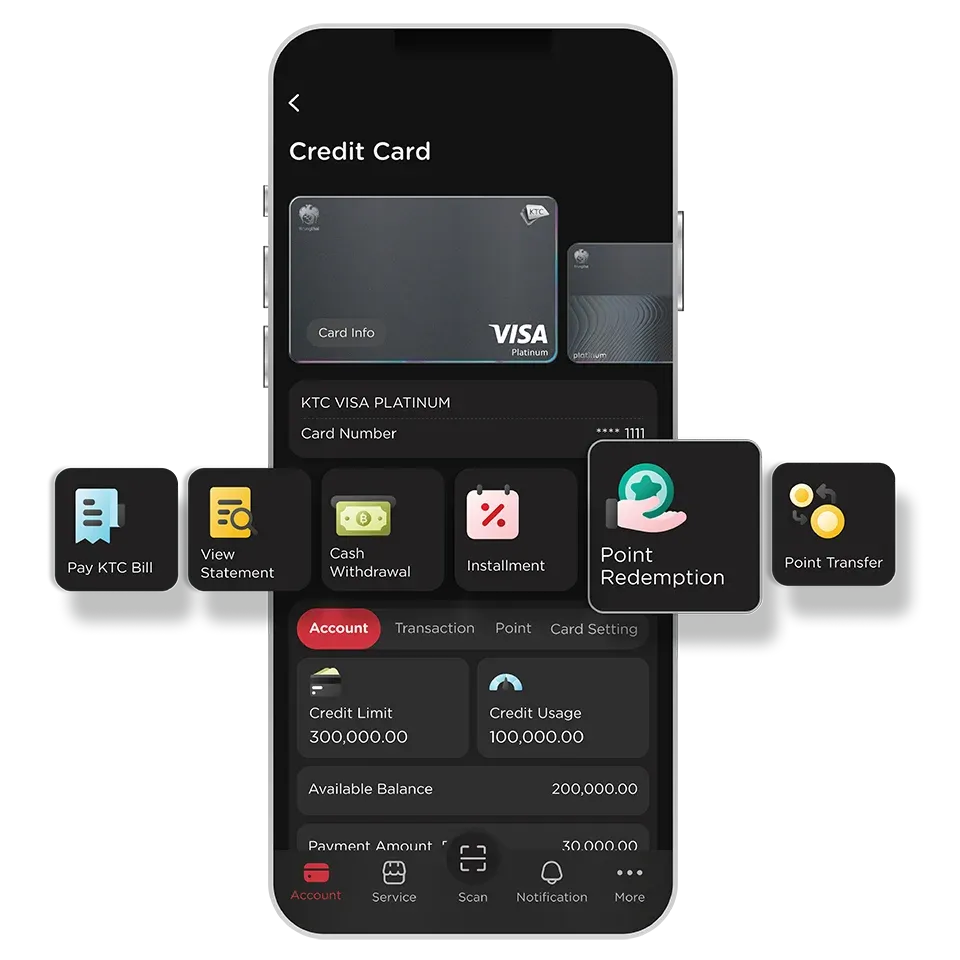
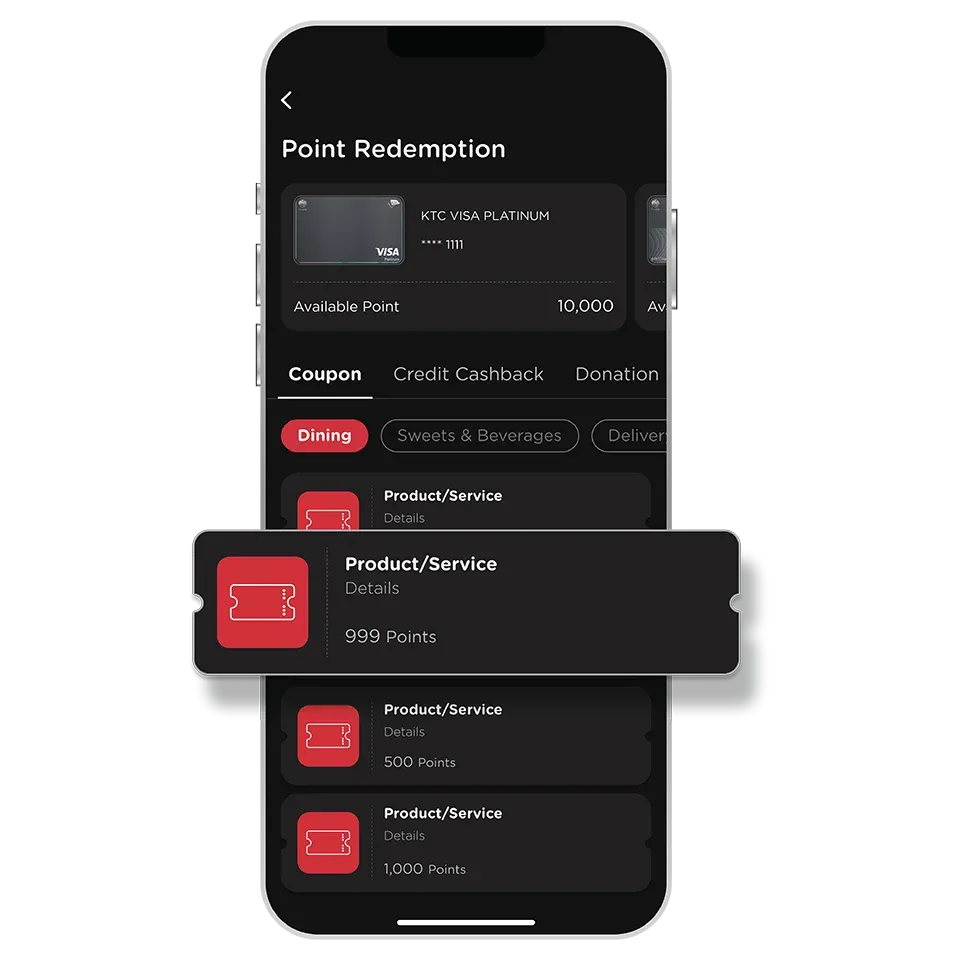
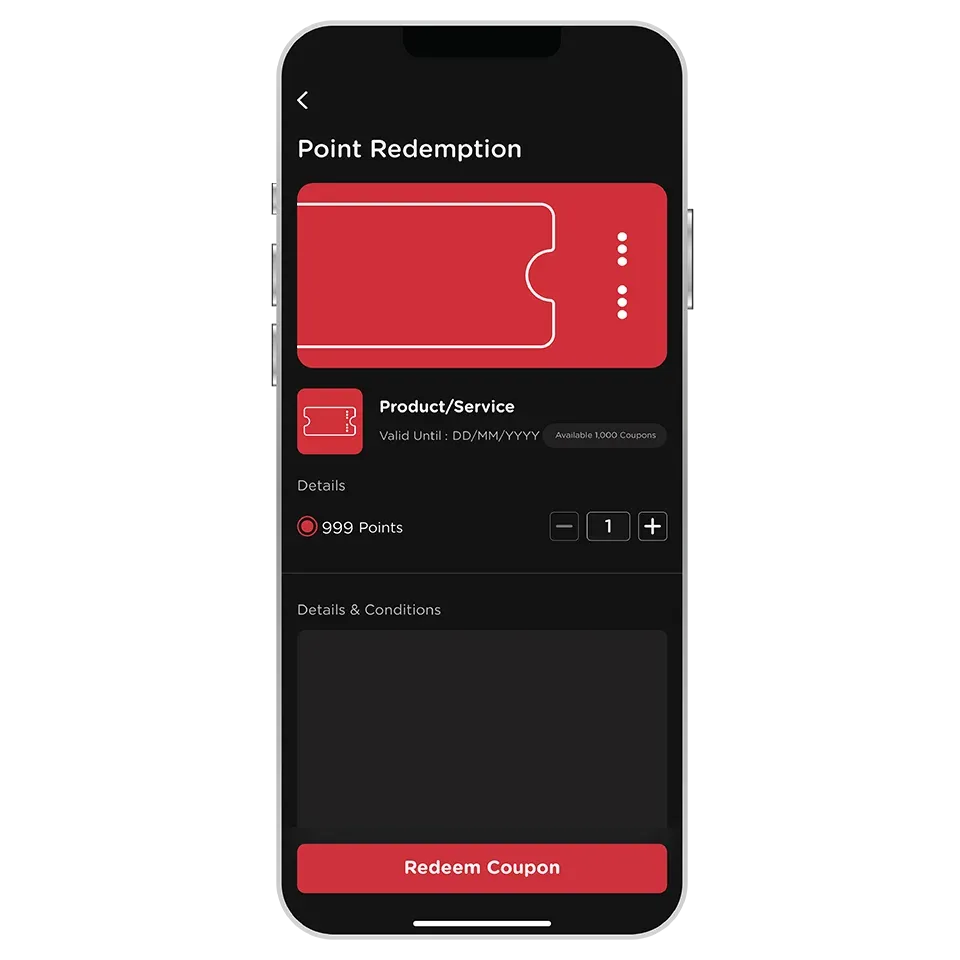
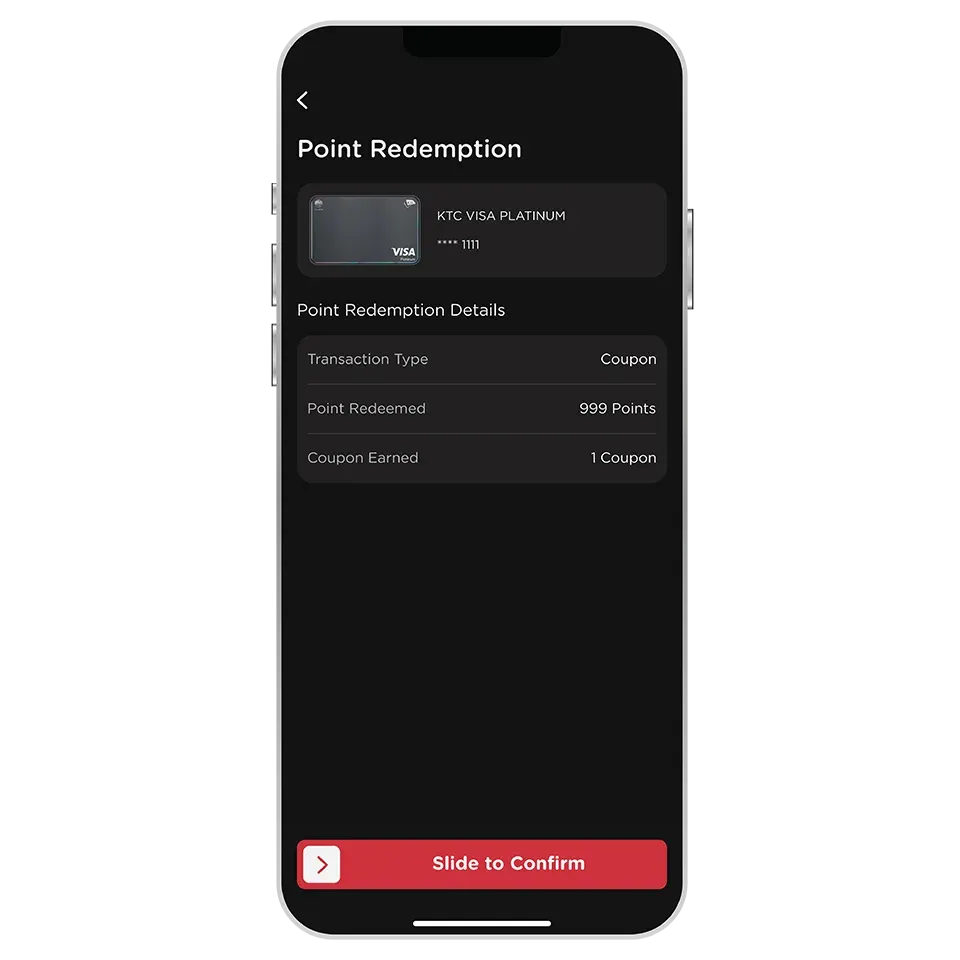
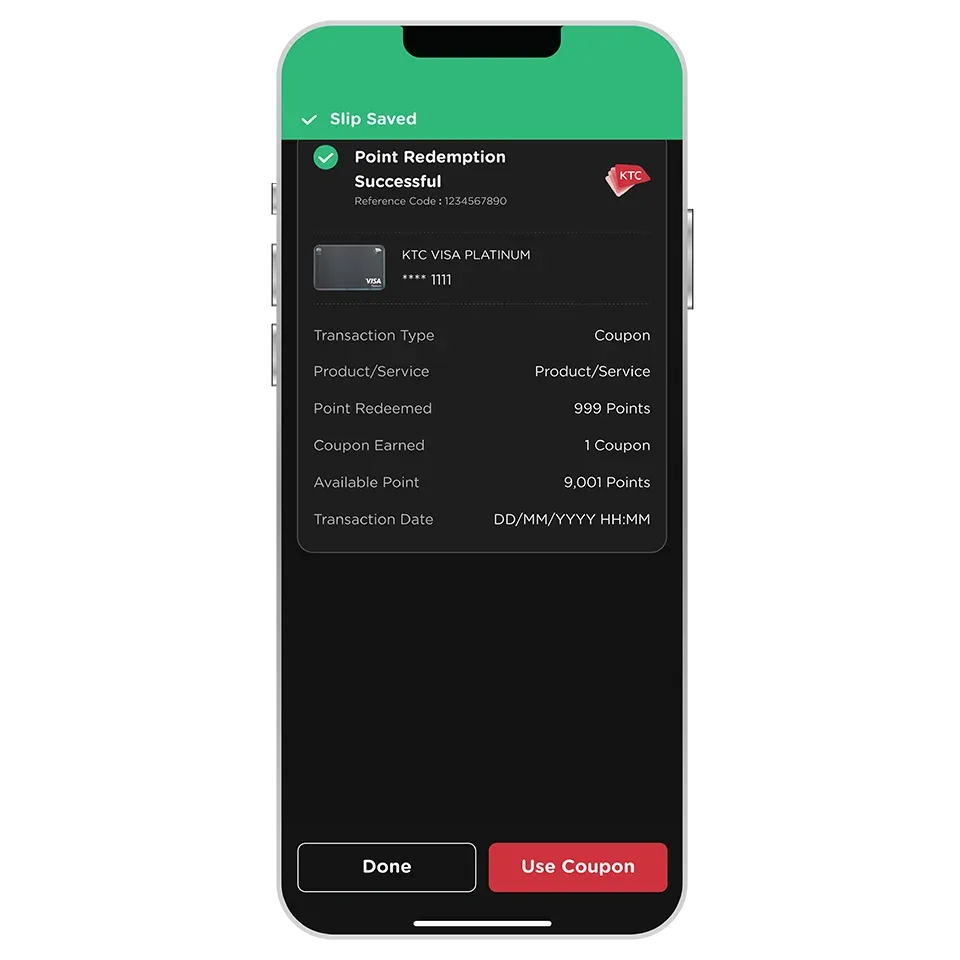
All types of KTC credit card which have KTC FORVER points can redeem coupons
(except KTC - ROYAL ORCHID PLUS credit cards which have KTC FORVER points)
Yes, you can select and redeem multiple coupons at once. You will need to have sufficient points and credit limit to cover the total no. of coupons being redeemed.
You can view all your coupons in the “My Coupon” menu.
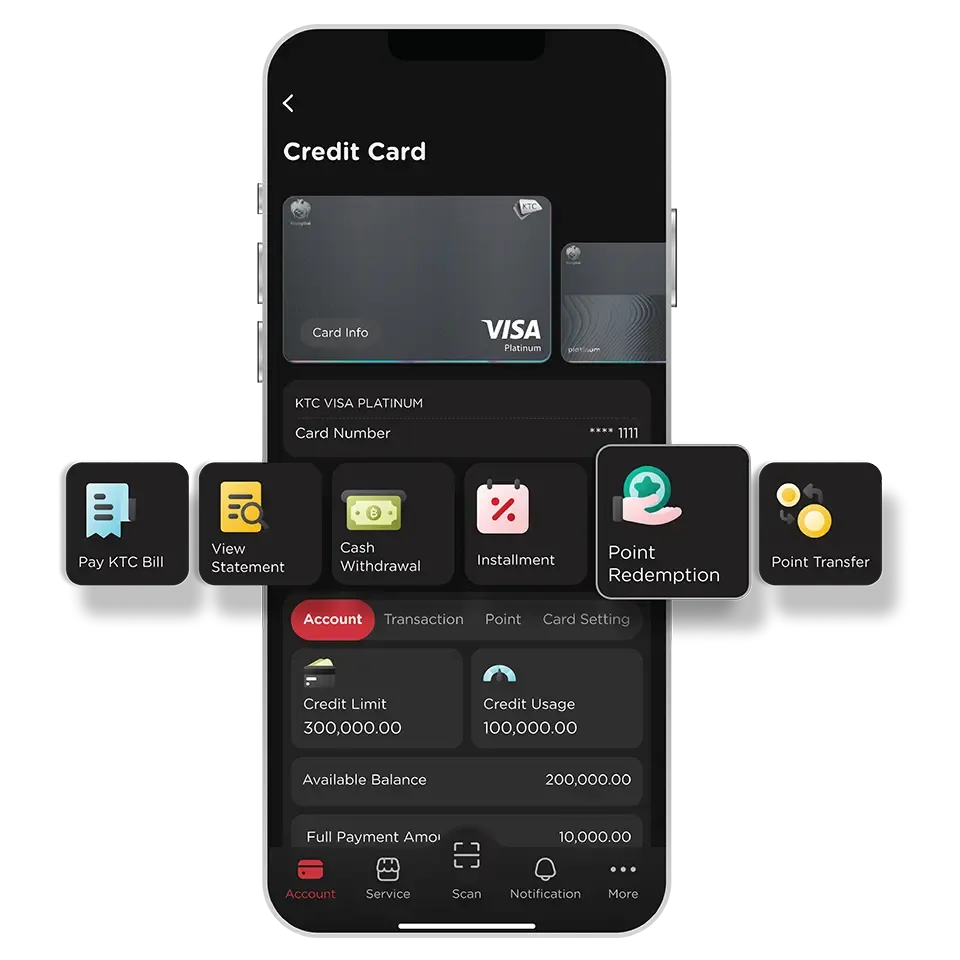
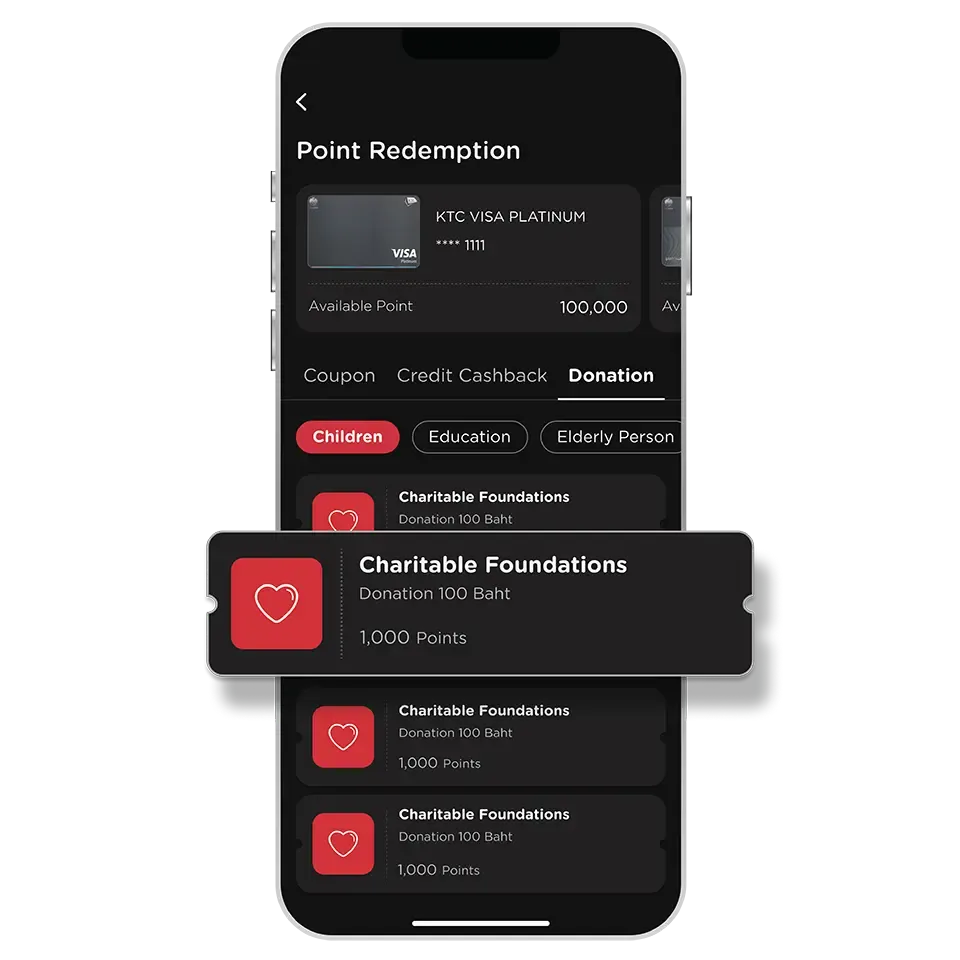
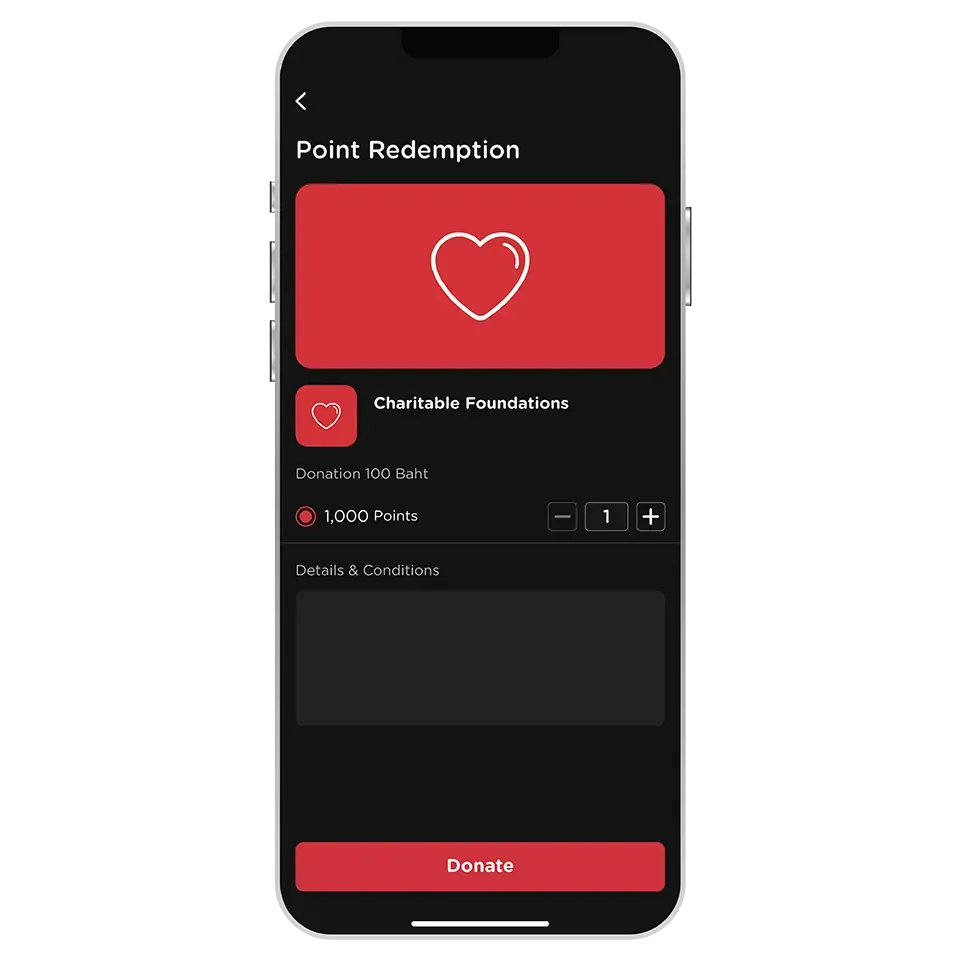
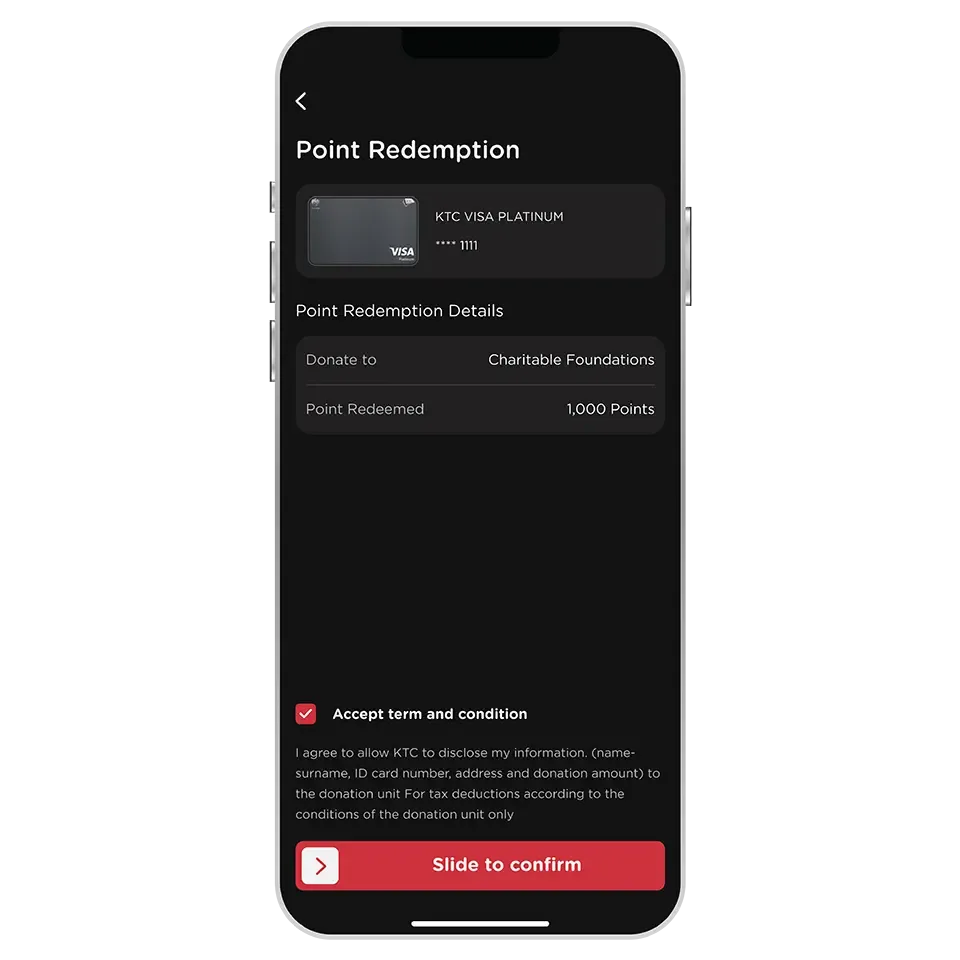
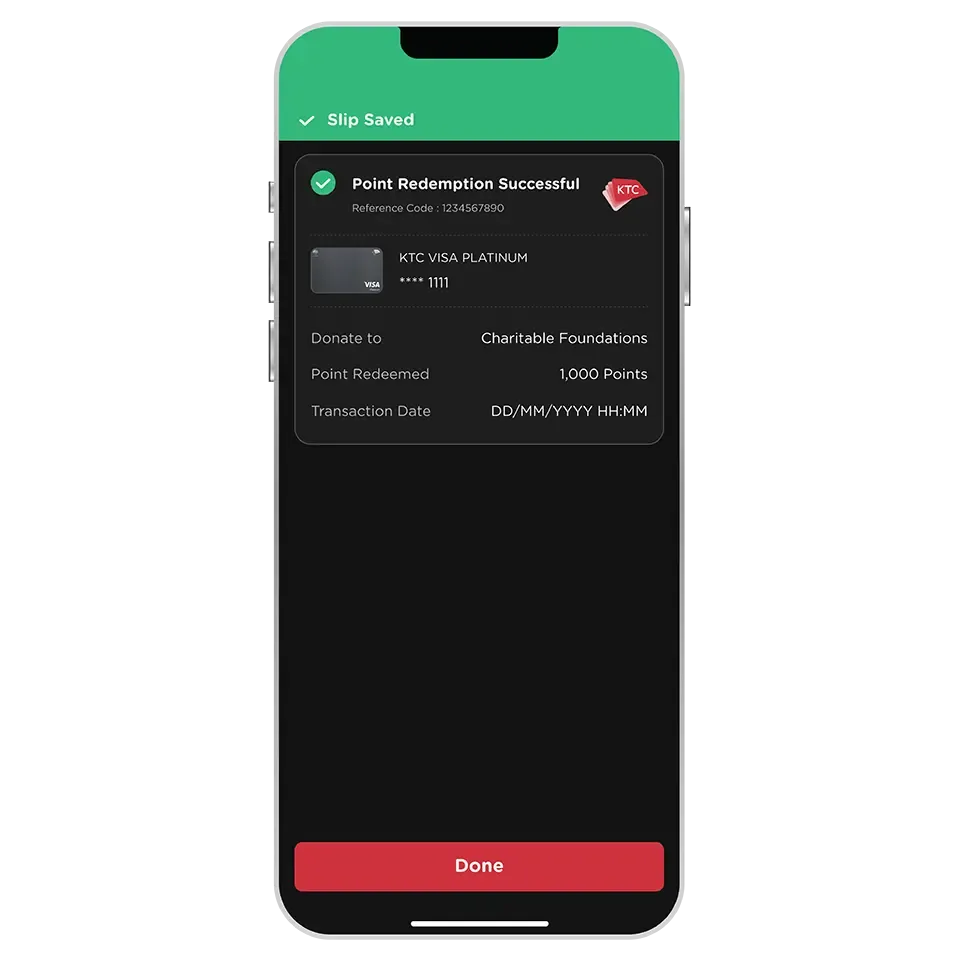
All KTC credit cards that have KTC FOREVER points can redeem points for donation.
Except for all types of KTC - ROYAL ORCHID PLUS credit cards that have KTC FOREVER points, which cannot redeem points for donation via the KTC Mobile app.
Point redemptions for donations can be used for tax deductions according to the conditions of each foundation/charitable organization.
Cardmembers must consent to KTC disclosing their personal information to the foundation/charitable organization during the transaction process.
The foundation or charitable organization will issue and send the tax invoice/receipt to the cardmembers.
The documents will be sent to the address registered with KTC or in the form of an electronic receipt (e-Receipt) via email. Please verify the accuracy of your address or email for convenience in receiving the documents.
Tax deductions for point donations are divided into tax years as follows:
1. If you wish to claim the tax deduction in the same tax year (the same year you made the transaction), you must redeem for donation before November of each year.
2. If you redeem for donation after November of each year, it will be used for tax deduction in the next tax year (the year after you made the transaction).
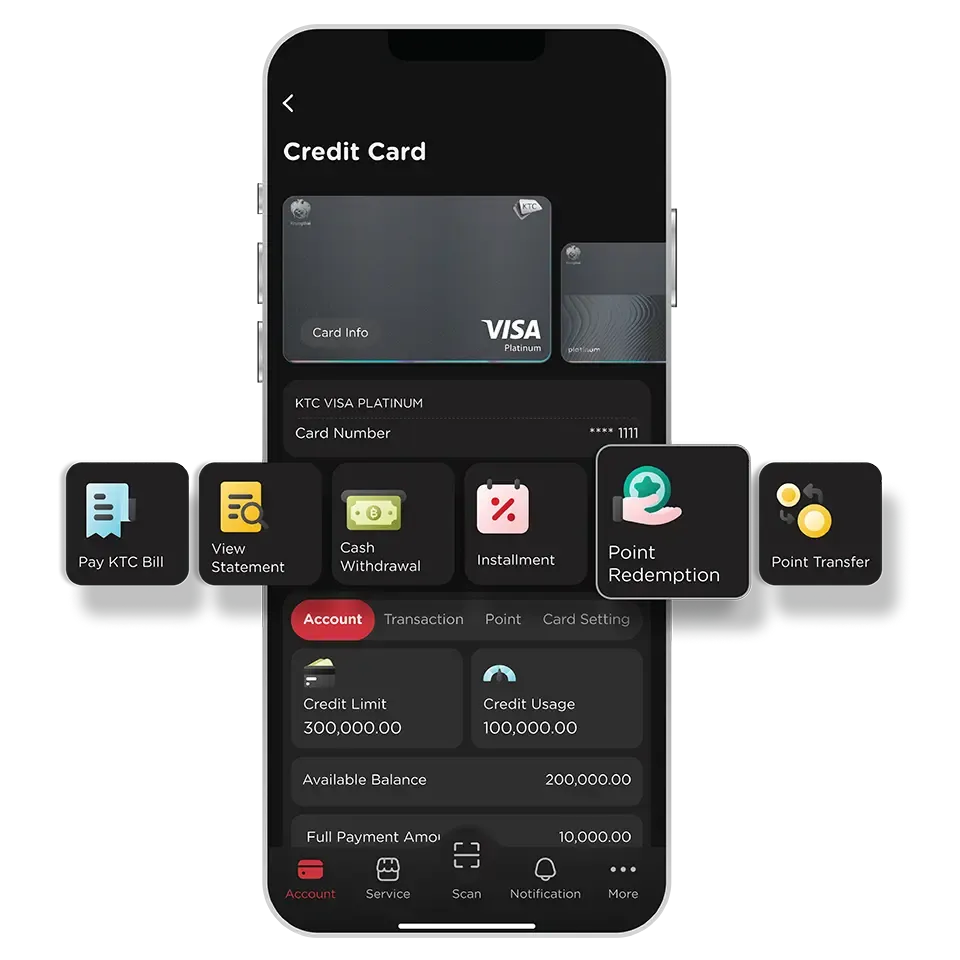
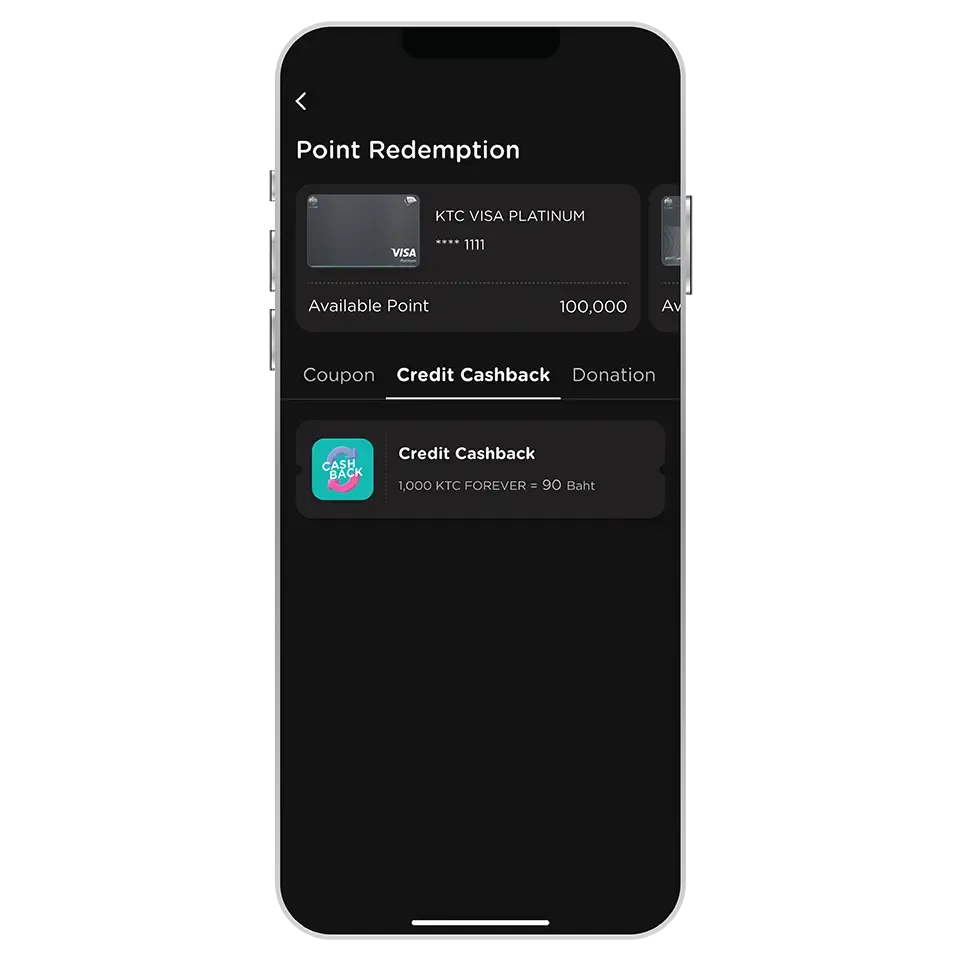
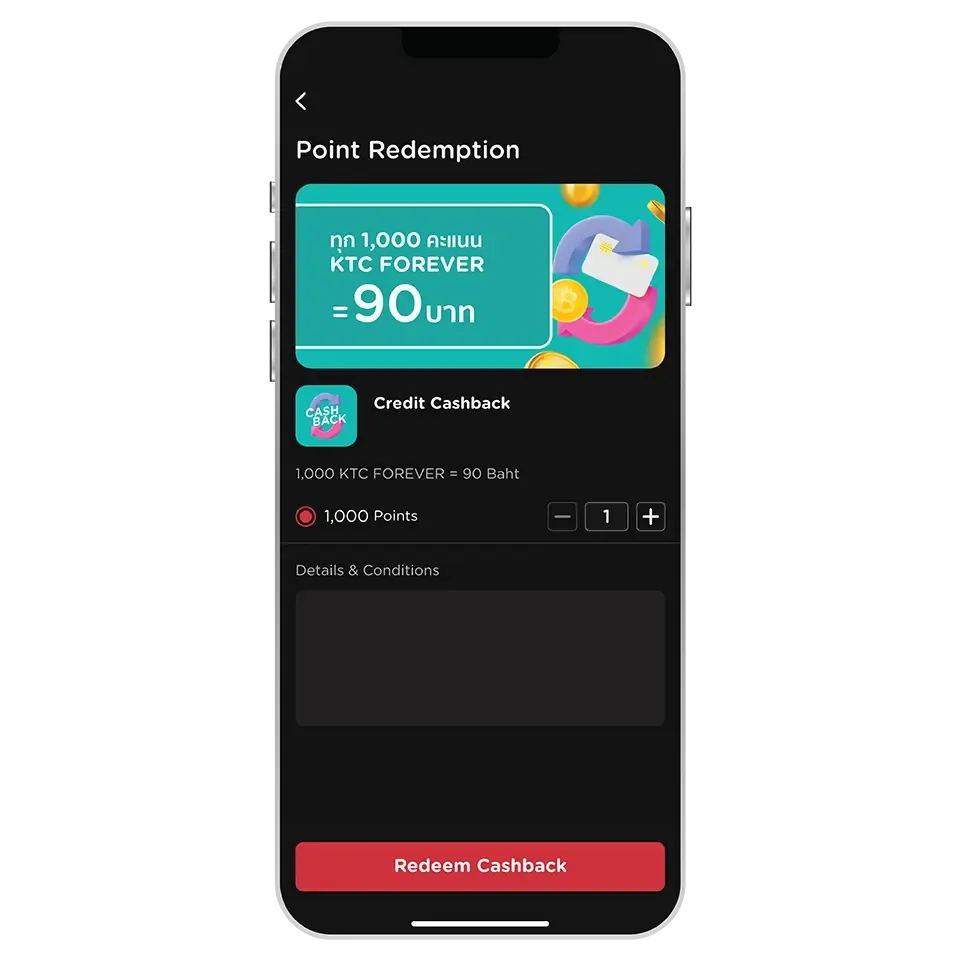
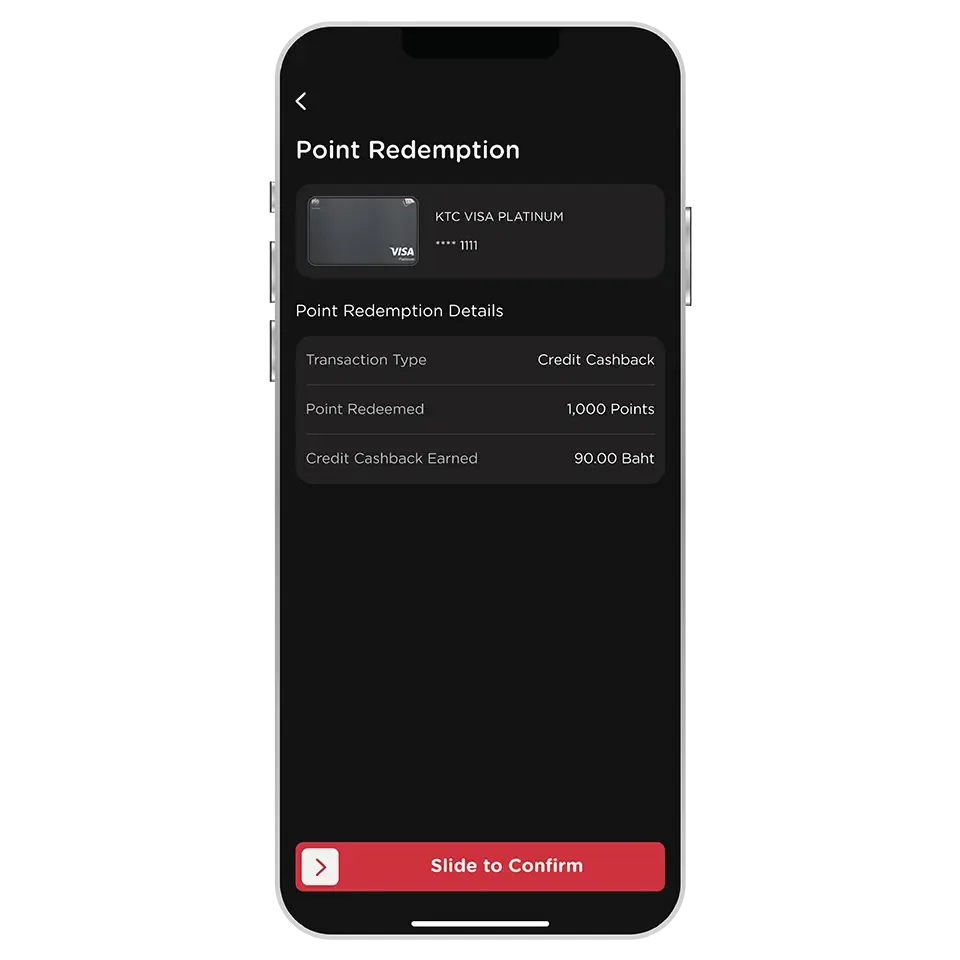
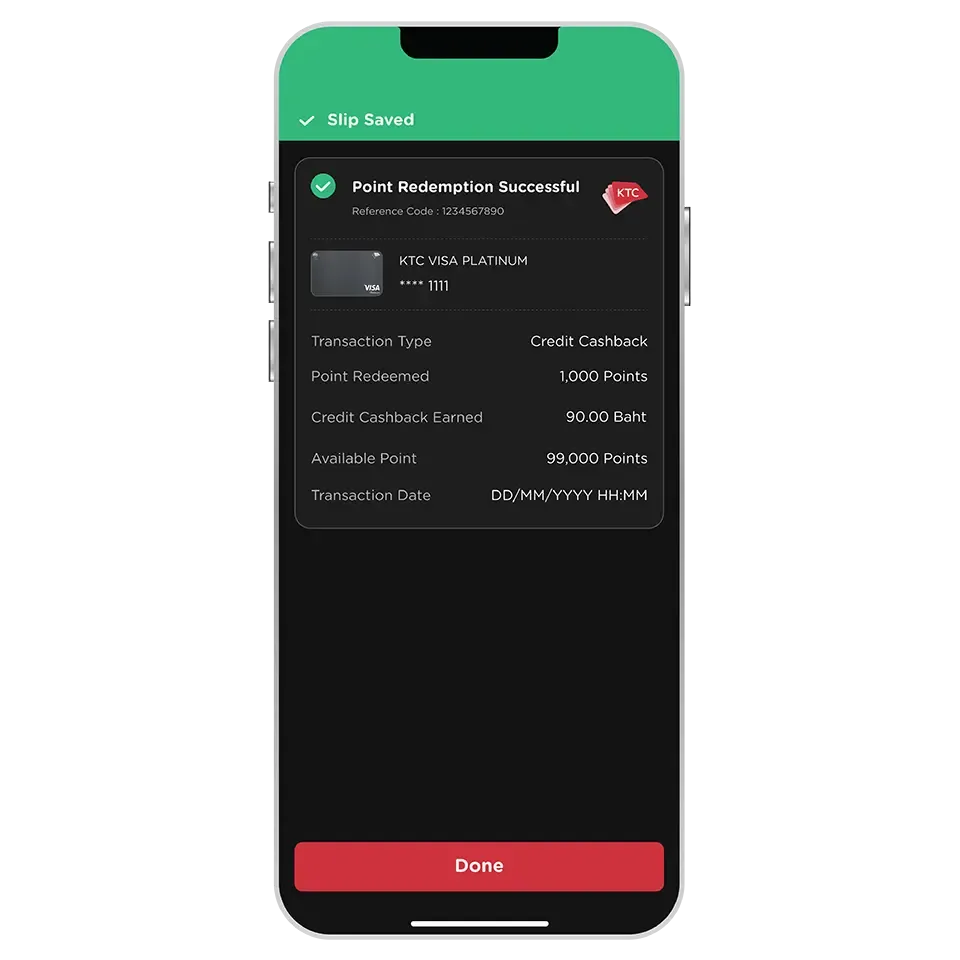
All KTC credit cards that have KTC FOREVER points can redeem points for credit cashback to the card's account.
Except for all types of KTC - ROYAL ORCHID PLUS credit cards that have KTC FOREVER points, which cannot redeem points for credit cashback via the KTC Mobile app.
Credit Cashback is a credit returned to your credit card limit upon successful point redemption. The credit cashback will be deducted from your credit card outstanding balance.
It cannot be converted to cash or transferred to a bank account.
Cashback will be credited to your account on the next day. You can check the cashback amount through the following channels:
- KTC Mobile app: Select the card and check under "Transaction".
- Statement (after the billing cycle close date).
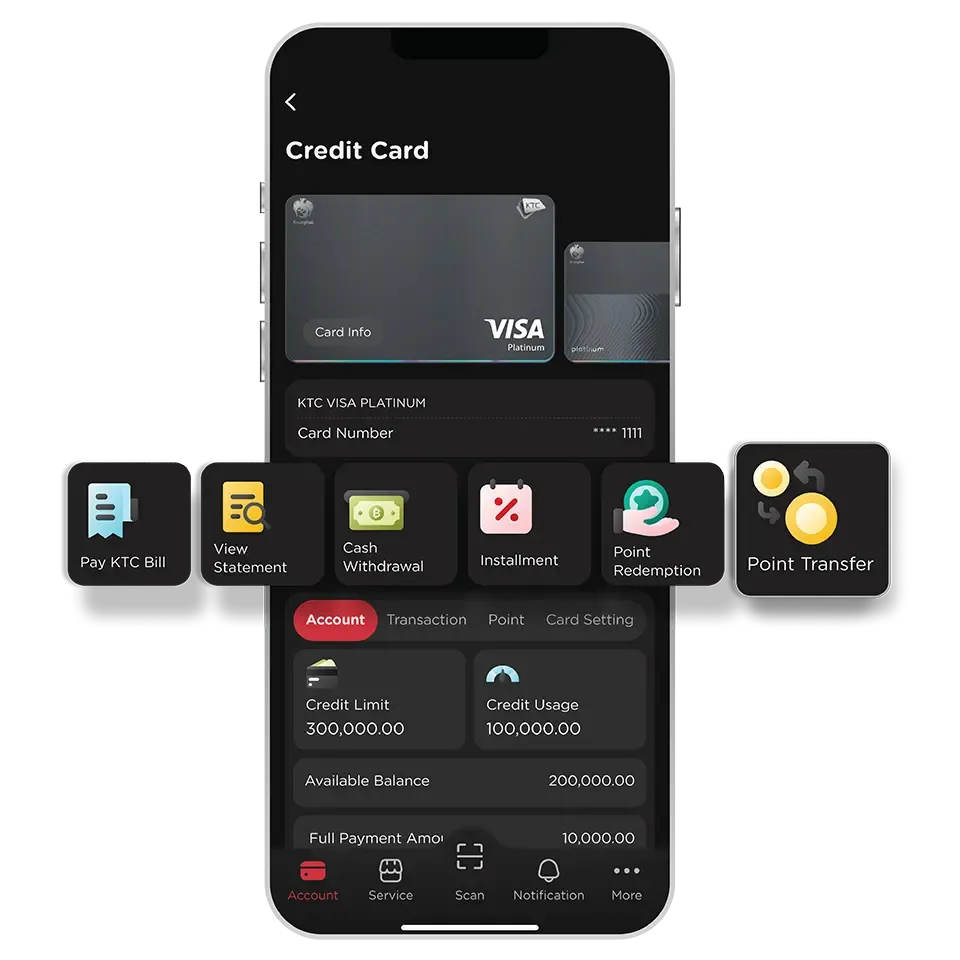
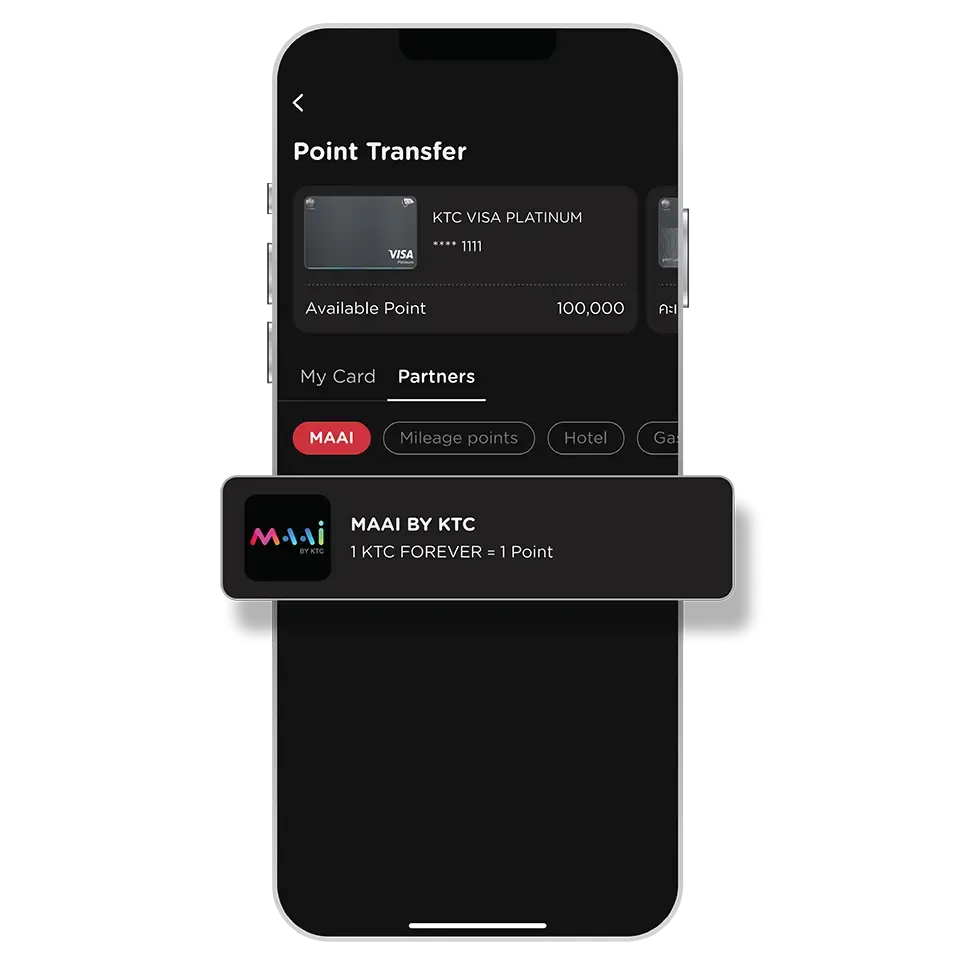
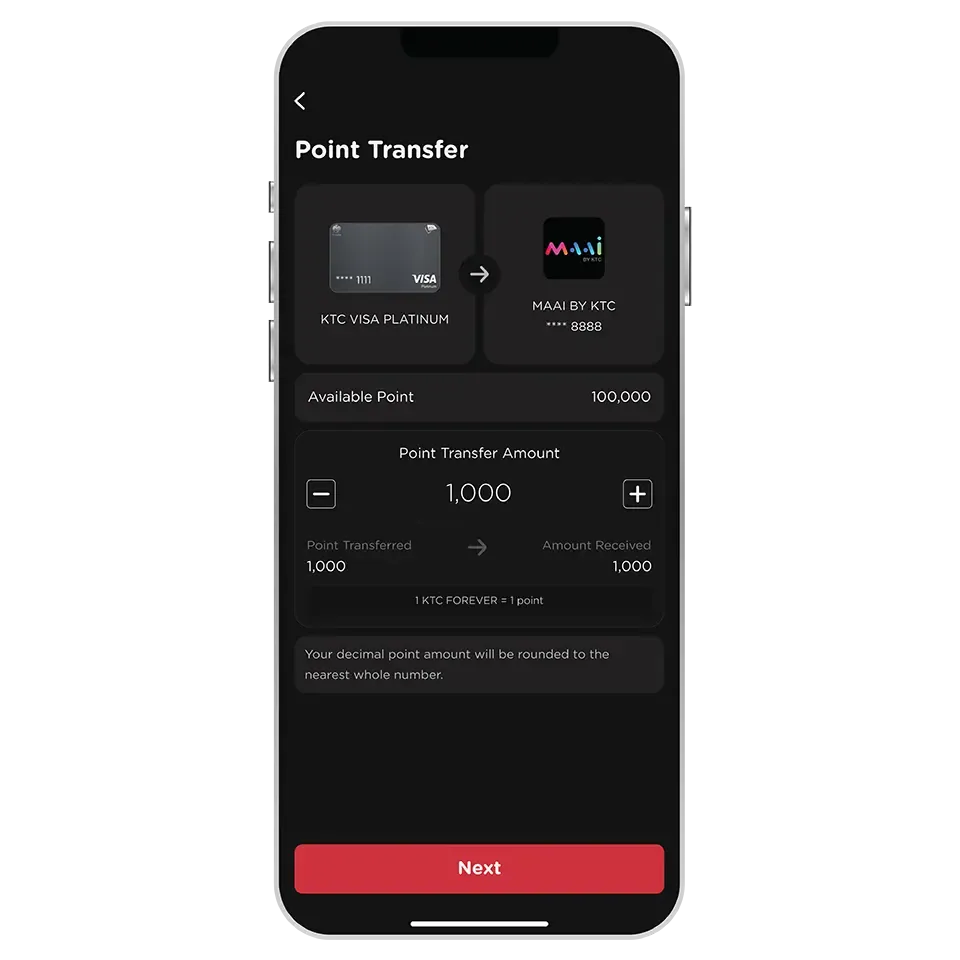
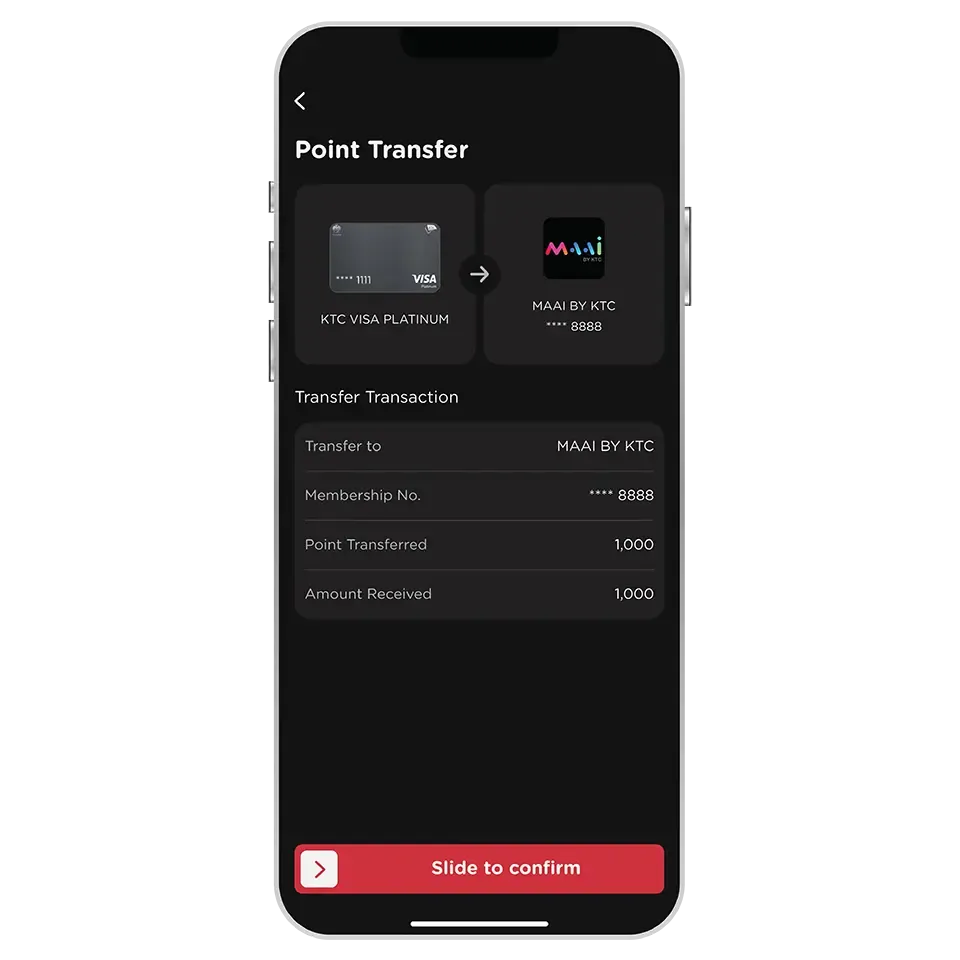
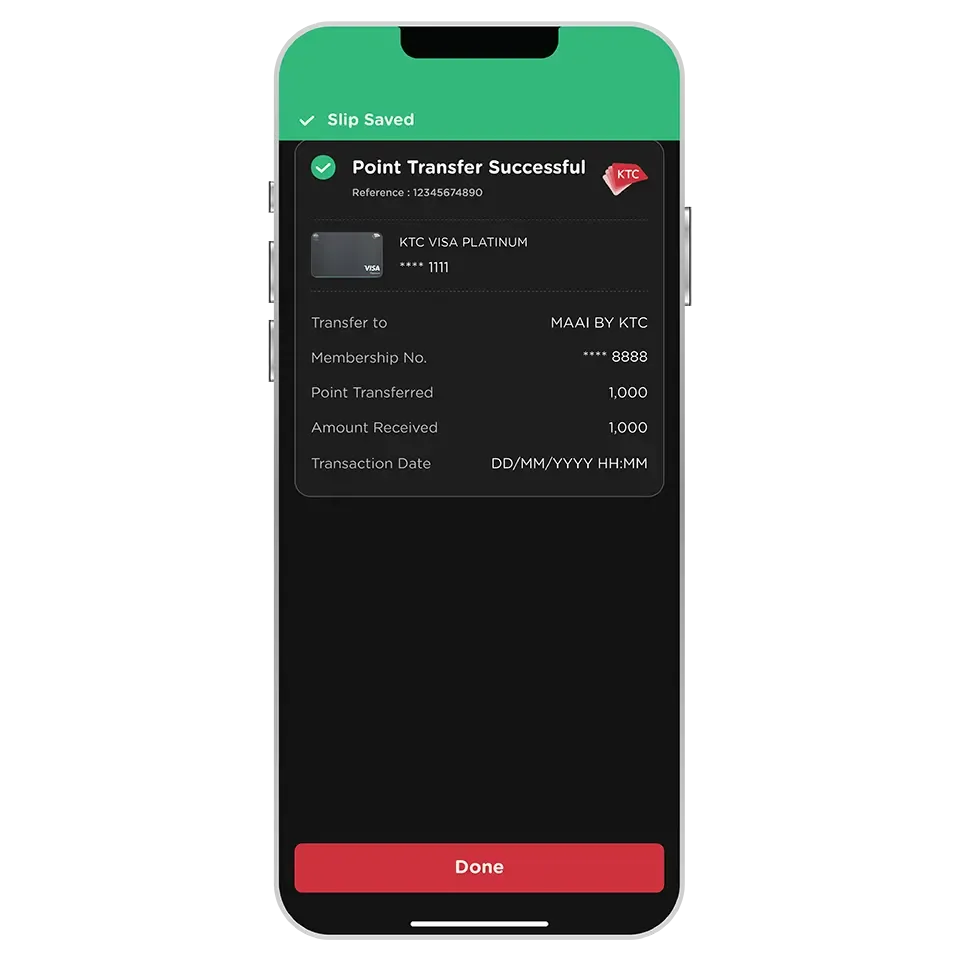
MAAI BY KTC is an application that consolidates points from various sources, including KTC FOREVER points and points from partner networks such as AirAsia points, TIP Coin, M Point, ONESIAM Coin, Bangchak Point, blueplus+ Point, and Max Point, into MAAI points for exchanging various privileges.
All KTC credit cards with KTC FOREVER points can transfer points to MAAI points via the KTC Mobile app.
Except for KTC - ROYAL ORCHID PLUS credit cards with KTC FOREVER points.
A maximum transfer limit of 30,000 KTC FOREVER points to MAAI points per transaction per day applies.
MAAI points can be used to redeem e-Coupons for discounts at the largest network of stores and partners in Thailand, with over 8,000 redemption points covering all needs, including restaurants, beverages, cinemas, flight bookings, or online shopping. MAAI points can also be used to scan and pay at over 1.8 million "Thung Ngern" merchant locations nationwide (10 MAAI points equals 1 Baht).
Download the MAAI BY KTC application here and register using the same citizen ID card number as for your KTC Mobile app registration (cannot be used with registration with passport numbers). Once registration is complete, you can immediately transfer KTC FOREVER points to MAAI points via the KTC Mobile app.
MAAI points are valid for 2 years from the date of transfer. Points will expire on December 31st of the second calendar year. For example, if points are transferred on July 1, 2025, the MAAI points received will expire on December 31, 2027. The terms and conditions for using points are as specified by KTC.
Once successfully transferred to MAAI points, they cannot be transferred back to KTC FOREVER points.
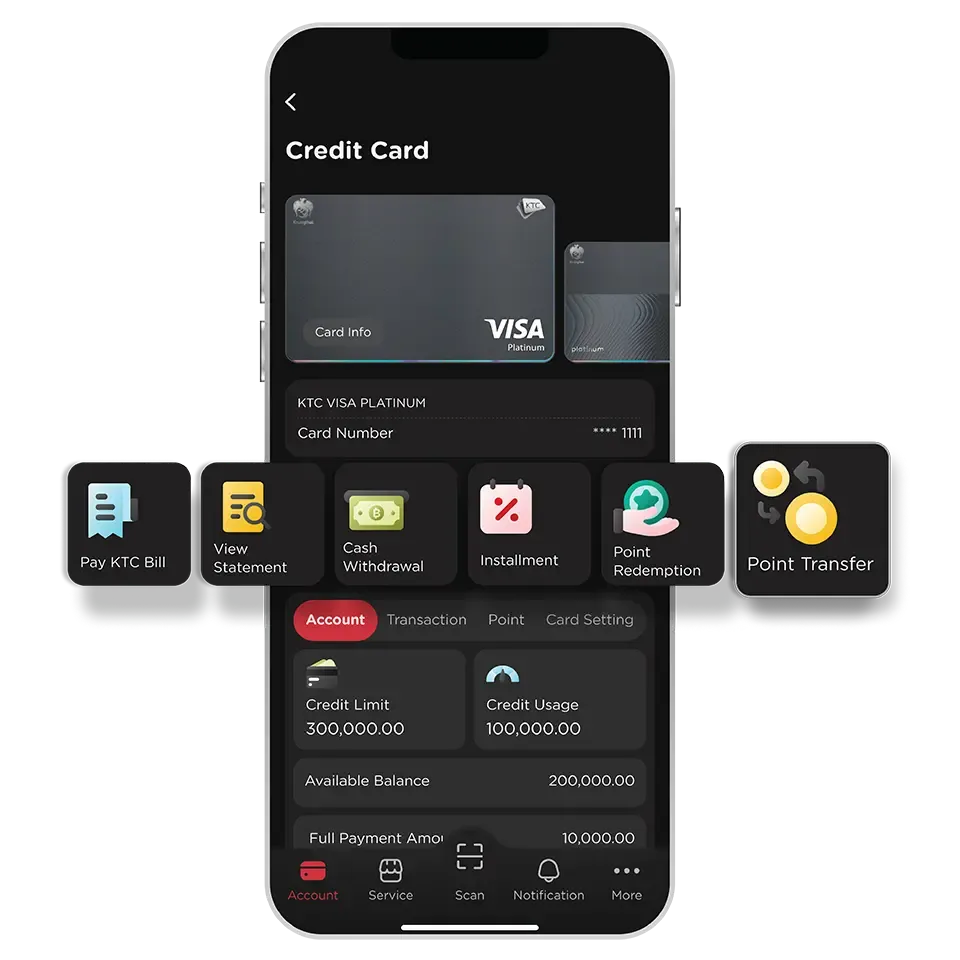
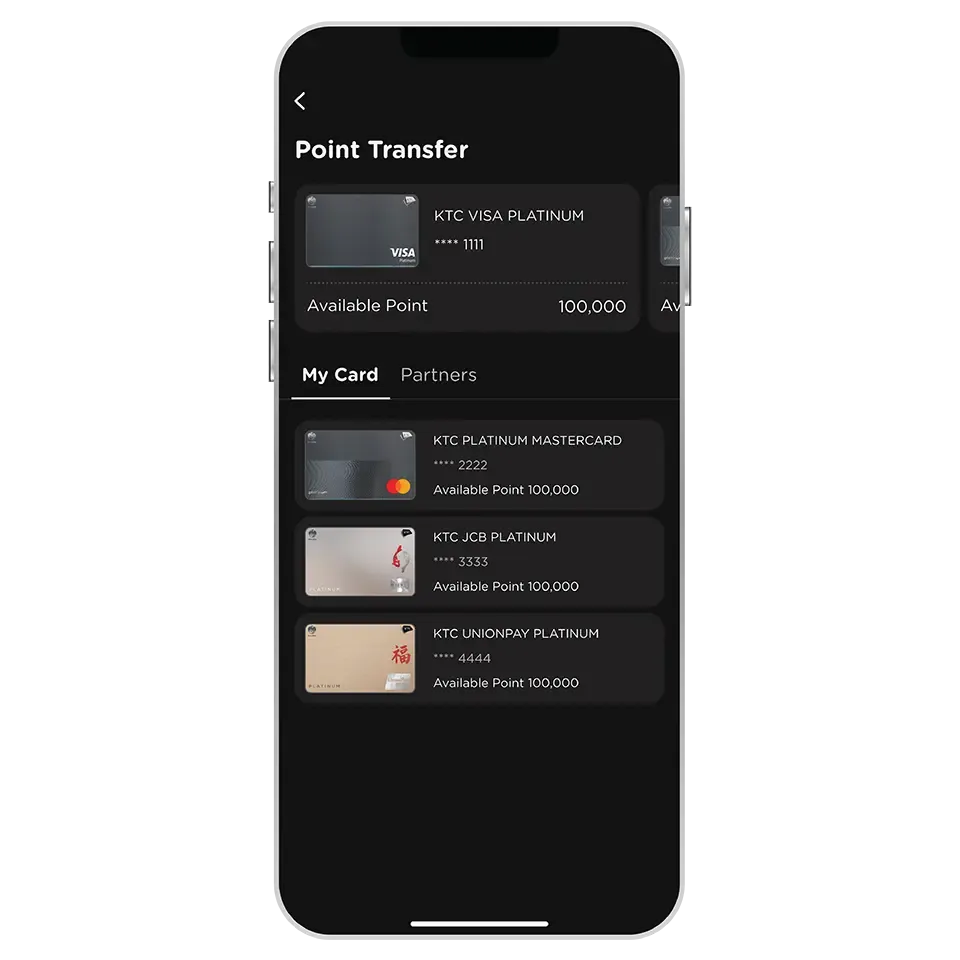
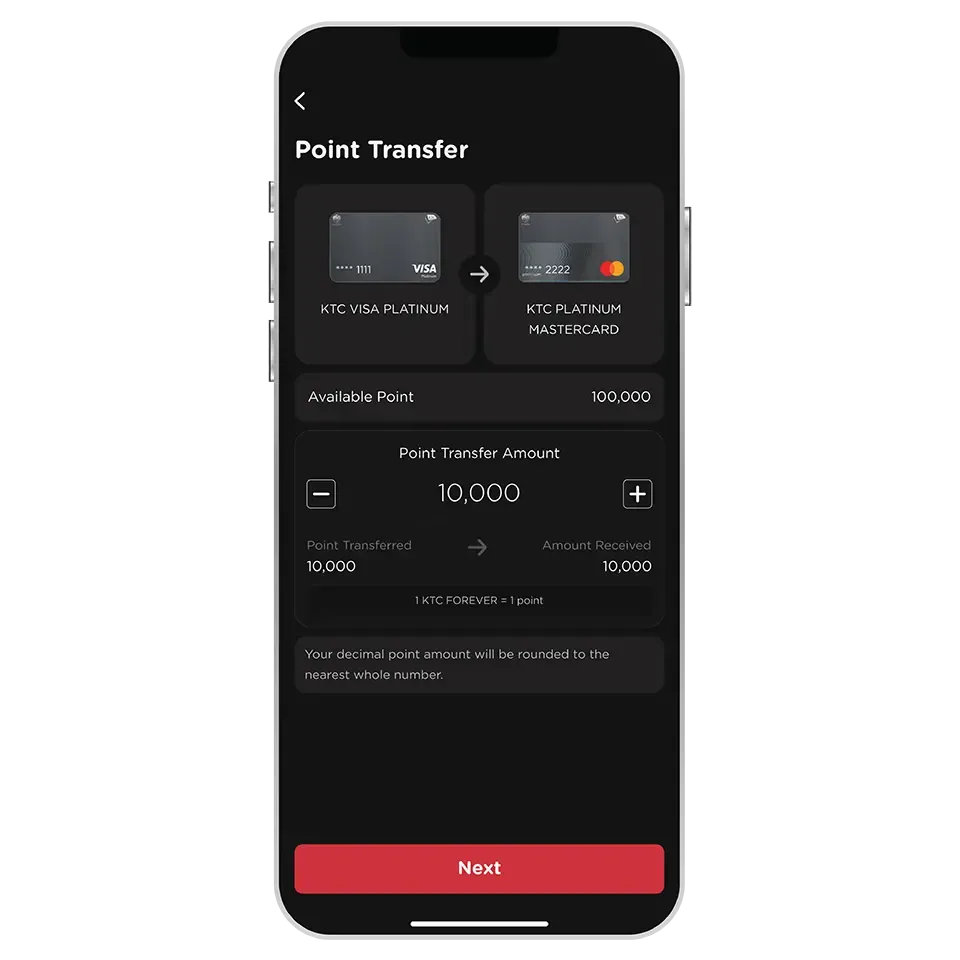
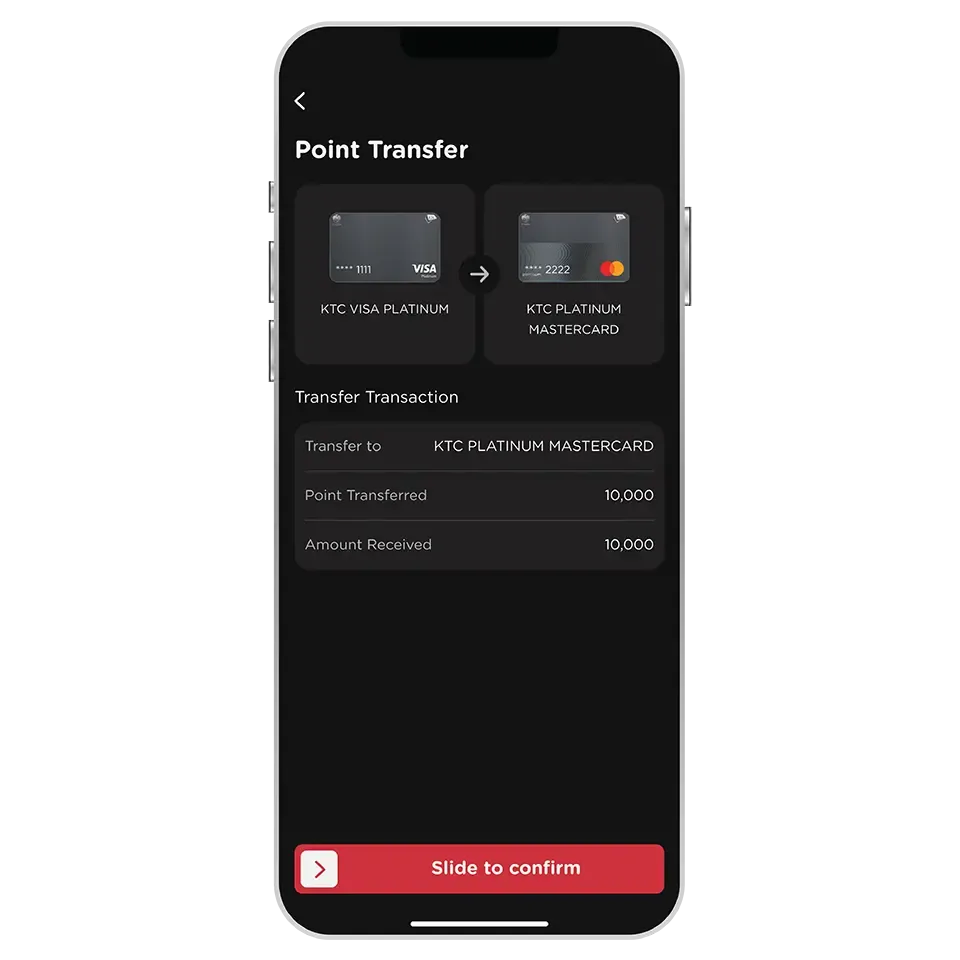
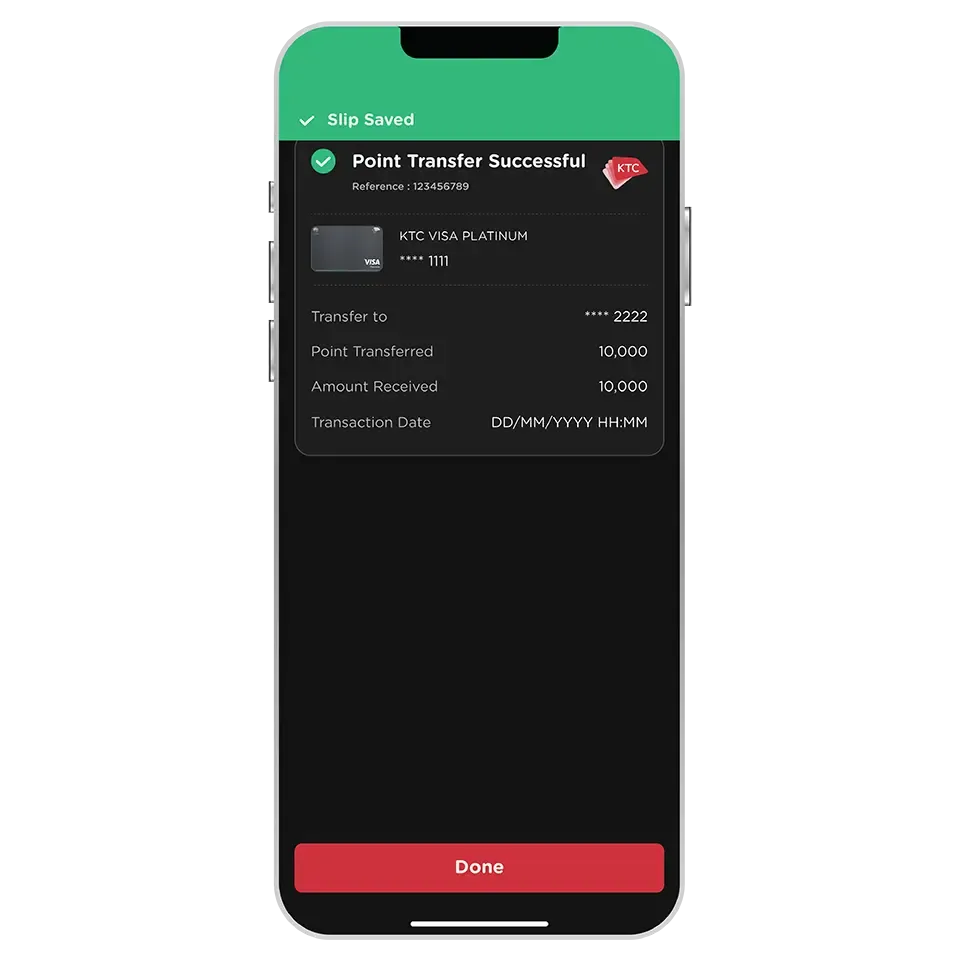
All KTC credit cards that have KTC FOREVER or KTC ROP points can transfer points between cards.
Except for KTC - ROYAL ORCHID PLUS credit cards that have KTC FOREVER points, which cannot transfer KTC FOREVER points between cards via the KTC Mobile app.
KTC FOREVER or KTC ROP points can be transferred between cards that have the same point currency only.
KTC FOREVER and KTC ROP points cannot be transferred between each other.
KTC credit cards can transfer points to and from all types, with the following exceptions and additional conditions:
1. KTC ROP points from all types of KTC – ROYAL ORCHID PLUS credit cards can be transferred between each other, but cannot be transferred to other KTC credit cards, and KTC FOREVER points from other KTC credit cards cannot be transferred to KTC – ROYAL ORCHID PLUS credit cards.
2. Points from all types of KTC – BANGKOK AIRWAYS credit cards can be transferred between each other or to other KTC credit cards, but points from all types of other KTC credit cards cannot be transferred to KTC – BANGKOK AIRWAYS credit cards.
3. Points from all types of KTC – AGODA credit cards can be transferred between each other or to other KTC credit cards, but points from all types of other KTC credit cards cannot be transferred to KTC – AGODA credit cards.
Primary cardmembers can transfer points to supplementary cards in the point transfer menu, then select "My Supplementary Cards". However, supplementary cardmembers cannot transfer points to primary cards.
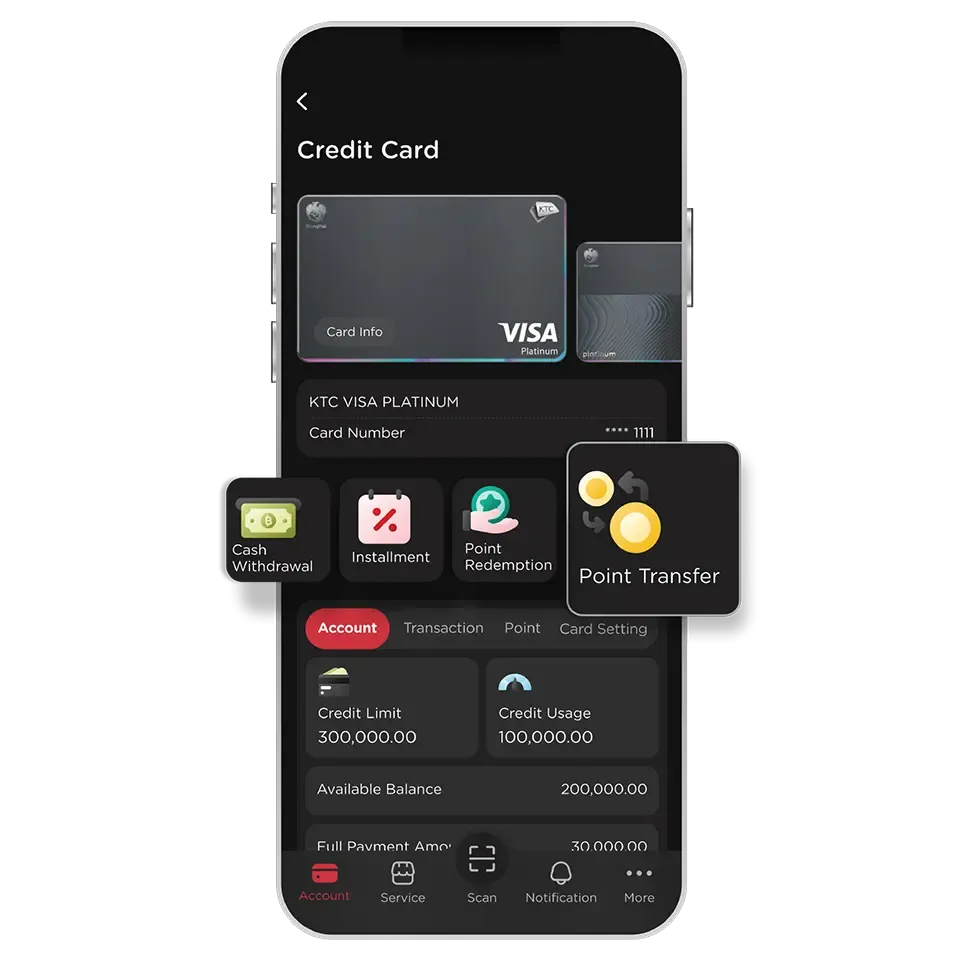
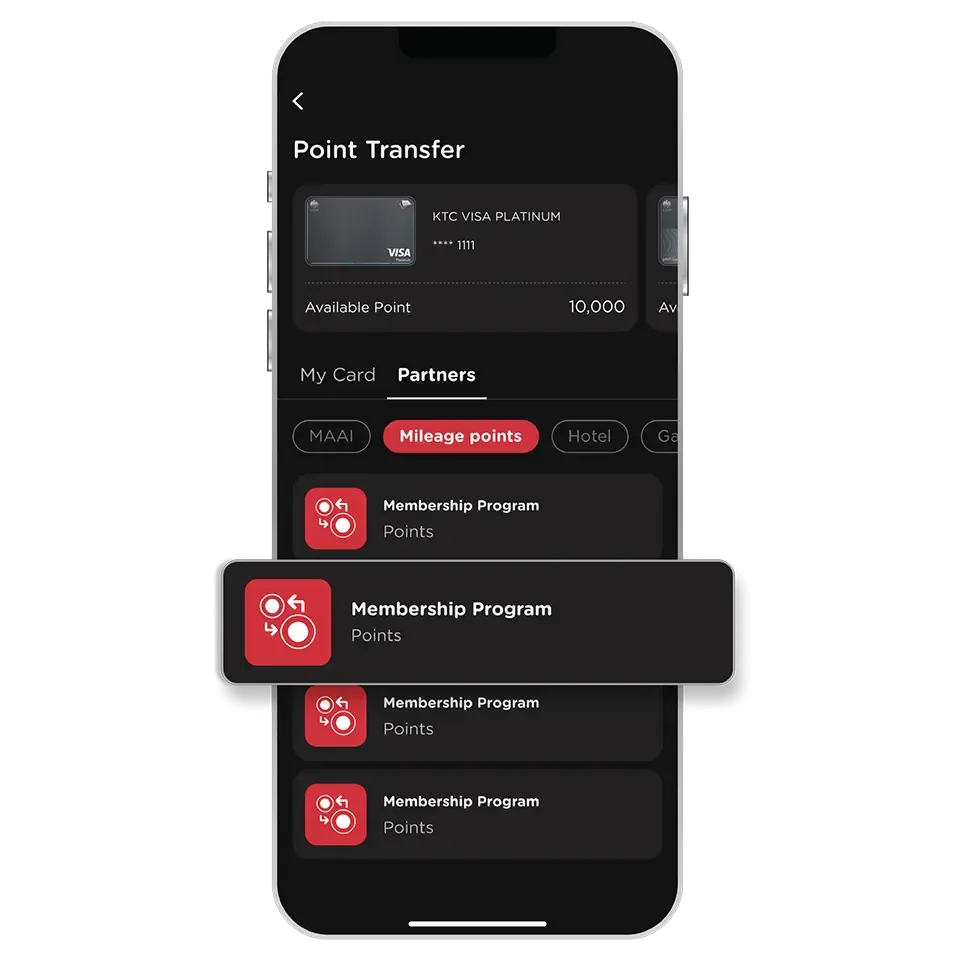
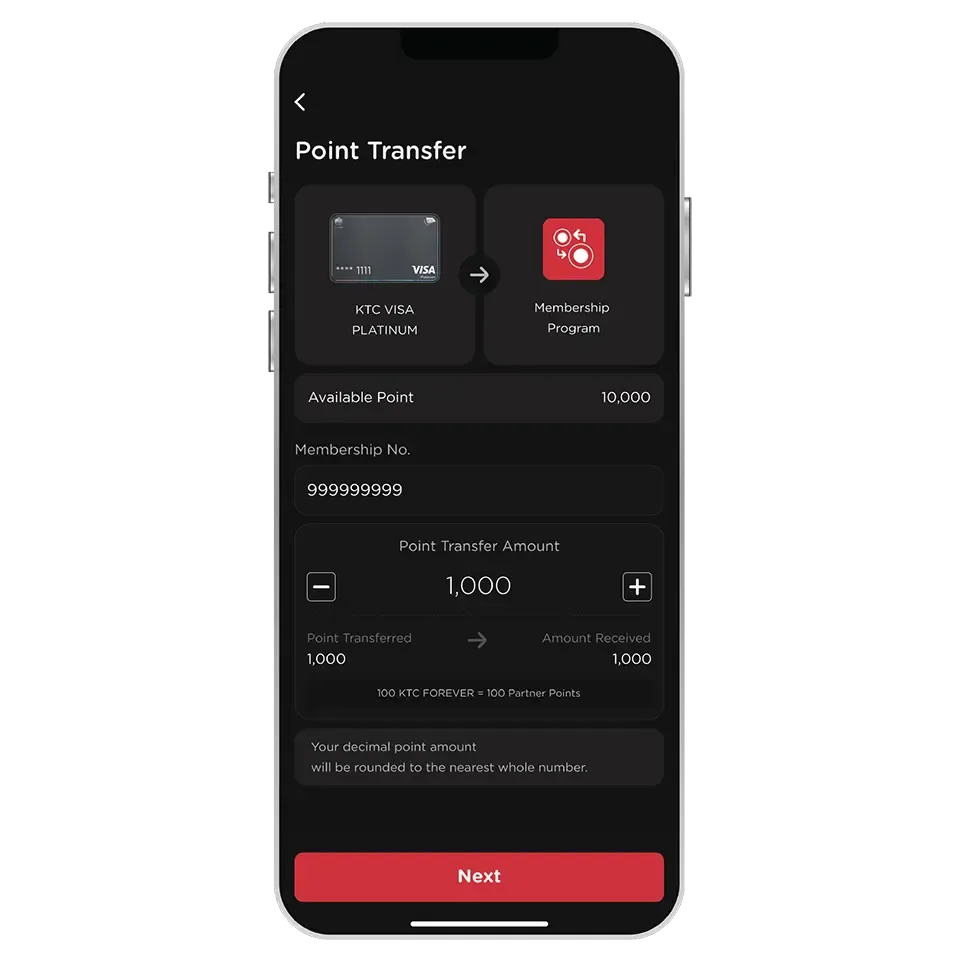
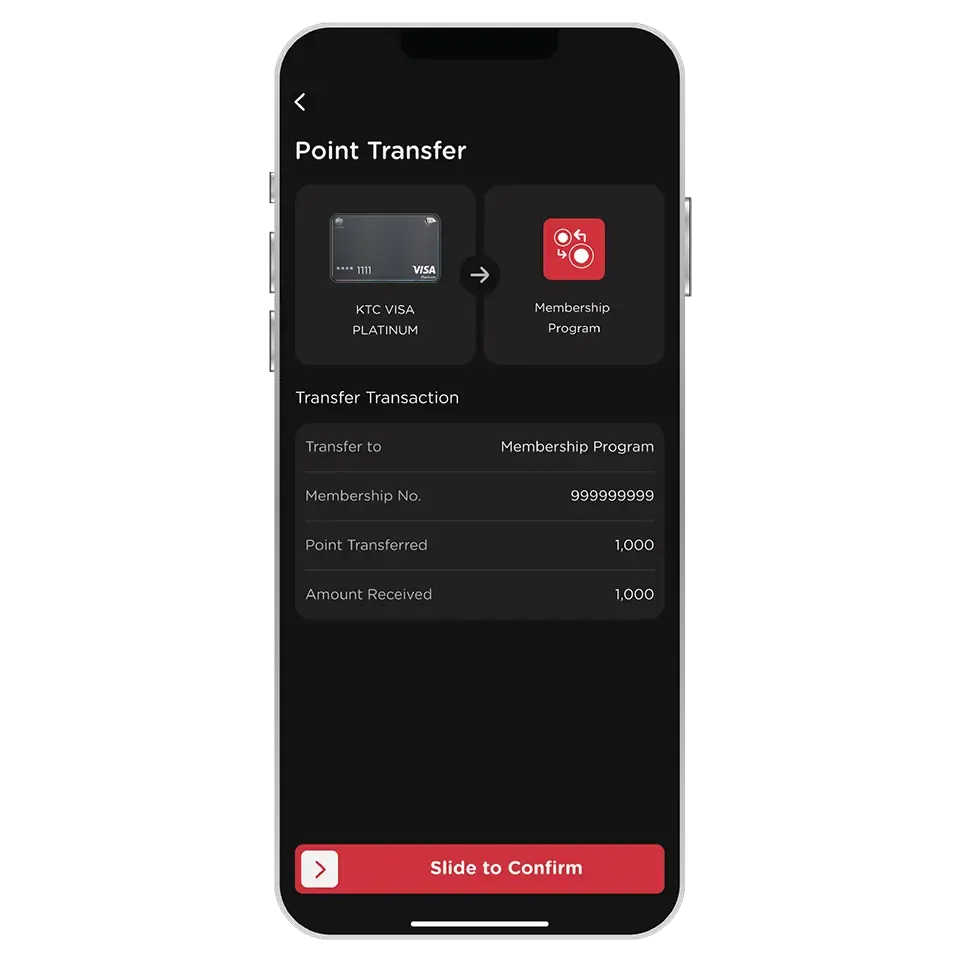
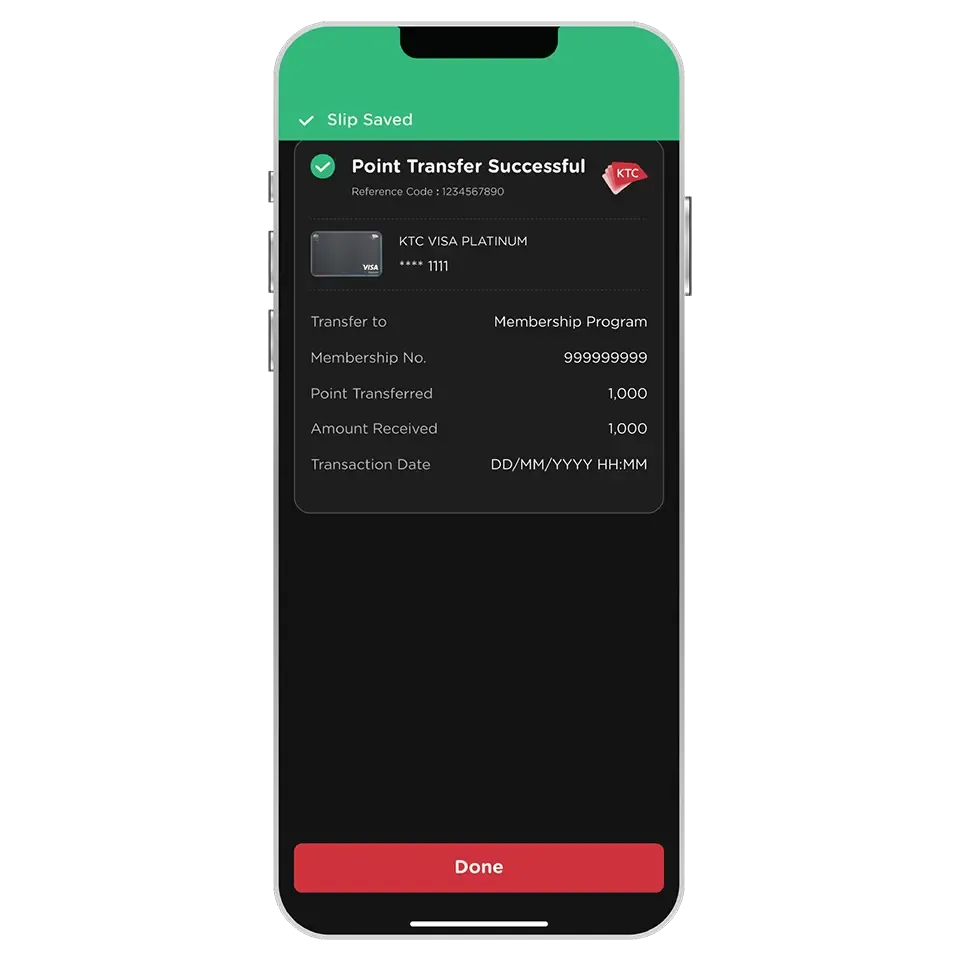
Point Transfer can only be made if the loyalty program account belongs to the same individual as the KTC credit cardholder.
KTC FOREVER / KTC ROP points will be transferred to the loyalty program within the specified timeframe, depending on the conditions of each loyalty program. Cardholders can check the transferred points on the website or application of the respective loyalty program.
Once the transfer is complete, it cannot be changed, canceled, or transferred back under any circumstances.
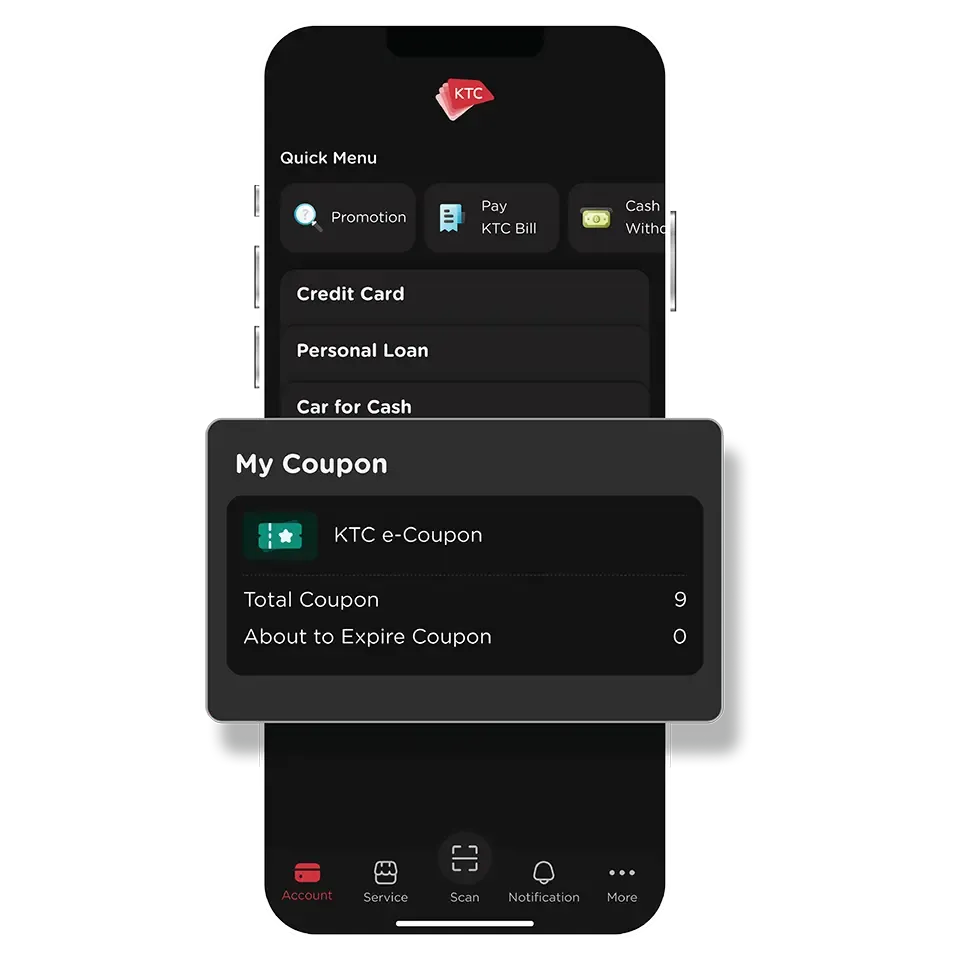
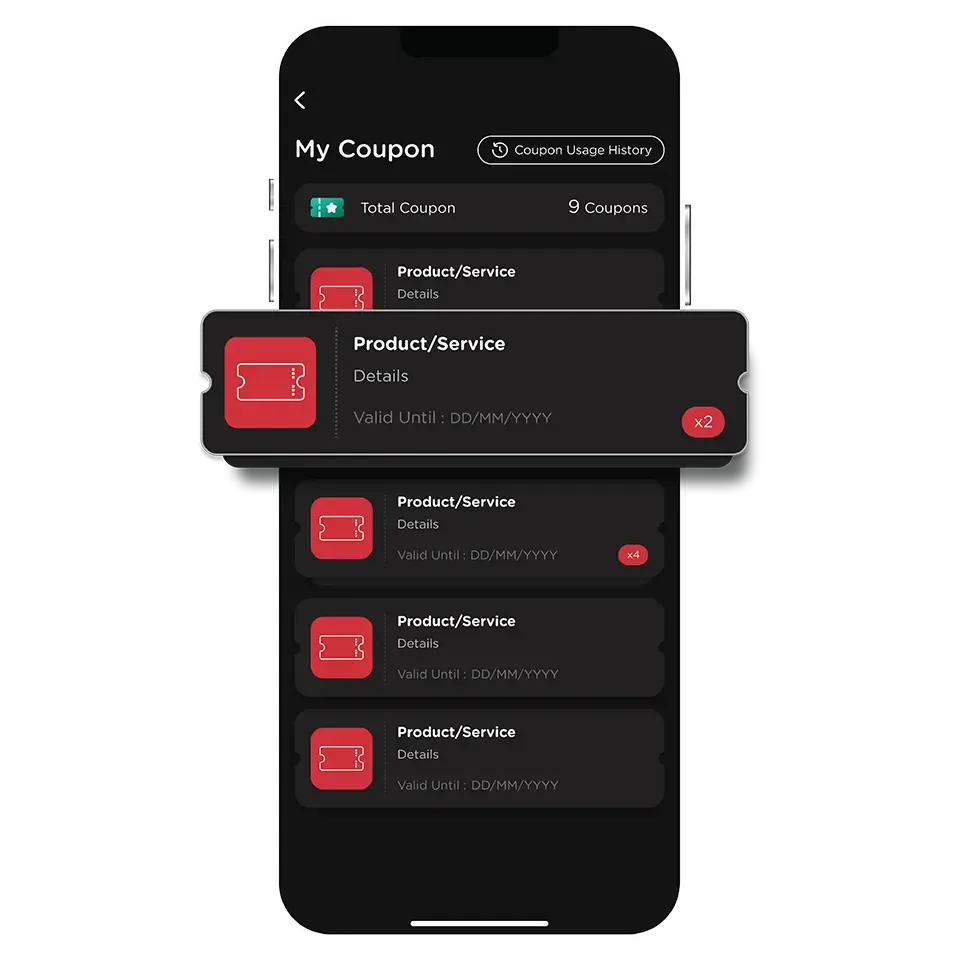
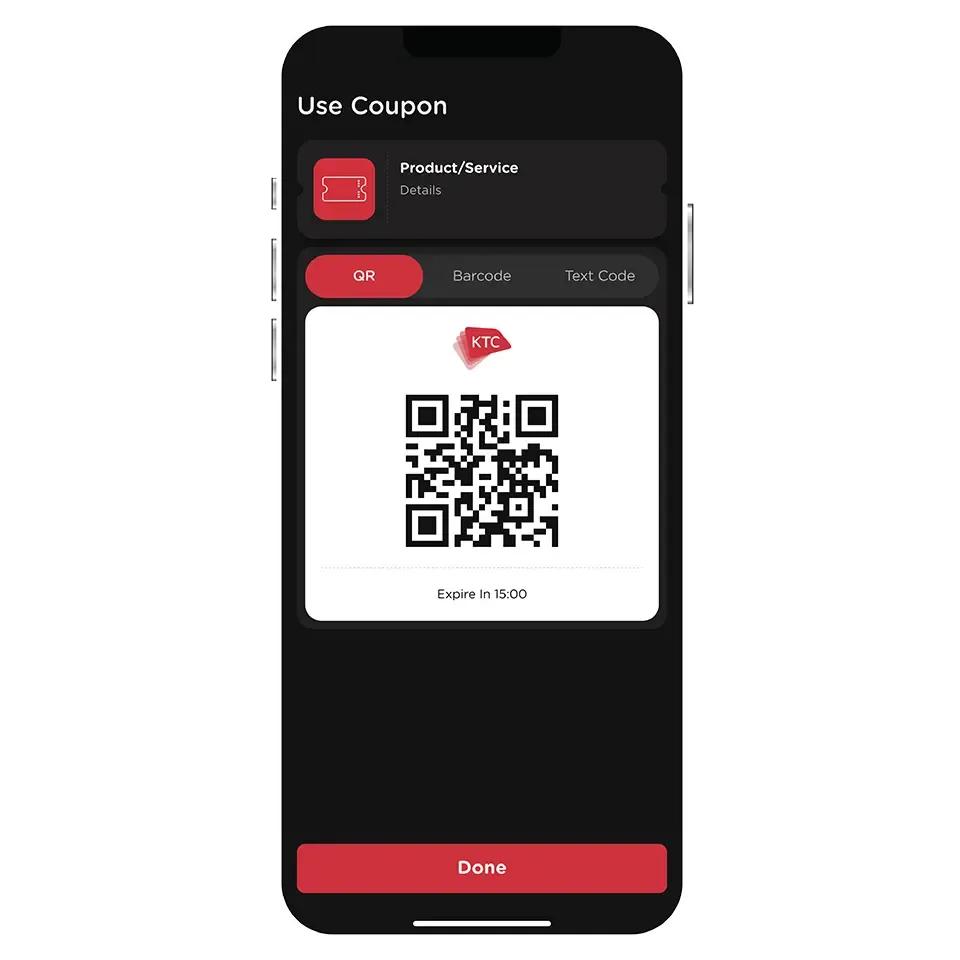
You can view coupons that are about to expire under the “Near Expiry Coupons” section. It will display coupons that have remaining validity period equal to or less than 7 days.
Yes, you can click the “Copy” button next to the Text Code to copy it and then paste it elsewhere.
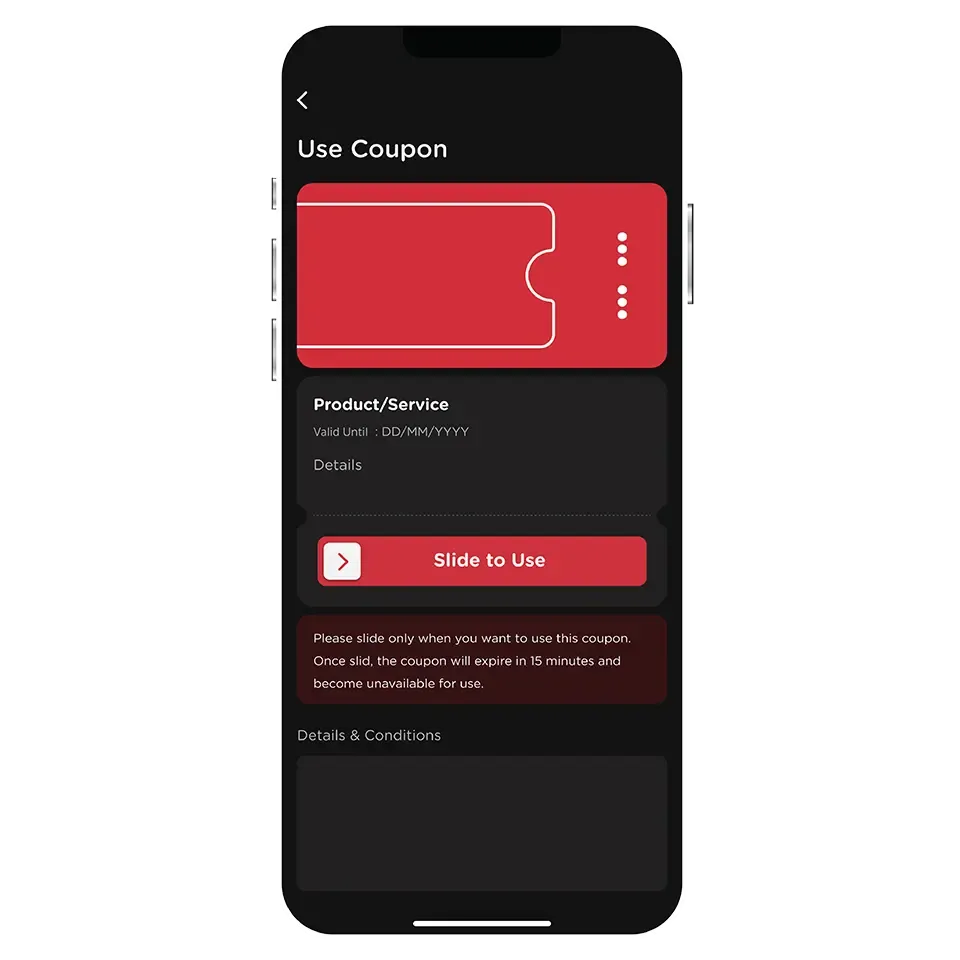
After using a coupon, it will be valid for 15 minutes. After that, it cannot be used anymore.
Once a coupon is closed, it cannot be used anymore.
In the case of displaying a code for redemption at a store, it is recommended to confirm with the staff if they have scanned the code successfully before closing the coupon.
You can view the used coupons in the “Coupon Usage History” section, which displays the history of coupons used within the past 7 days.
Expired coupons cannot be used anymore. The coupon will no longer be displayed in the app after its expiration date.
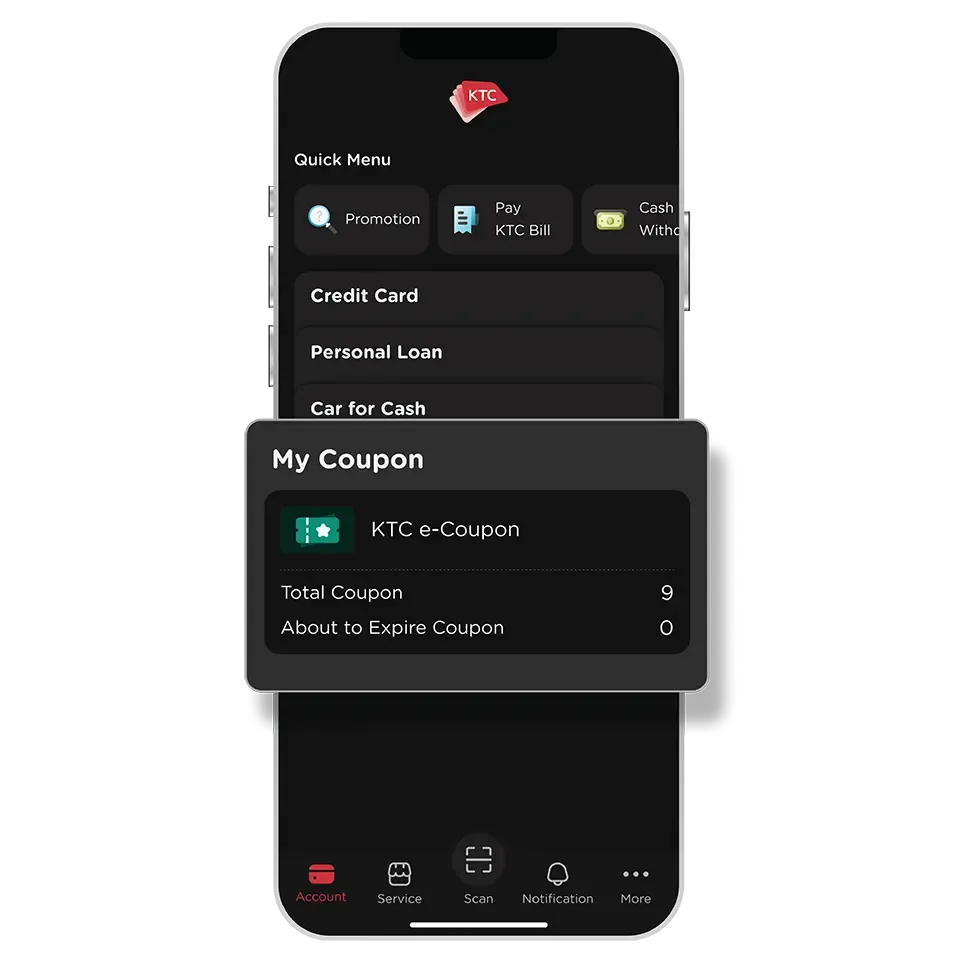
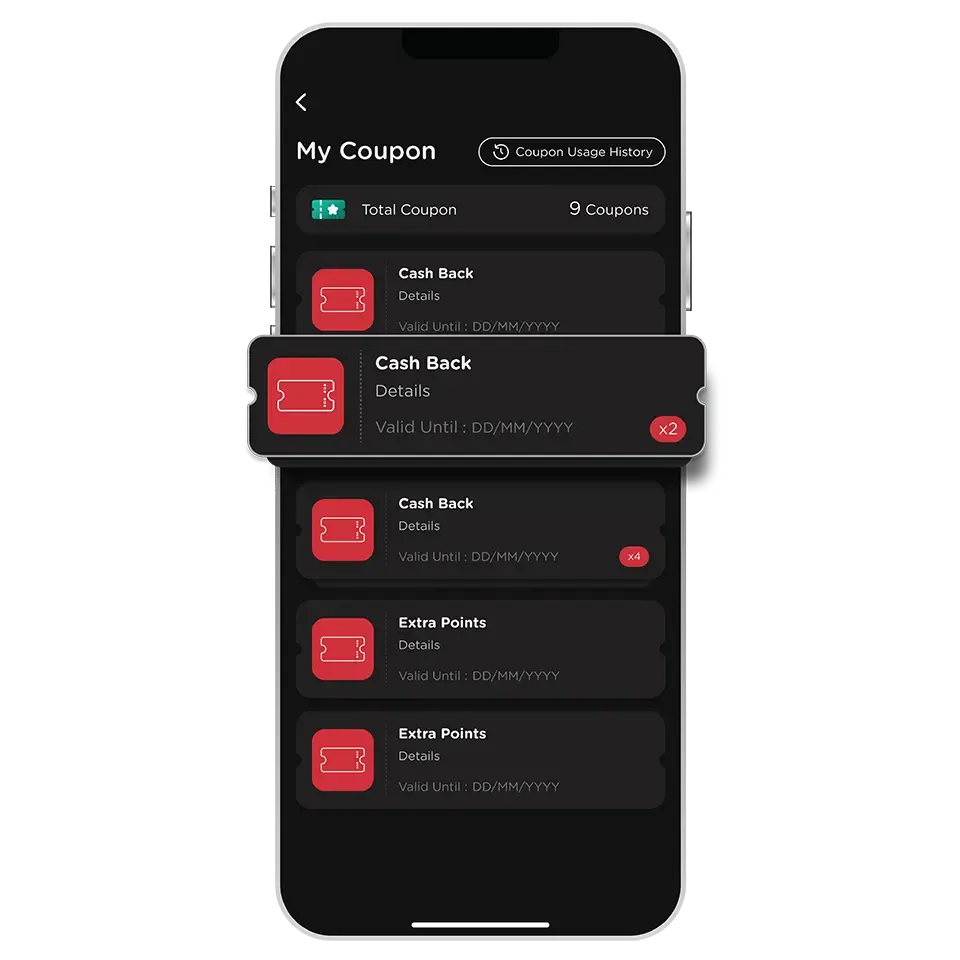
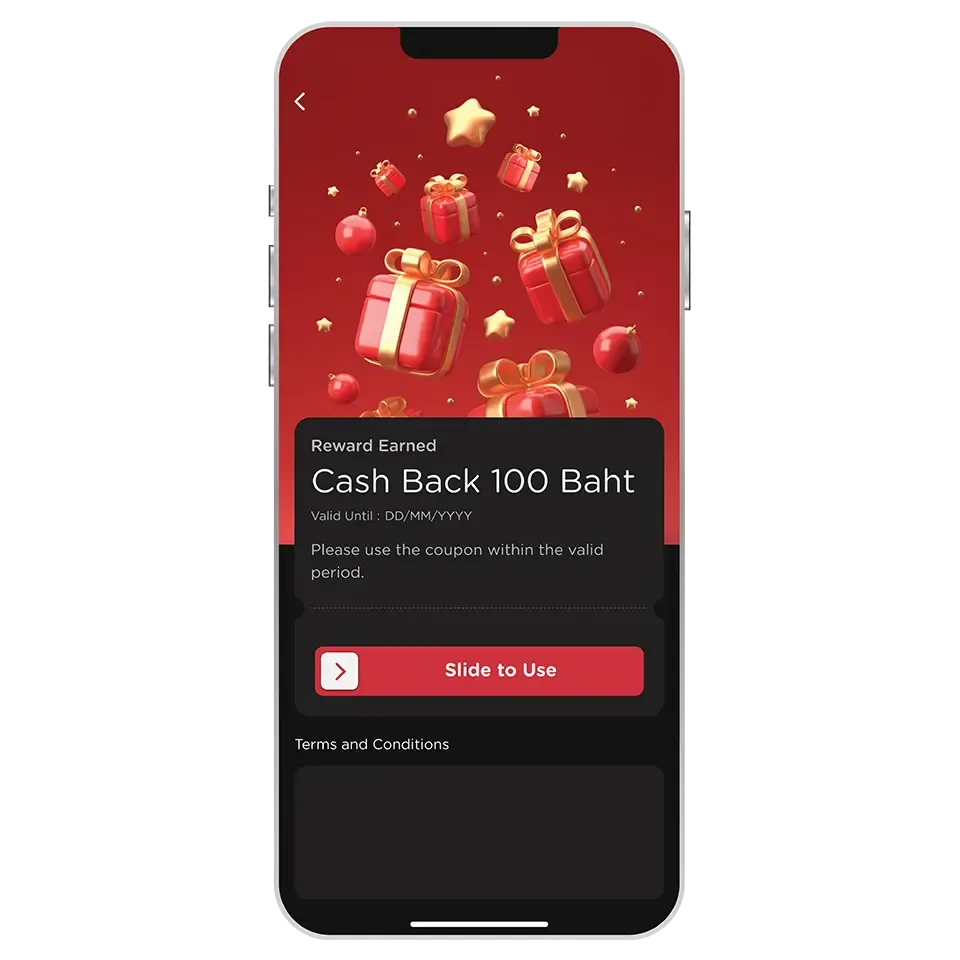
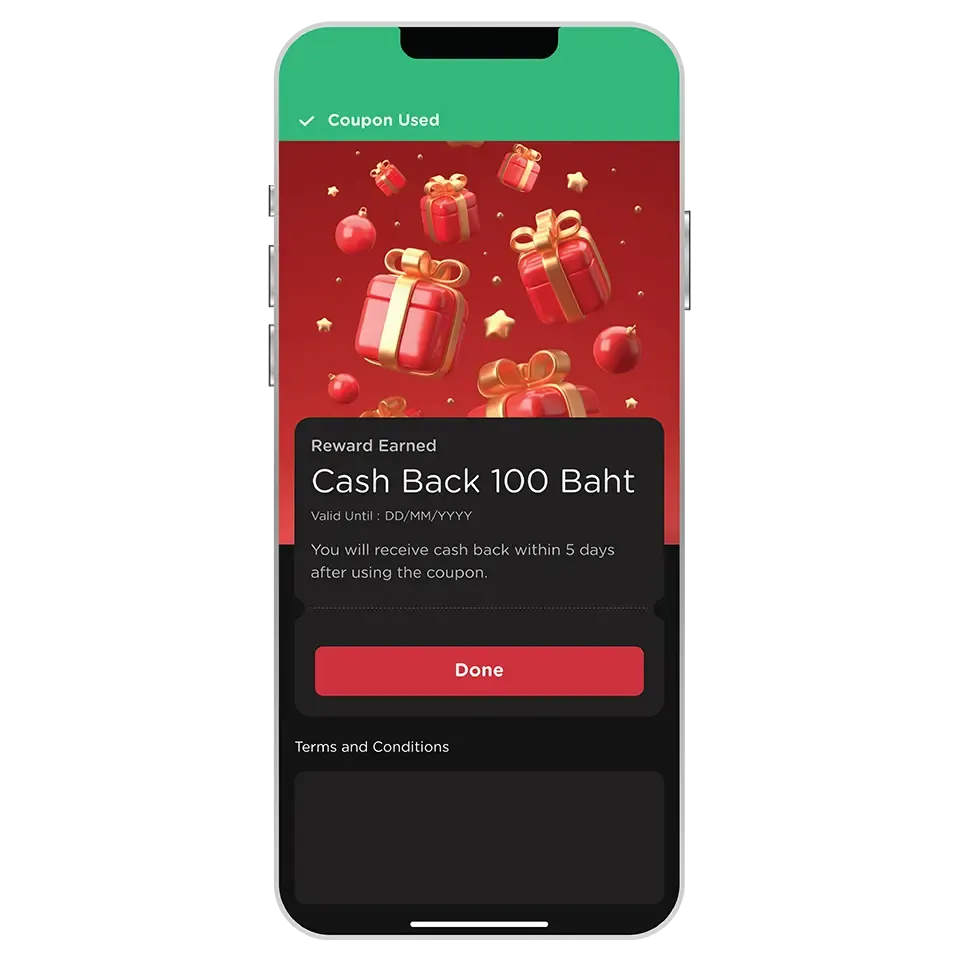
To view coupons that are about to expire, go to the "About to Expire Coupon" section. This will display any coupons with 7 days or less remaining before they expire.
KTC will credit the cashback or extra points to card account within 5 days from the date of using the coupon.
For coupons received from promotions of spending were made with the card, cashback or extra points will only be credited for transactions that have already been charged by the merchant.
Cashback or extra points will be credited to the card account and cannot be exchanged for cash or transferred to others.
In case of cashback, it will be deducted from the credit usage of the card account used.
The used coupons can be viewed in the "Coupon Usage History" section, which displays the history of coupons used within the past 7 days.
Expired coupons cannot be used anymore. The coupon will no longer be displayed in the app after its expiration date.
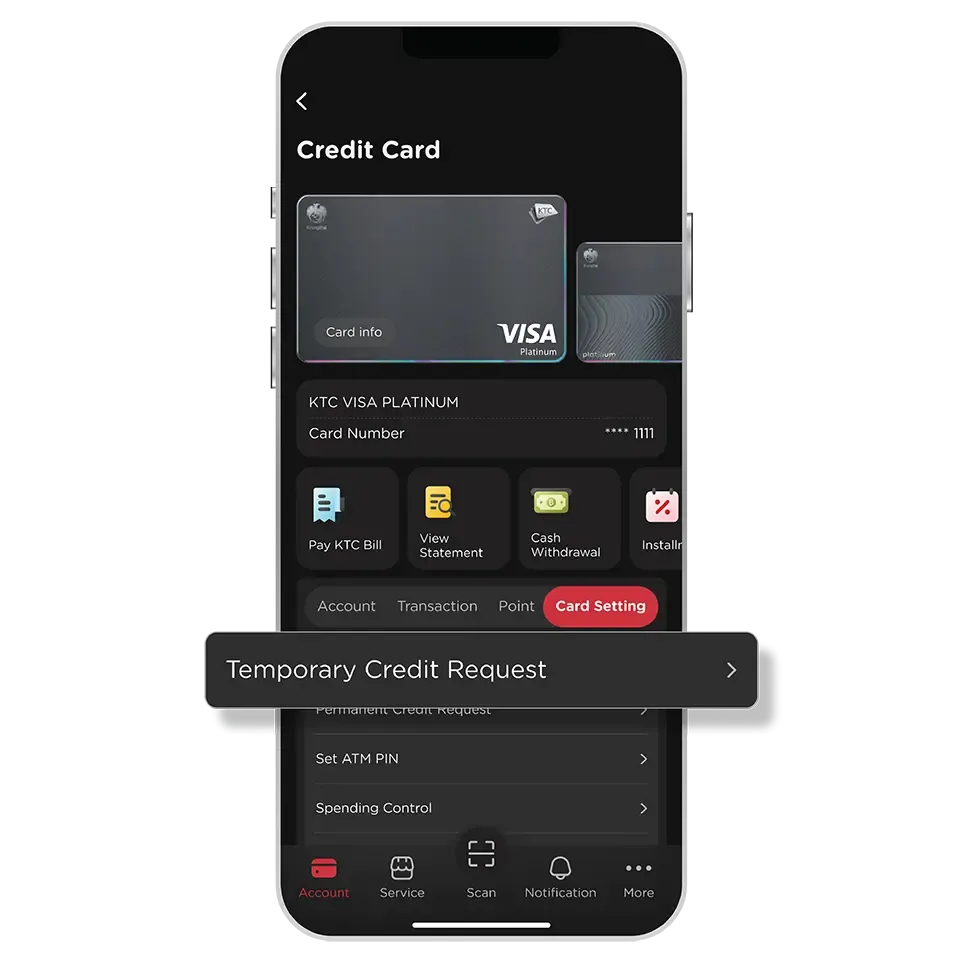
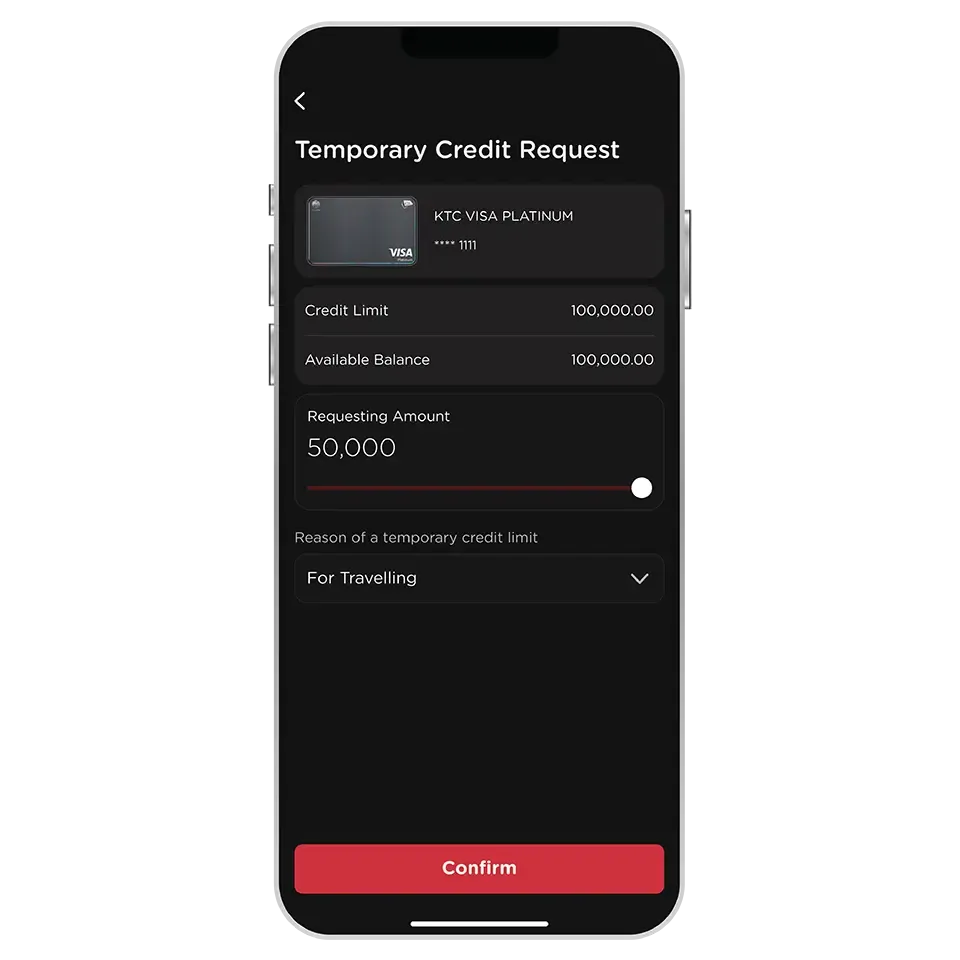
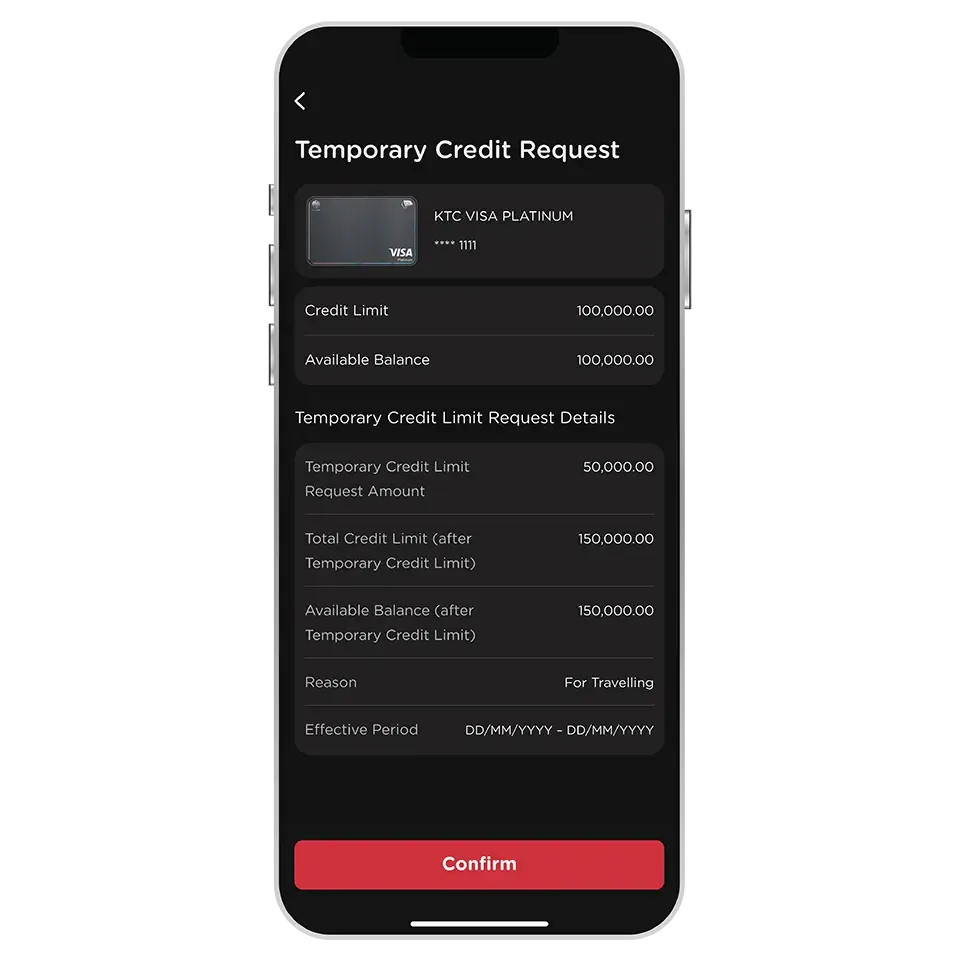
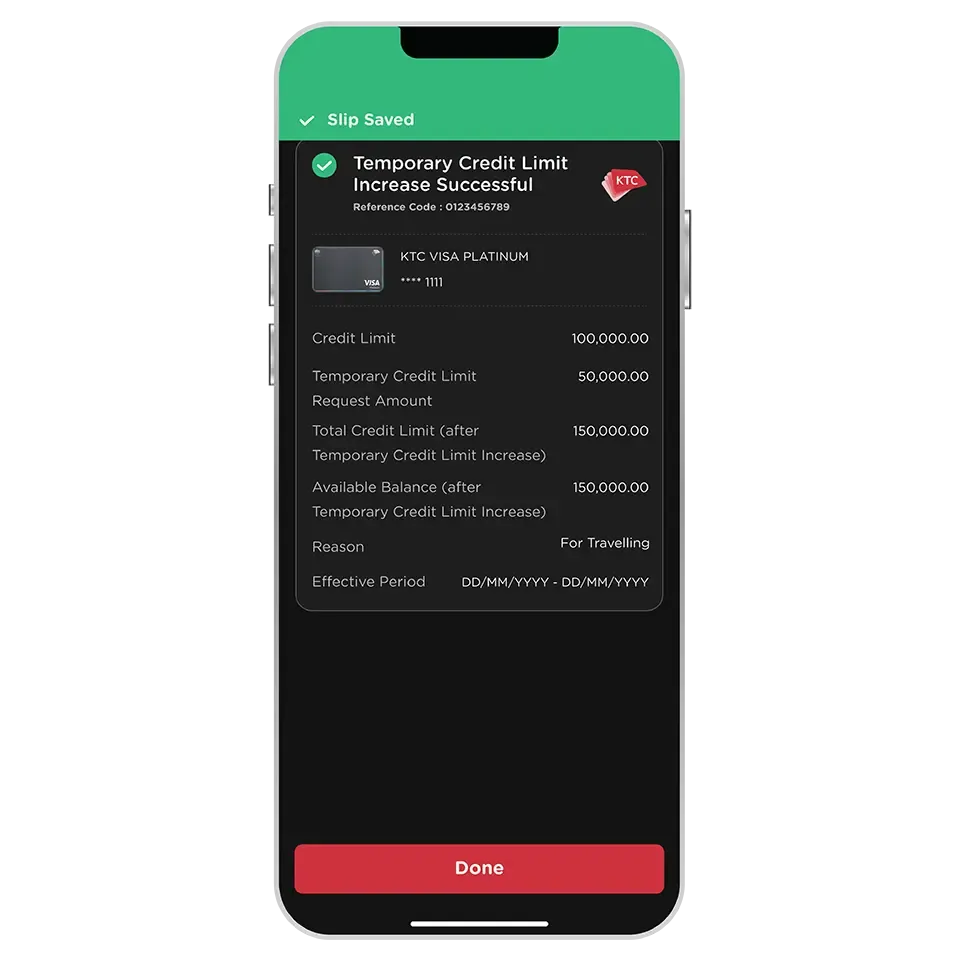
Only KTC credit card and KTC PROUD cash card are eligible.
The following cards are excluded from this service :
- All types of KTC VISA CORPORATE credit card
- KTC GOVERNMENT SERVICES credit card
- All types of supplementary credit card
- KTC P BERM cash card
No additional documents are required, and the temporary credit limit can be used immediately.
The temporary credit limit can be adjusted by sliding the bar to see the maximum amount that is eligible to increase.
The maximum temporary credit limit available for each individual is subject to KTC's terms and conditions.
The temporary credit limit can be used for 25 to 55 days from the transaction date, in accordance with KTC’s terms and conditions.
You can view the expiration date before confirming the transaction.
Once the period expires, the credit limit will be reverted to the original amount.
For the KTC credit card, the temporary credit limit must be fully repaid and cannot be used for cash withdrawal. However, for the KTC PROUD cash card, it can be used and repaid as usual.
The temporary credit limit can only be applied only to the credit card used for the request transaction. Once the transaction is made, it cannot be applied for a temporary credit limit on other KTC credit cards until the temporary credit limit for the initial card expires.
Yes, the request of a temporary credit limit increase for each product can be done separately during the same period.
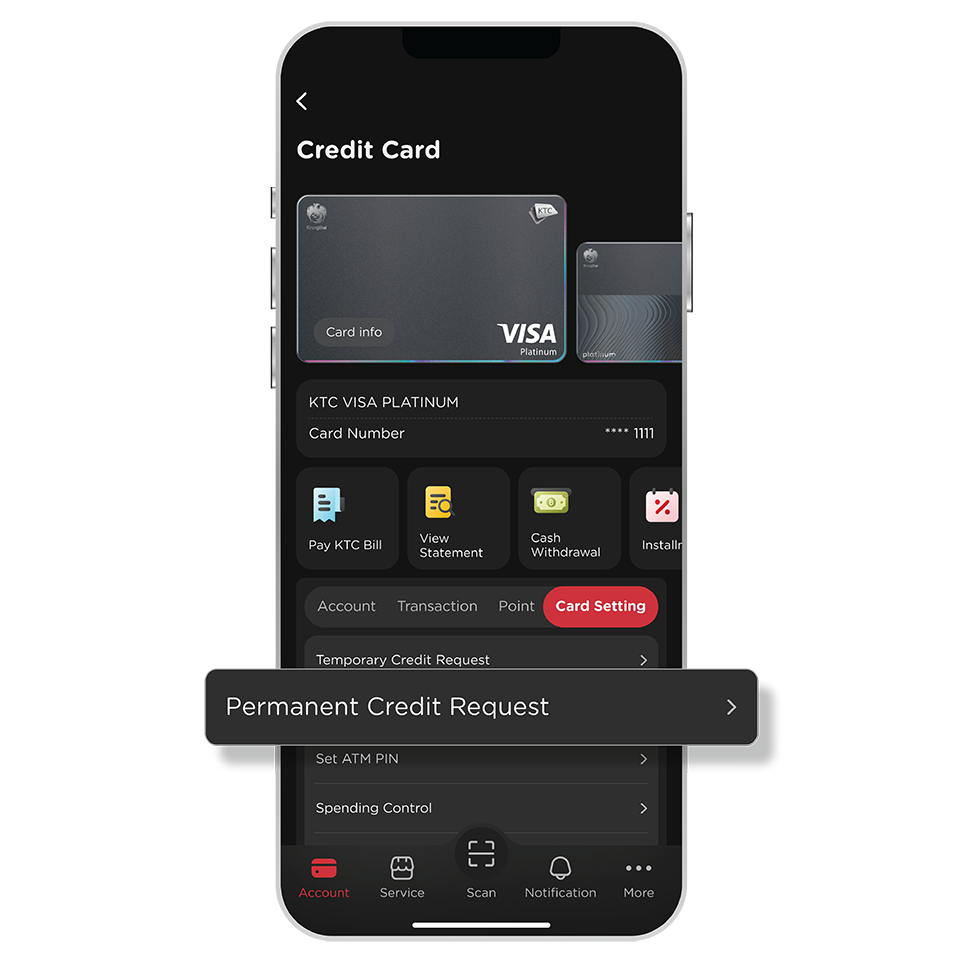
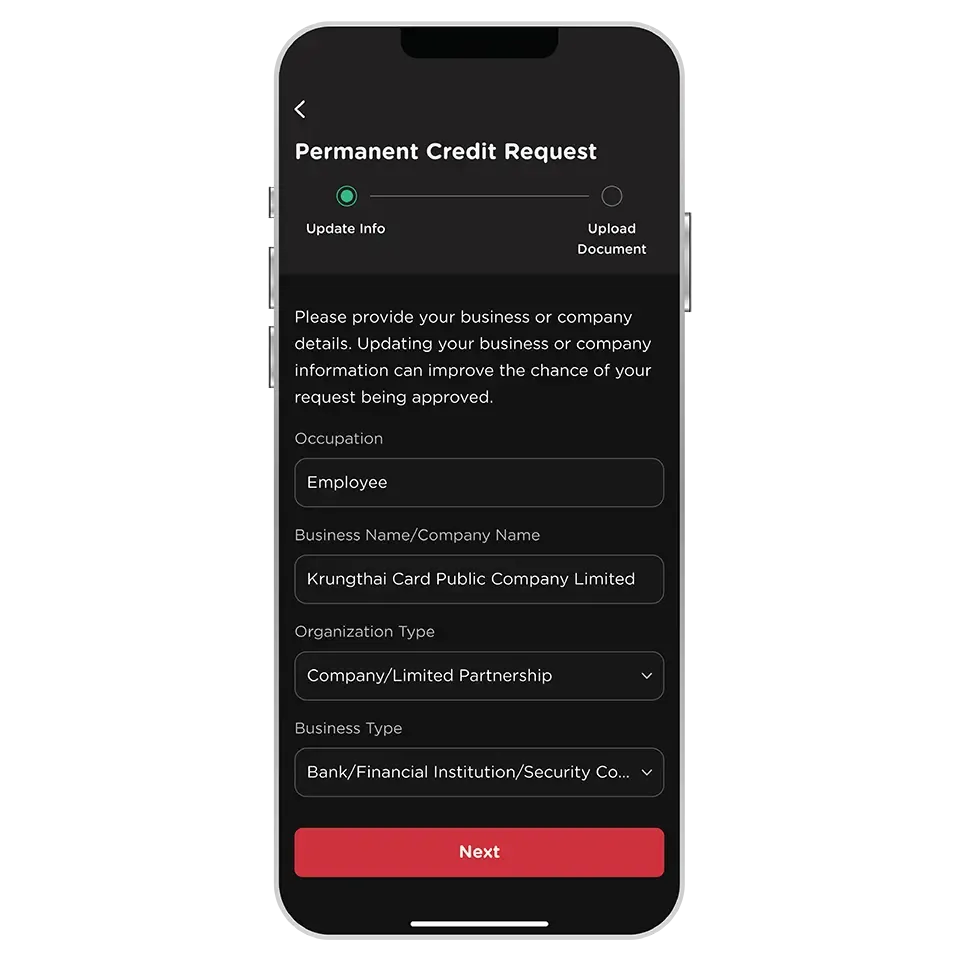
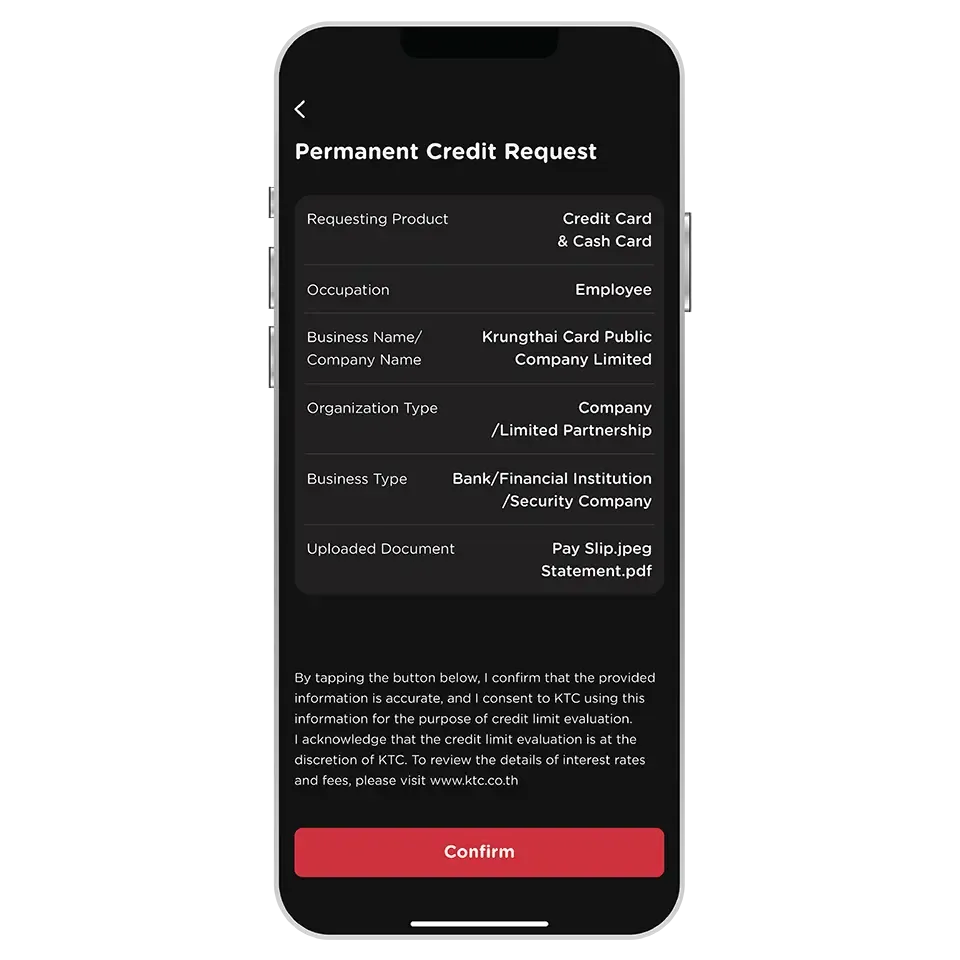
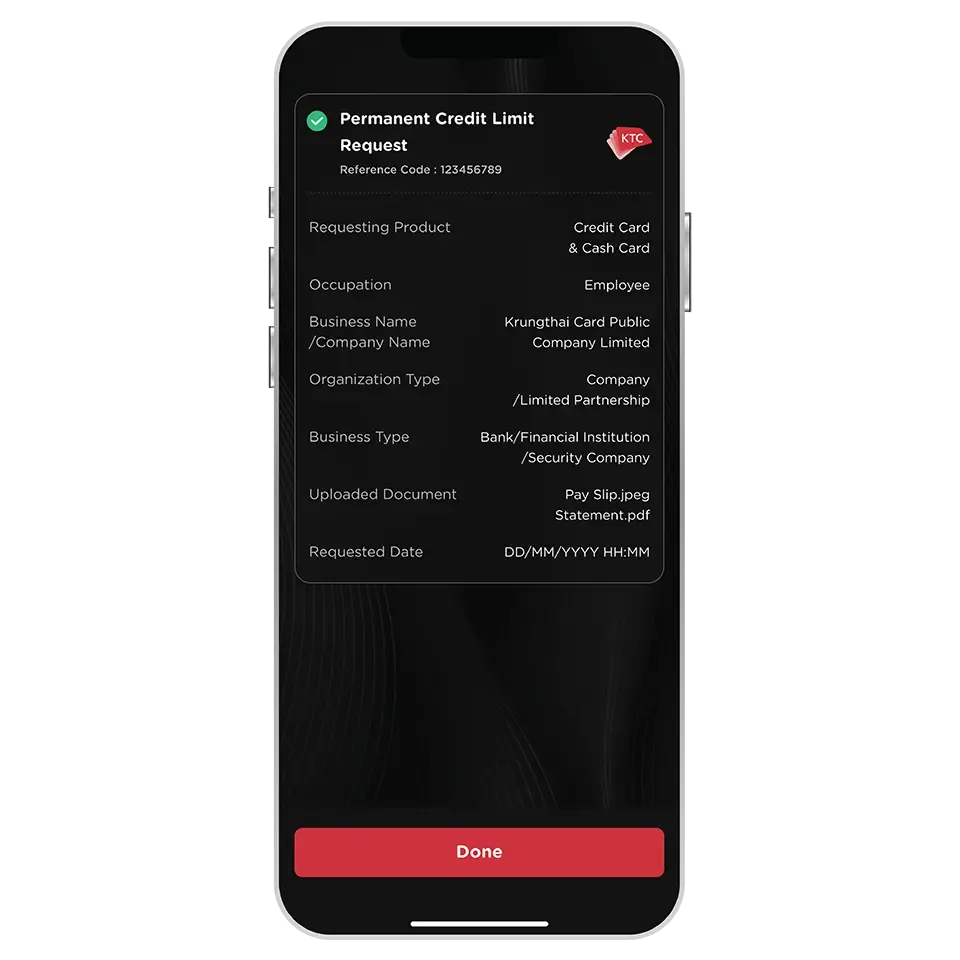
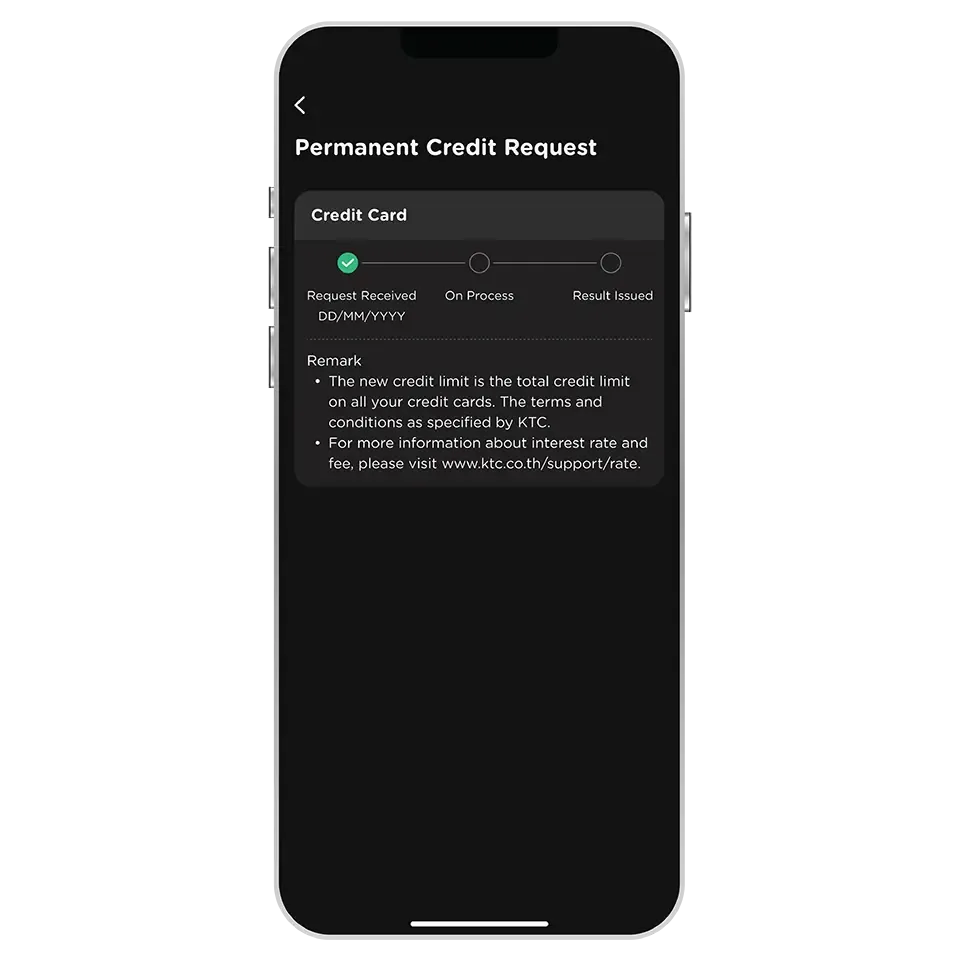
Only KTC credit card and KTC PROUD cash card are eligible.
The following cards are excluded from this service :
- All types of KTC VISA CORPORATE credit card
- KTC GOVERNMENT SERVICES credit card
- All types of supplementary credit card
- KTC P BERM cash card
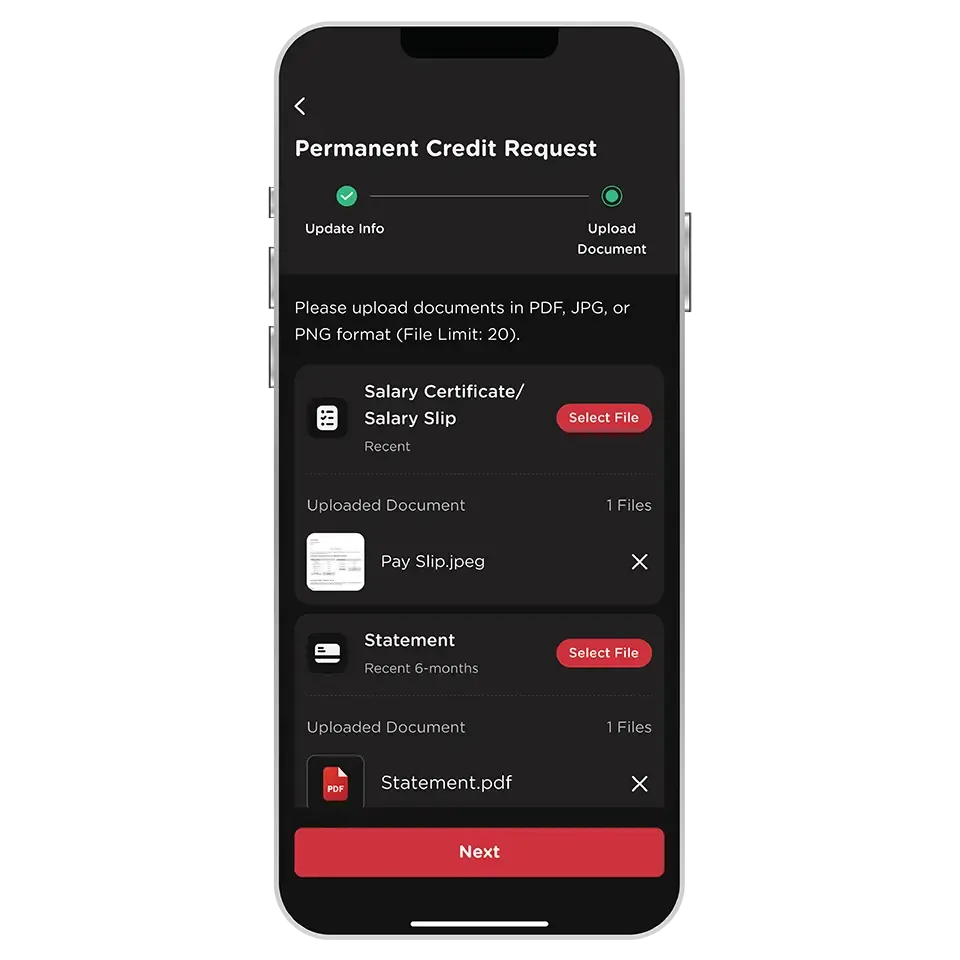
Regular Income Earner
- Salary Cerificate/Salary Slip (recent)
- Statement (recent 6-months)
Business Owner/Self-Employed
- Statement (recent 6-months)
The following types of documents could be uploaded :
1. JPG or PNG format (take a new photo or choose one from photo gallery).
2. PDF format (In case a password is required, it must be entered correctly to unlock the document before uploading).
You can upload a maximum of 20 files in total.
The approved credit limit is applied to all credit cards under the same credit limit.
The credit limit is increased for the primary card only, not for the supplementary cards which share the same credit limit.
The permanent credit limit request will apply to credit card and cash card with no additional documents required.
However, each product's request is evaluated and approved separately in accordance with KTC’s terms and conditions.
The period that can request the permanent credit limit request again depends on the previous result of the request as follows
- Approved: 365 days after the result is issued.
- Declined: 180 days after the result is issued.
The criteria for the permanent credit limit increase process comply with the company's policies and conditions.
- the completeness of documentation
- document type
- the timing of document submission
The status of the request could be checked in the permanent credit limit request menu.
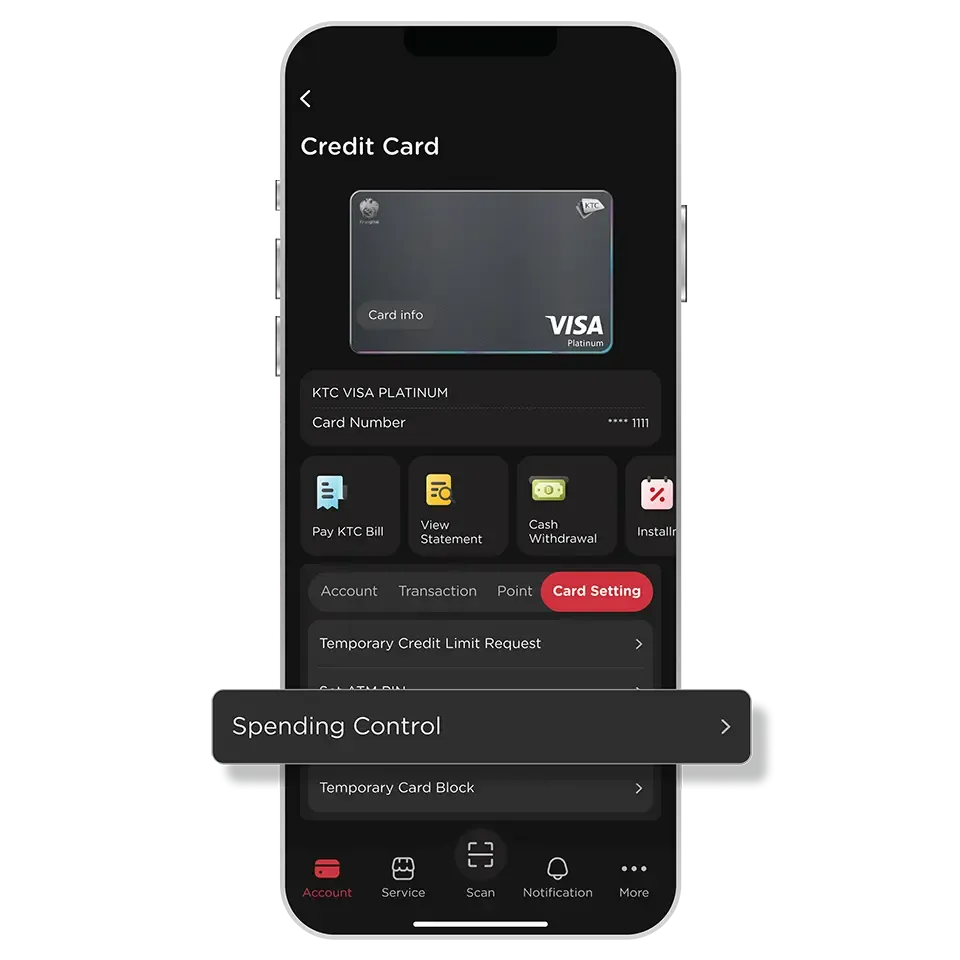
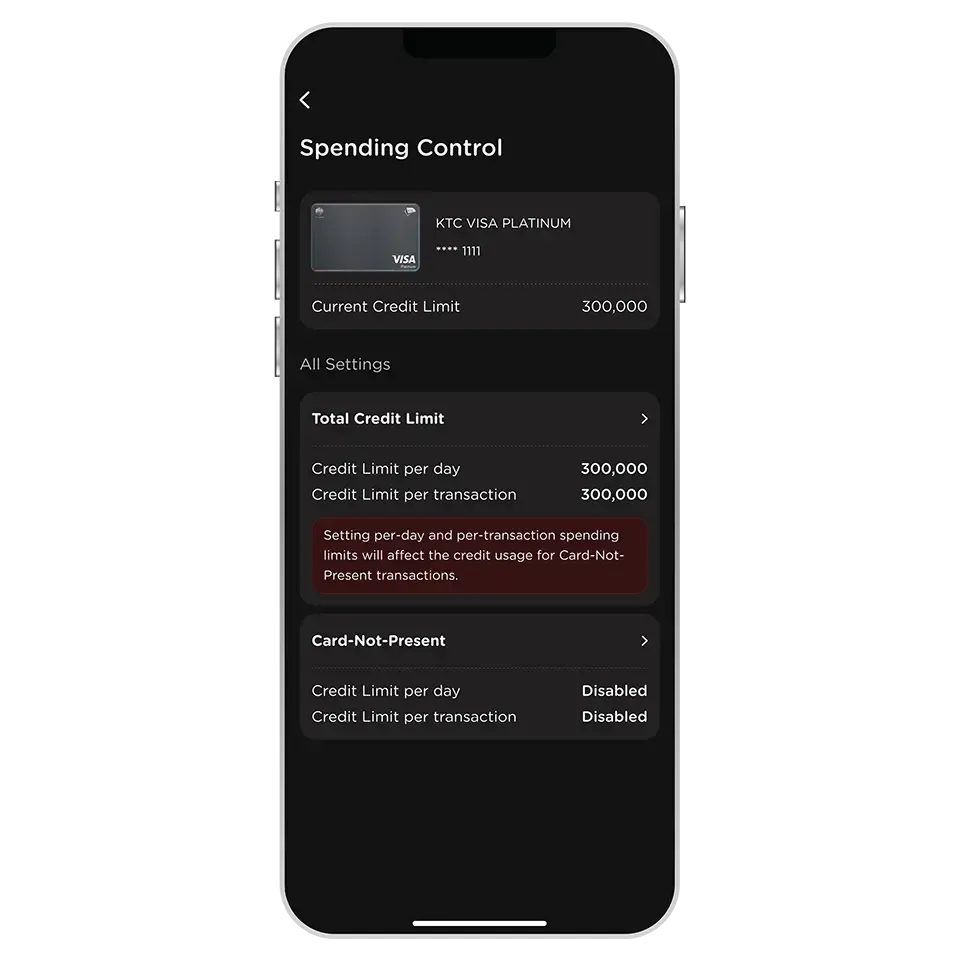
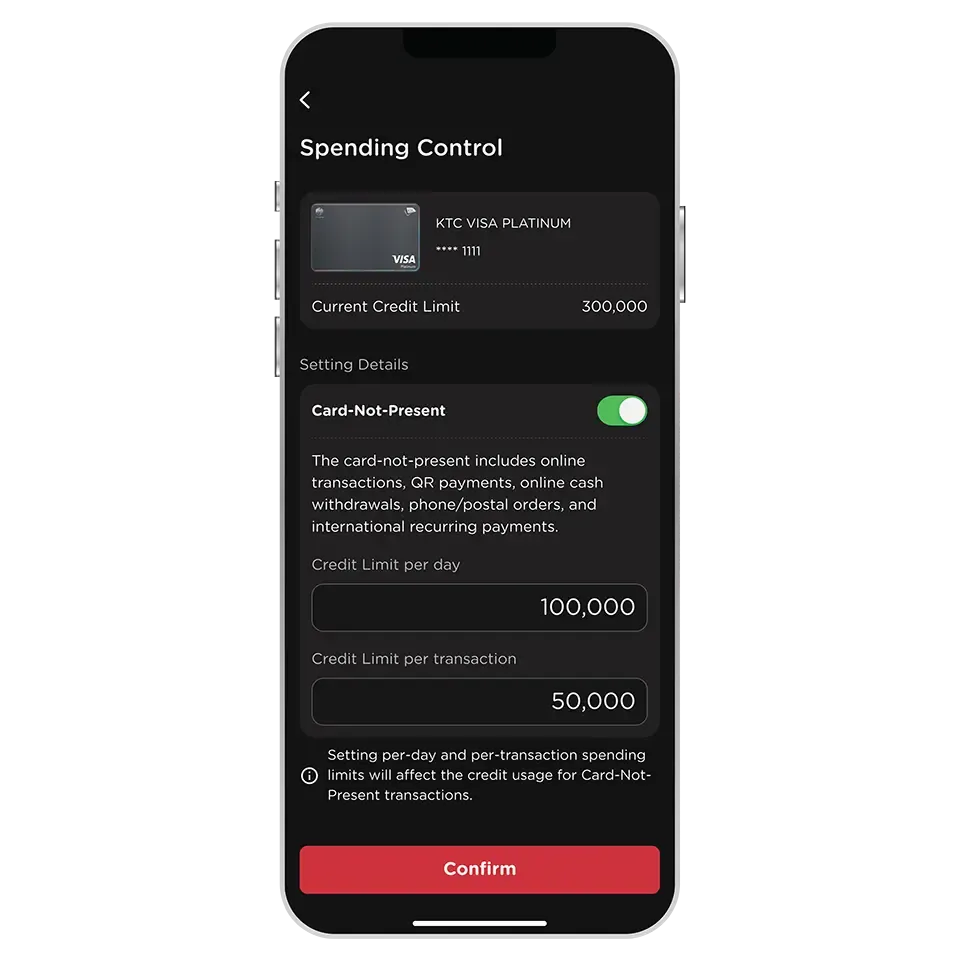
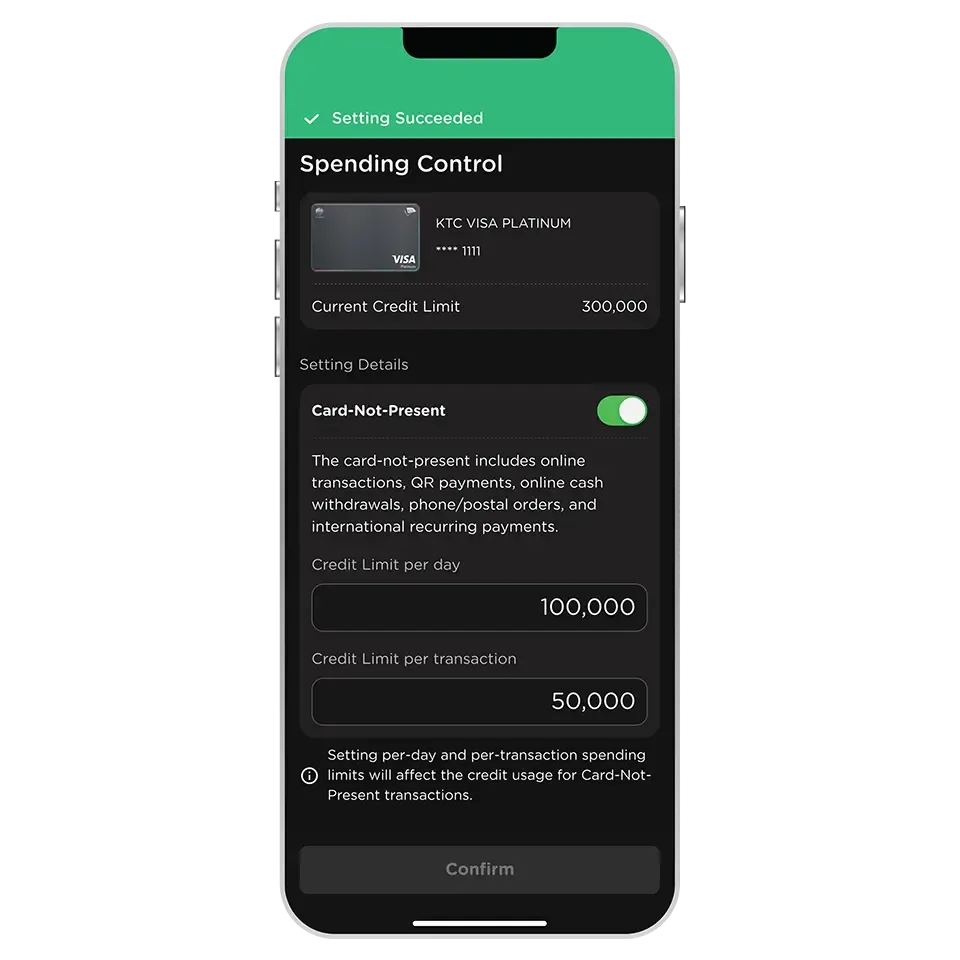
The Card-Not-Present Spending Limit setting will impact the following types of transactions:
1. Online Transactions
2. International Recurring Payments
3. QR Payments
4. Mail Orders/ Telephone Orders
In the case of the International Recurring Payments through the KTC card, it is recommended to set the Card-Not-Present Spending Limit to cover the total amount of all International Recurring Payments transactions to ensure successful transactions and the continuous use the subscribed services.
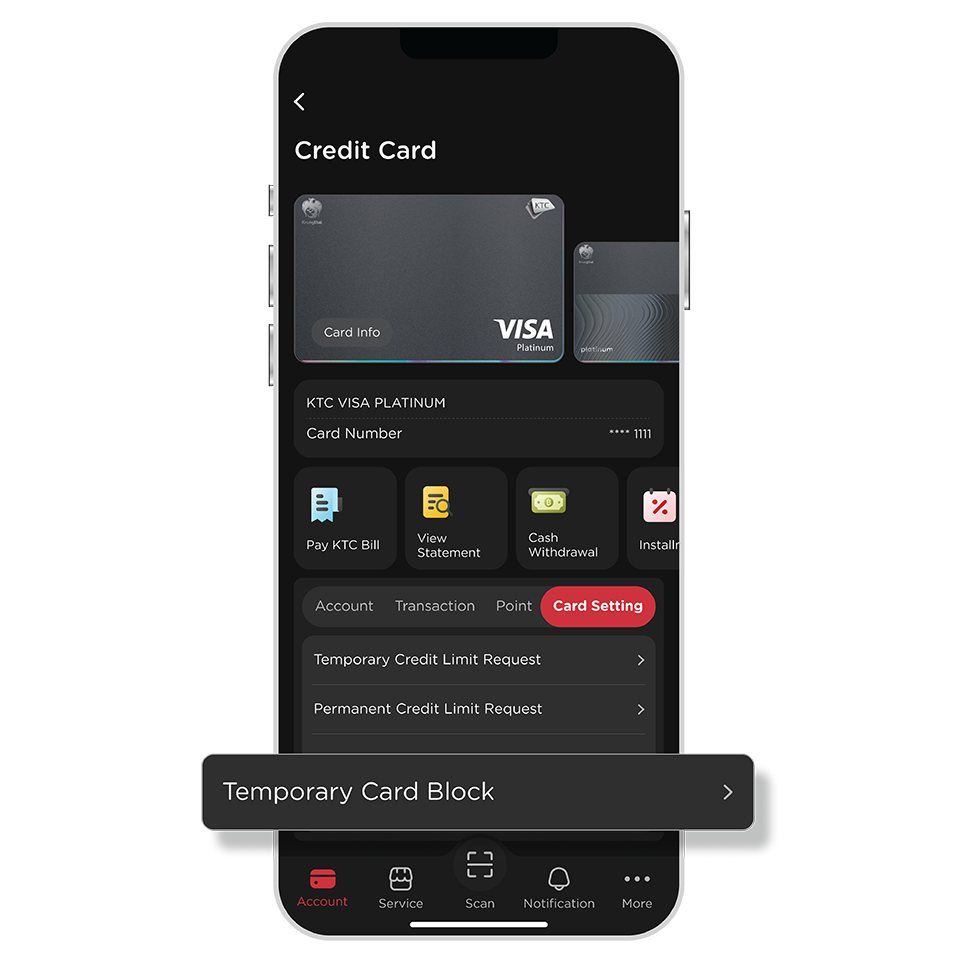
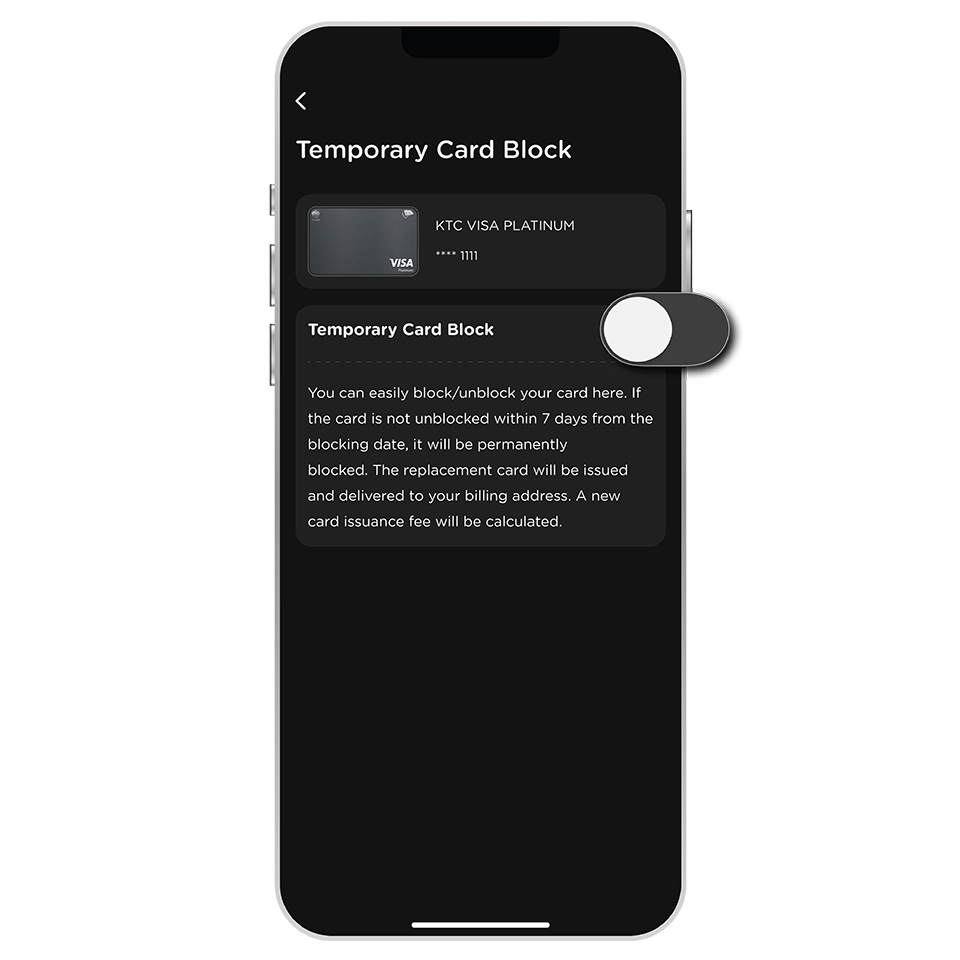
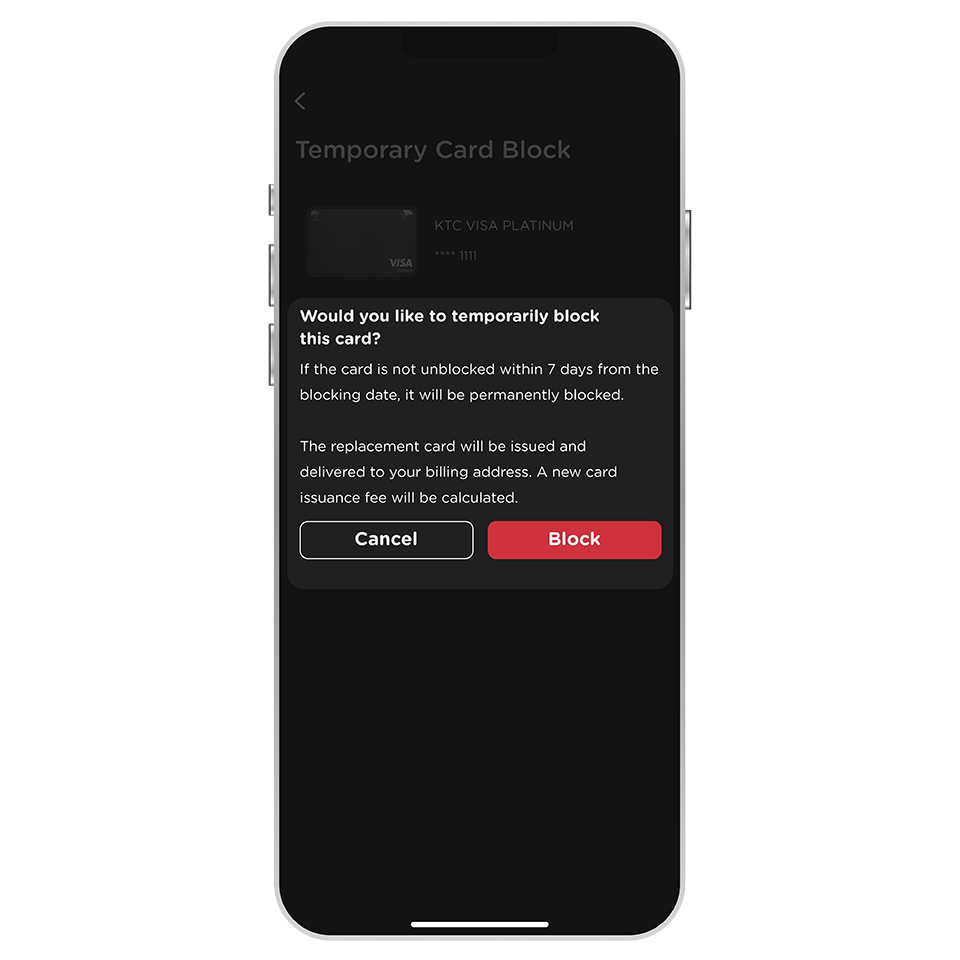
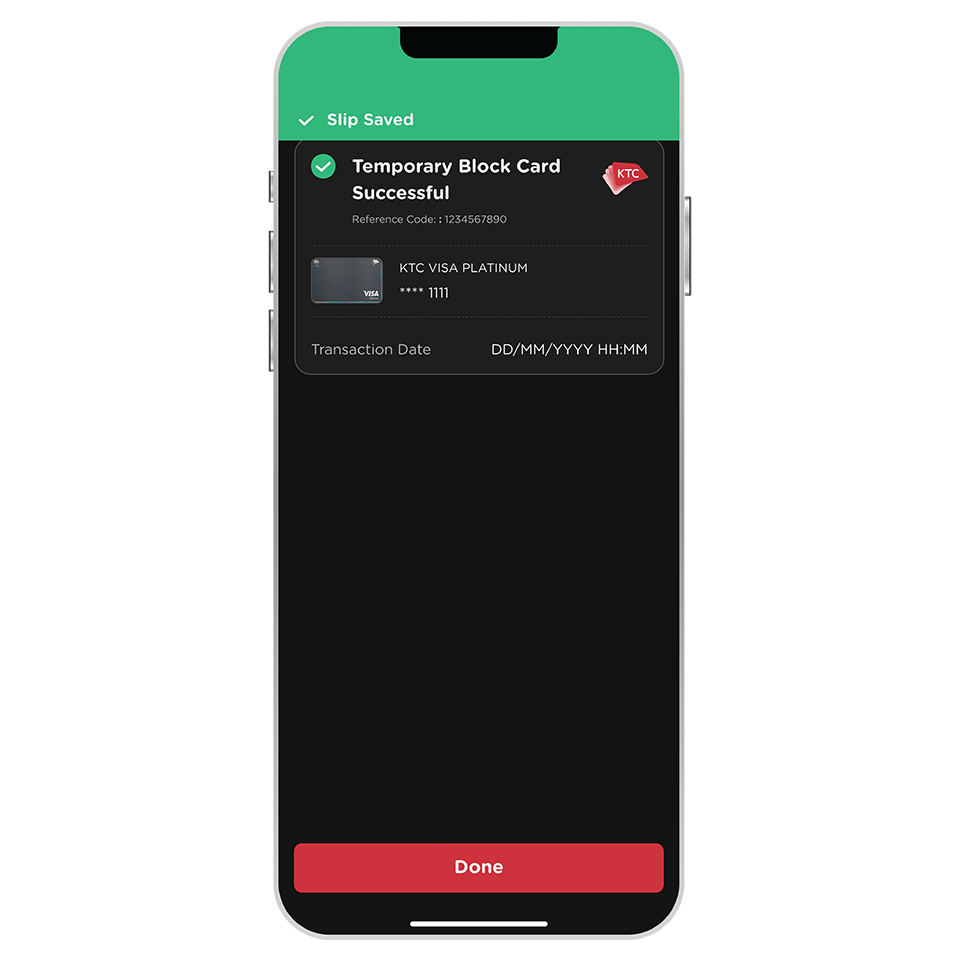
A card can be temporarily blocked for up to 7 days from the blocking date.
If the card is not unblocked within this period, it will be permanently blocked. The replacement card will be issued and delivered to your billing address. A new card issuance fee will be calculated.
You can check the last date for unblocking the temporarily blocked card from the push notification received after the temporary card block via the KTC Mobile app has been successful.
The step is similar to starting a temporary card block. During the step, deactivate the temporary card block to unblock it.
Notes: Unblock via the KTC Mobile app is only available for cards blocked via the app.
For cards blocked through KTC PHONE, please contact KTC PHONE at 02 123 5000 to unblock.
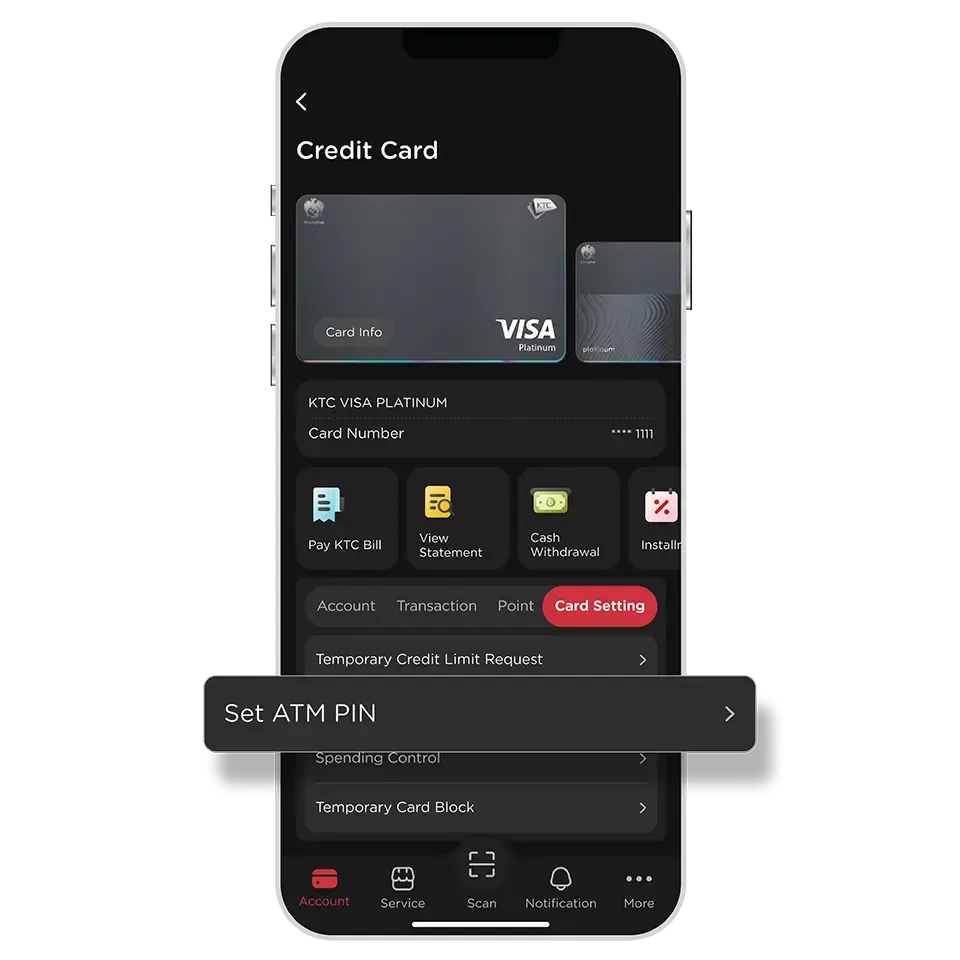
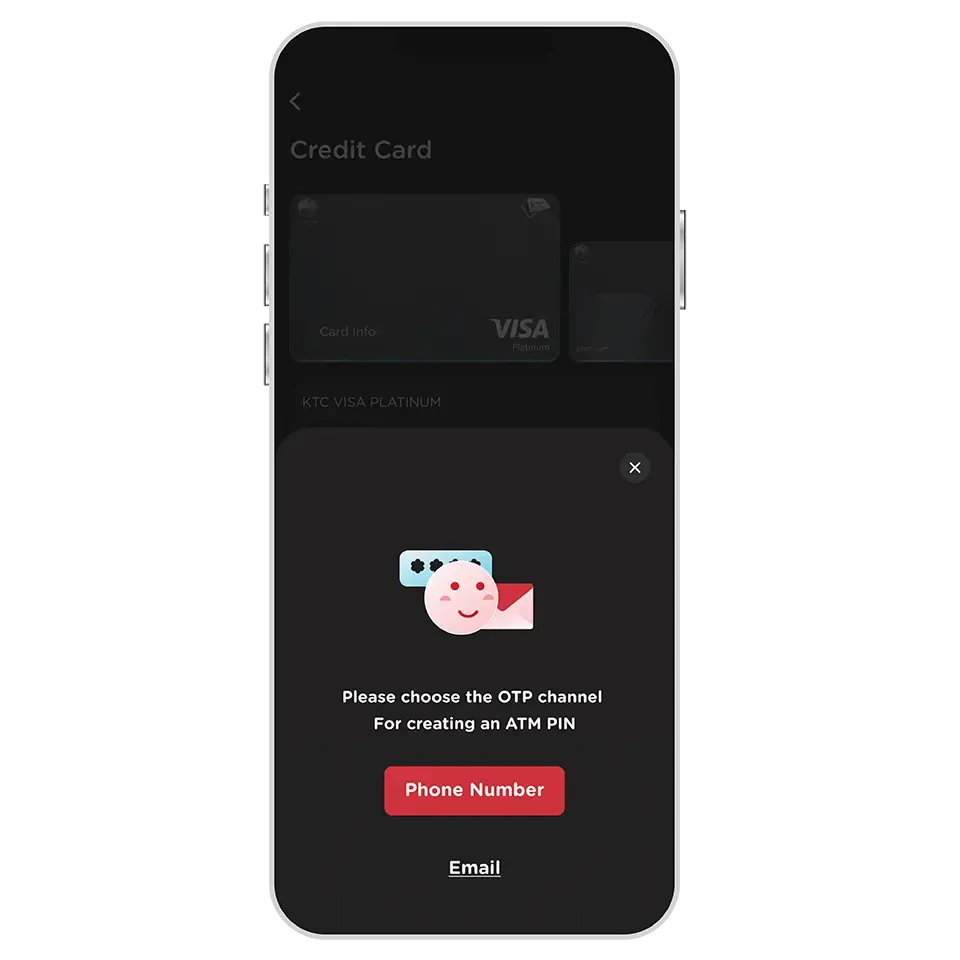
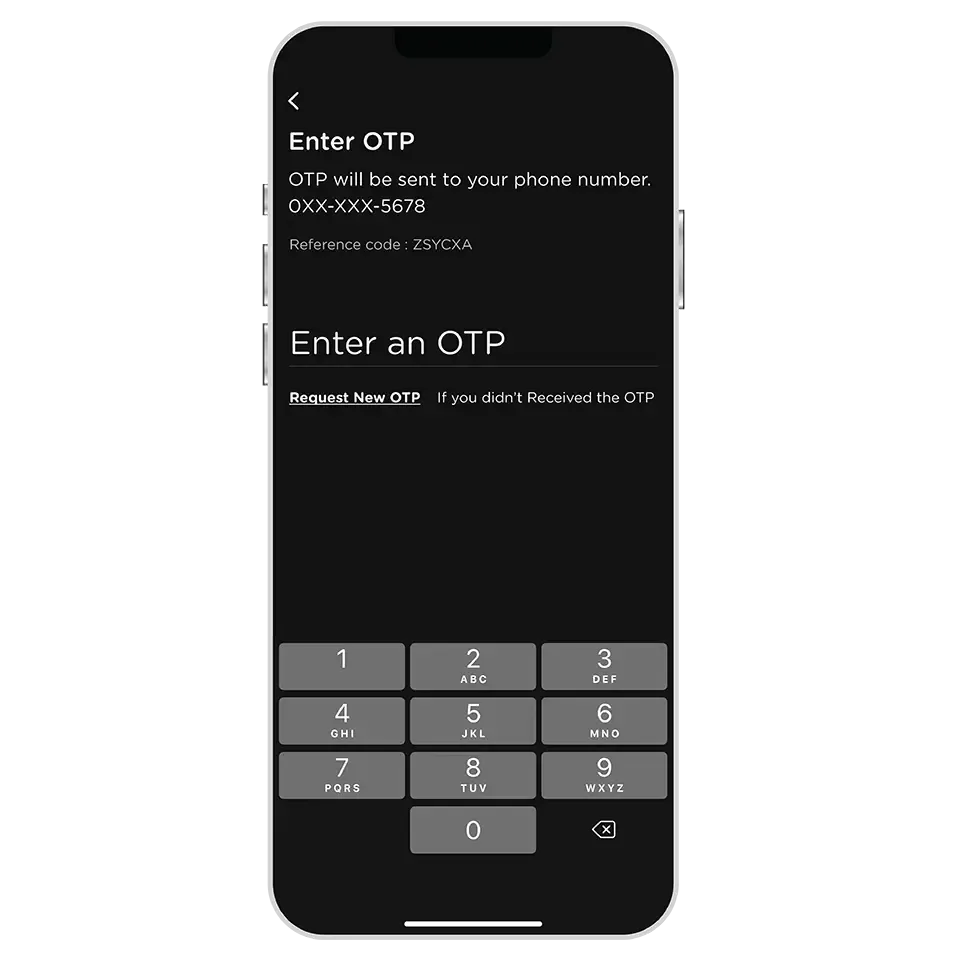
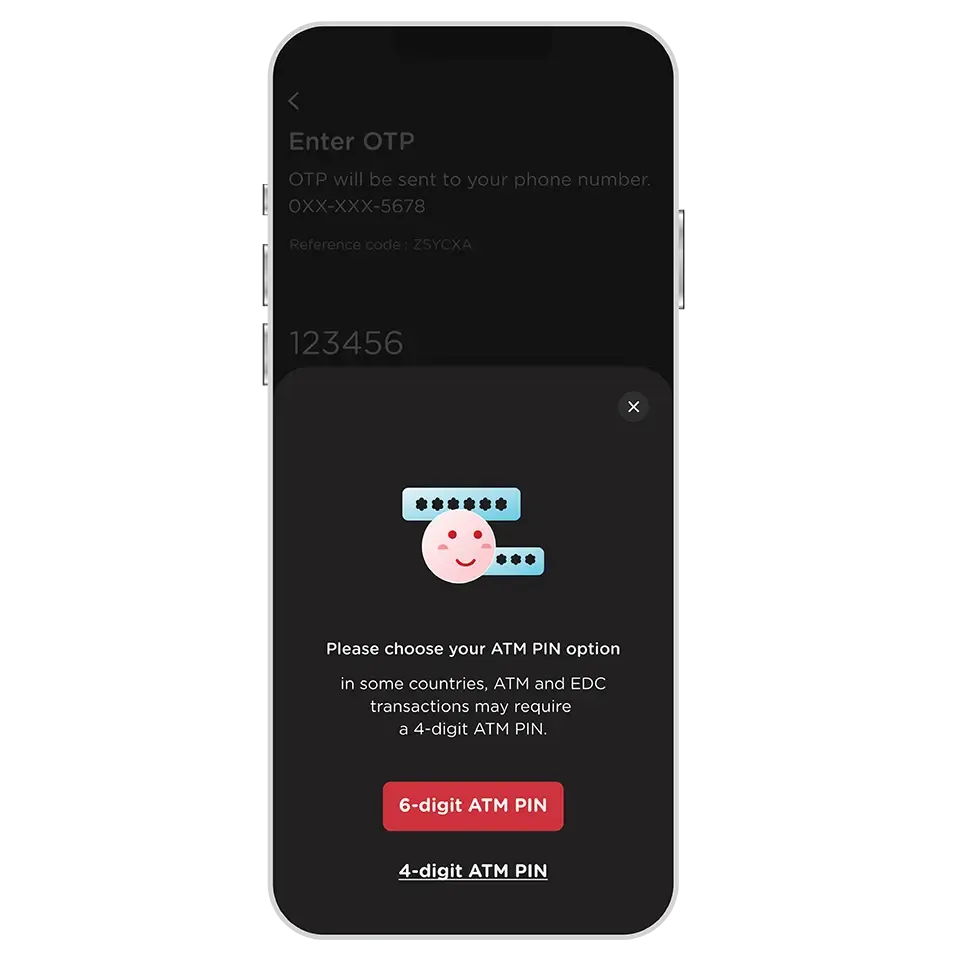
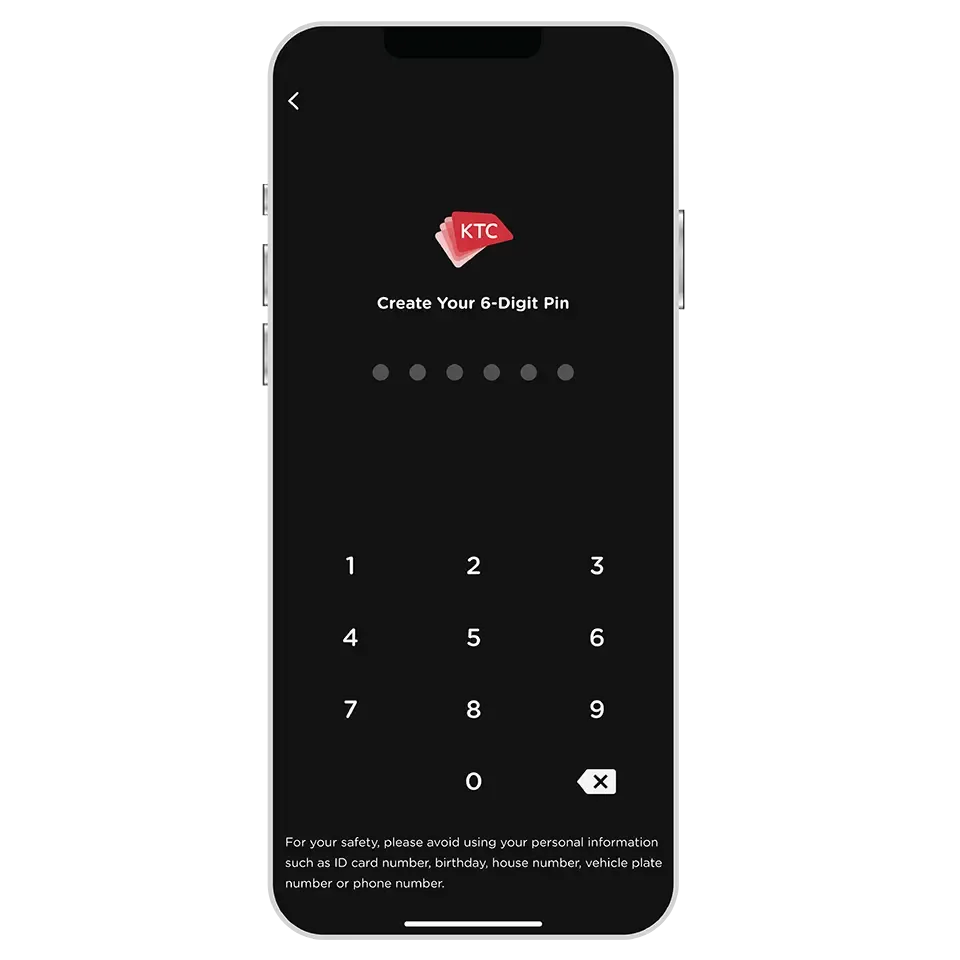
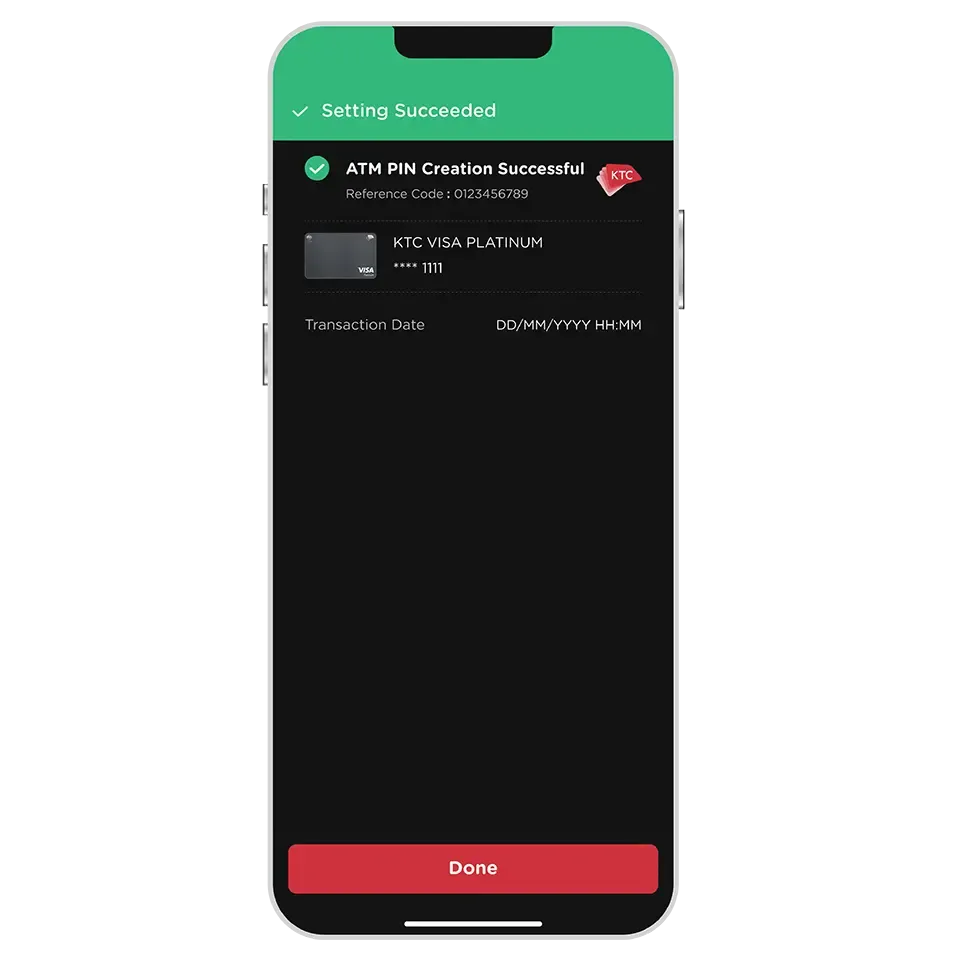
The ATM PIN is used for withdrawing cash from an ATM or making payments at merchants where PIN entry is required instead of a signature (mostly abroad stores) .
KTC cardmembers can set an ATM PIN for each card, which can be used for both types of transactions.
- All types of KTC credit card
- All types of KTC PROUD cash card
- All types of KTC P BERM cash card
One ATM PIN can be set per card.
Yes, an ATM PIN can be set. In case of the mobile number provided with KTC is not activated while traveling abroad, an OTP via email can be selected to set the ATM PIN.
Yes, a new ATM PIN can be set without requiring the old one (both in case of forgetting the old one or the ATM PIN of the new card has not yet been set up).
Once the new PIN is successfully set, it can be used immediately.
It's recommended to set a new ATM PIN with the required number of digits with the option of a 6-digit or 4-digit PIN.
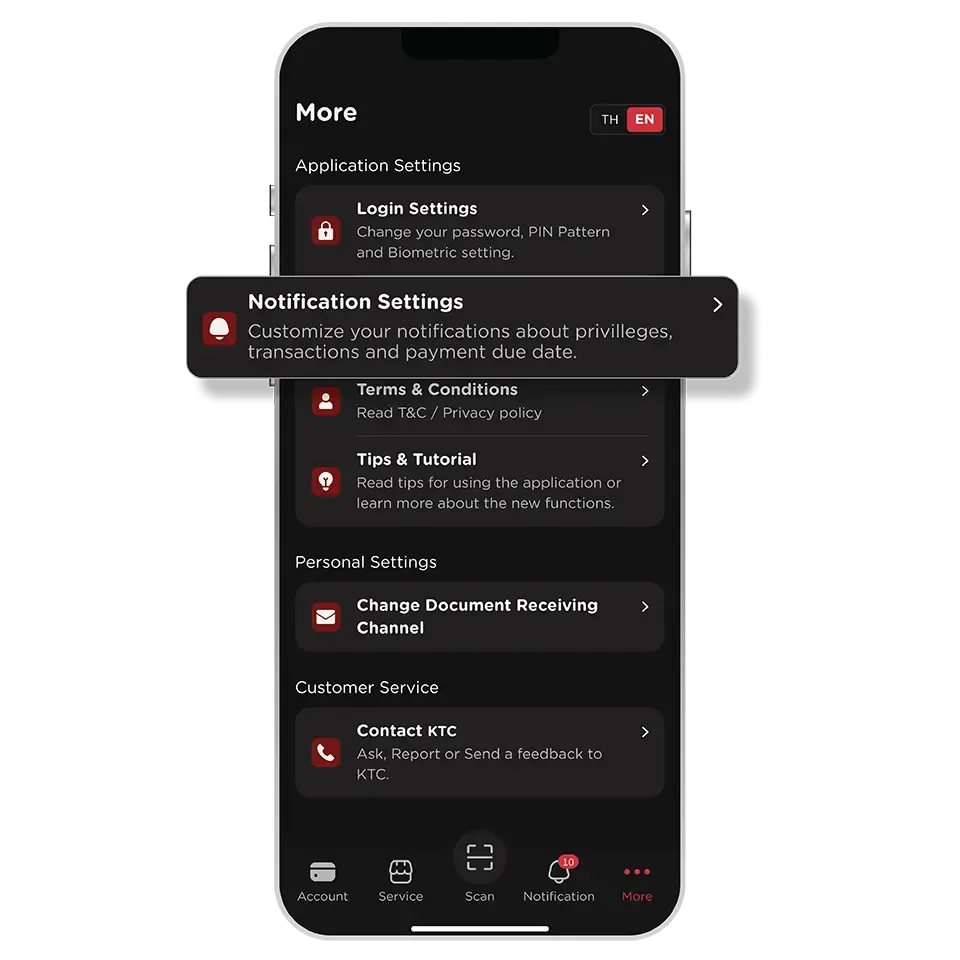
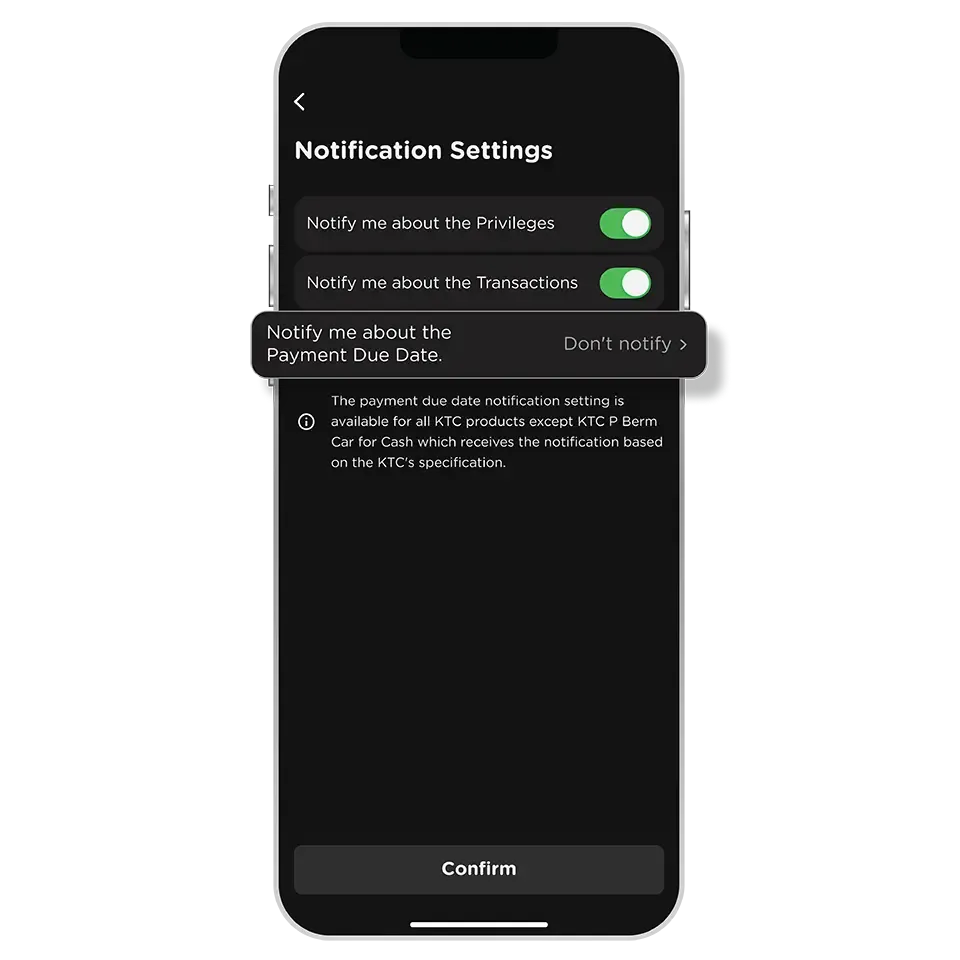
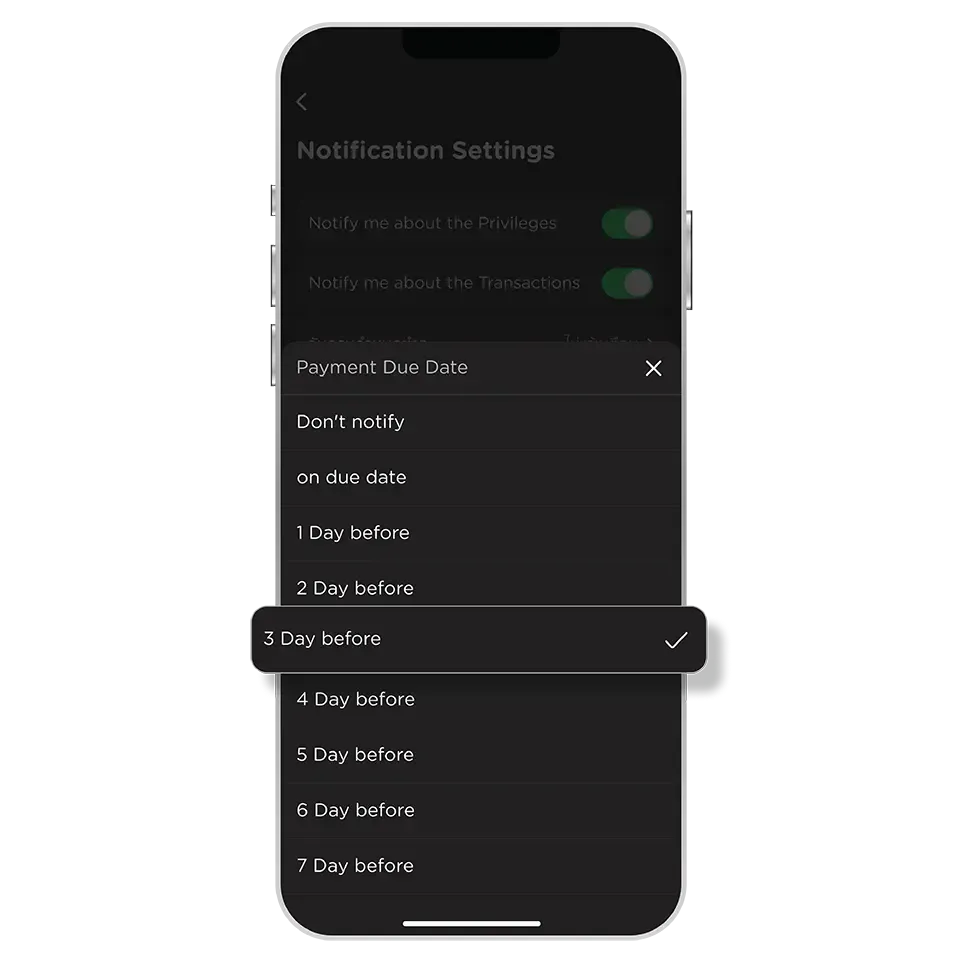
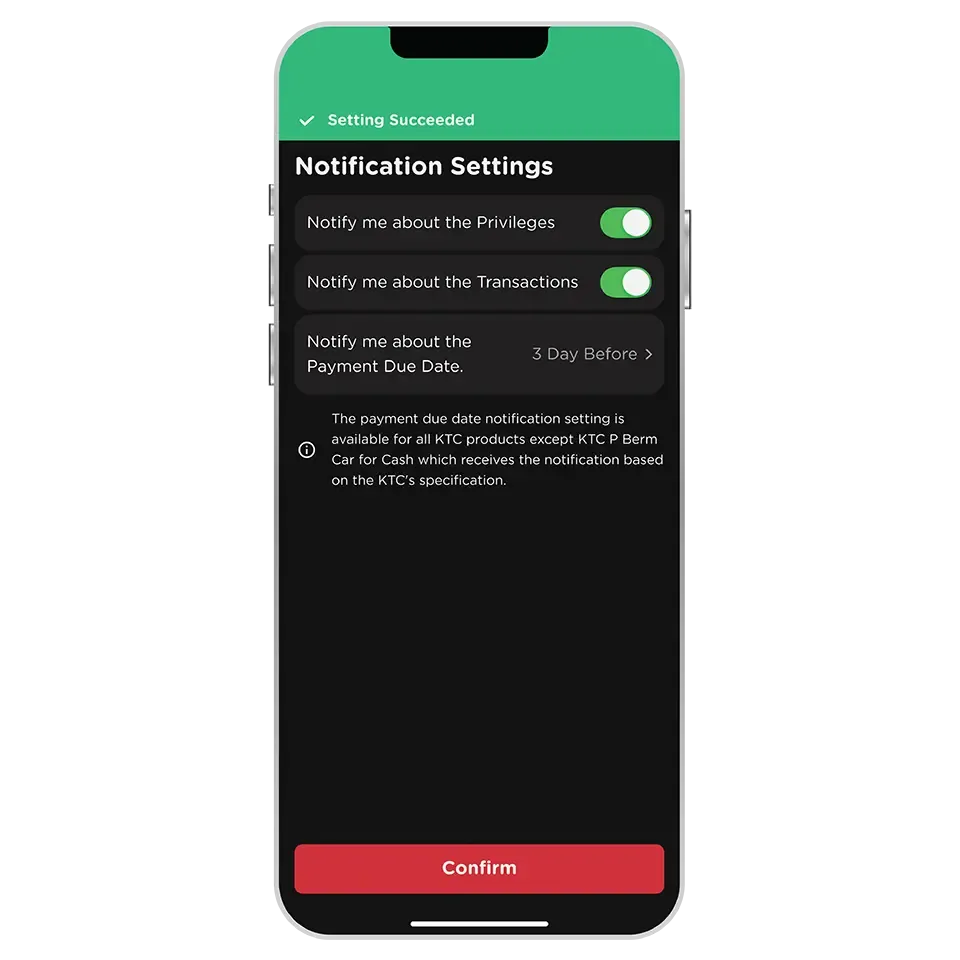
A payment due date reminder can be set up to 7 days in advance, or on the due date. This setting applies to all KTC products.
Except for KTC P BERM Car for Cash, the reminder is set on the due date specified by KTC.
Setting the payment due date reminder before the statement closing date will apply to the current billing cycle.
In case of setting it after the statement closing date will apply to the next billing cycle.
In case of the KTC bill payment is made before the specified reminder date, the payment due date reminder is not reminded for that cycle.
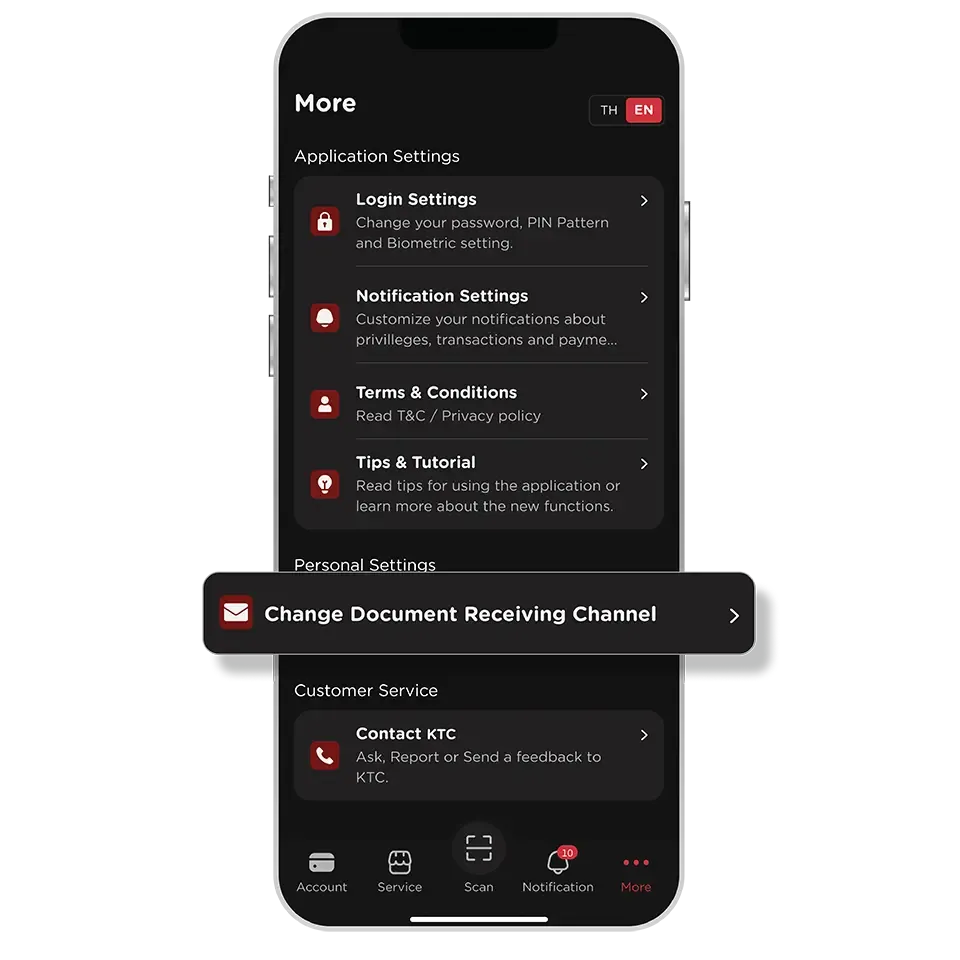
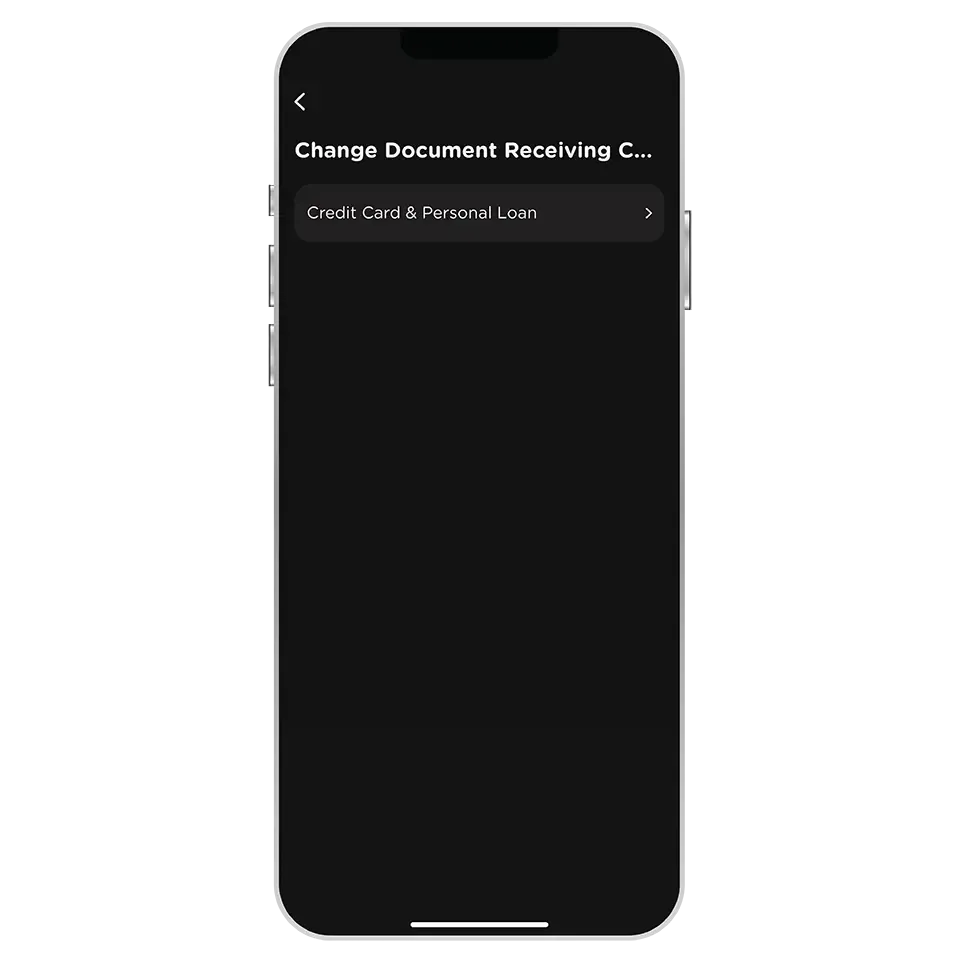
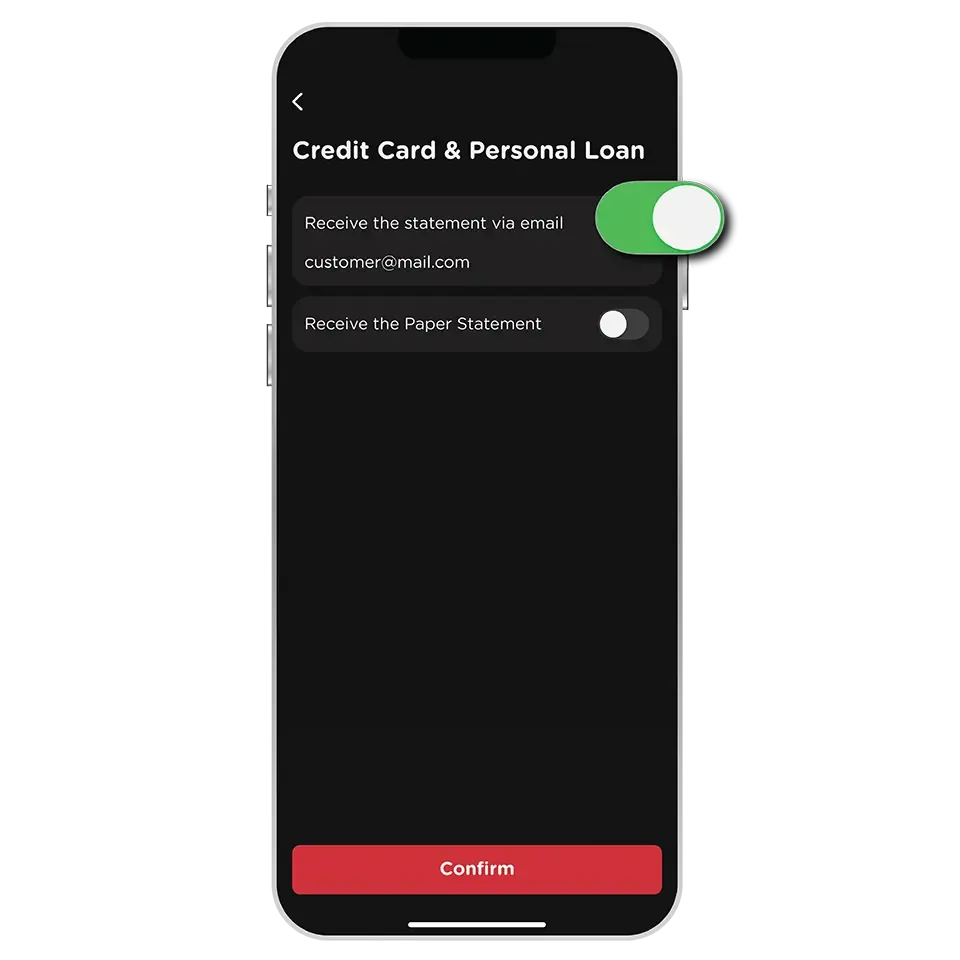
There are several advantages, such as:
- Receiving the statement quickly, within 2 days after the statement closing date.
- Storing the statement via email, worry-free about getting lost or damaged.
- Convenient access to past statements from anywhere via email.
- Helping the environment by reducing the use eof paper, water, electricity, and lowering carbon dioxide emissions.
Changing the receiving channel before the statement closing date will apply to the current billing cycle.
In case of changing it after the statement closing date will apply to the next billing cycle.
After making the change, the receiving channel can be changed again after 30 days.
The statements can be sent to the email address provided to KTC (the same email used during the KTC Mobile app registration), which will be displayed during the change.
In case the email address needs to be changed for both KTC Mobile app registration and receiving e-statements, please contact KTC PHONE at 02 123 5000.
The statements can be sent to the email address provided to KTC (the same email used during the KTC Mobile app registration), which will be displayed during the change.
In case the email address needs to be changed for both KTC Mobile app registration and receiving e-statements, please contact KTC PHONE at 02 123 5000.
No, when changing the statement receiving channel via the KTC Mobile app, it can be selected only one channel. Changing to receive the statement via email, will cancel the postal mail.
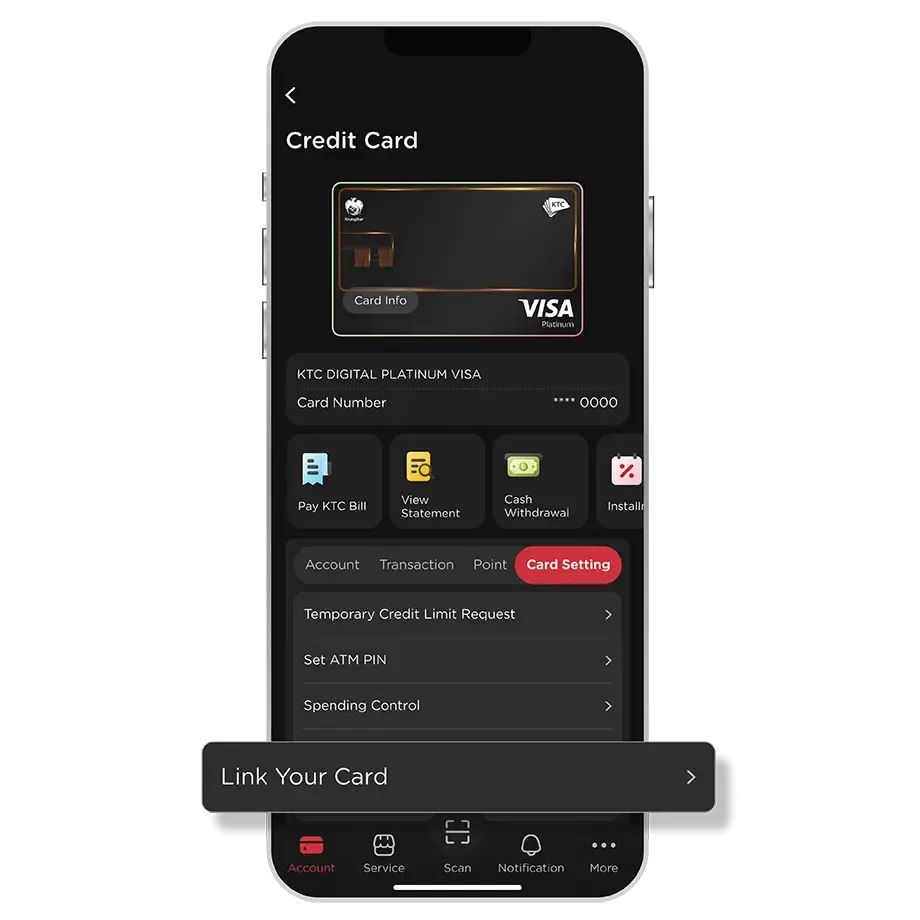
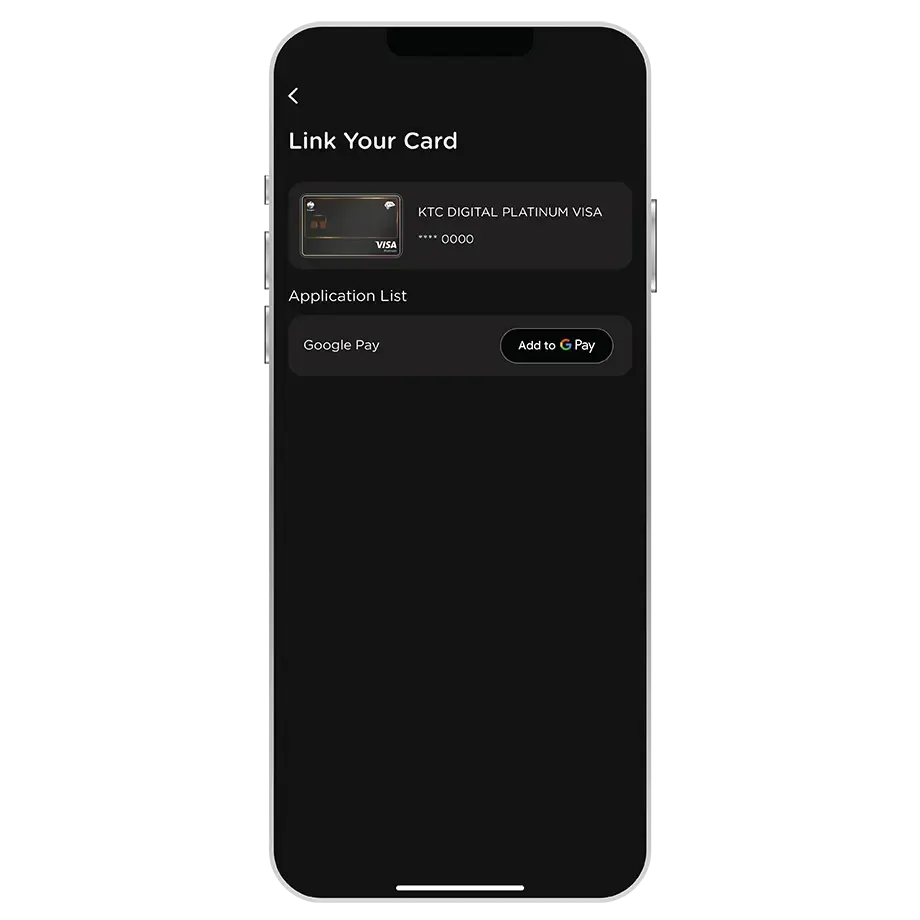
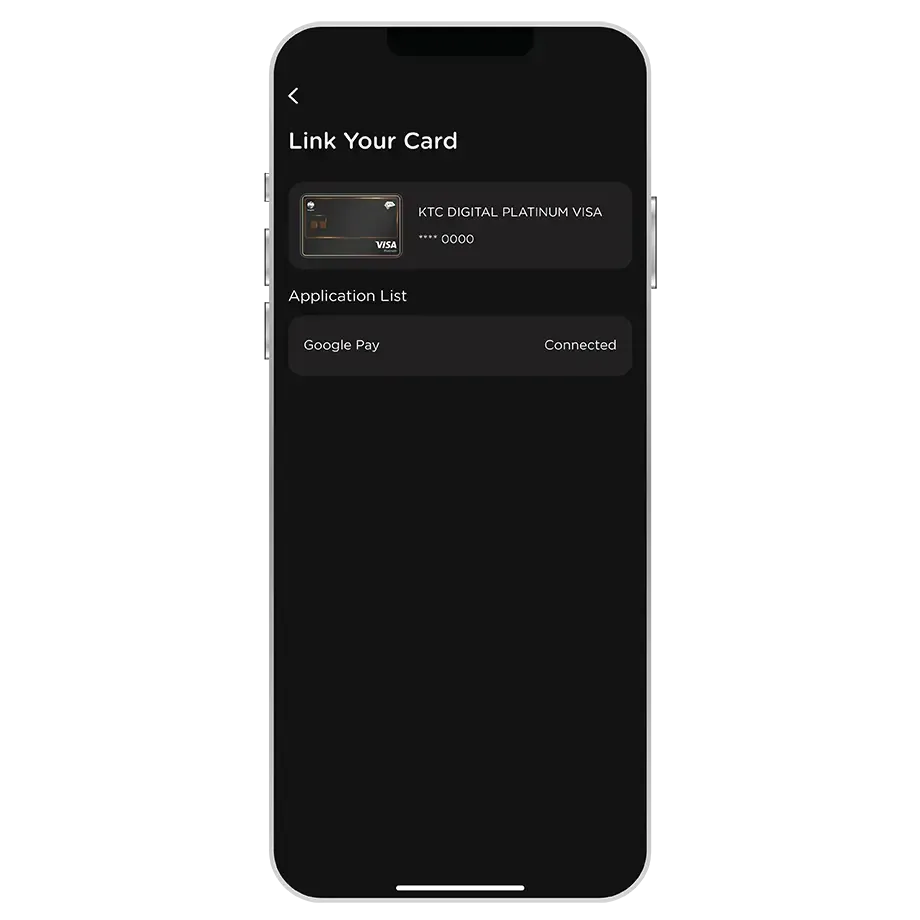
ไม่สามารถเพิ่มบัตร KTC ใน Google Wallet ผ่านแอป KTC Mobile ด้วยอุปกรณ์ระบบ iOS ได้ โดยจะสามารถใช้งาน Google Pay ได้เฉพาะอุปกรณ์ระบบ Android เท่านั้น
สามารถเพิ่มบัตรใน Google Wallet ผ่านแอป KTC Mobile ได้เฉพาะบัตร KTC VISA เท่านั้น
หมายเหตุ : สามารถเพิ่มบัตร KTC MASTERCARD ผ่านแอป KTC Mobile ได้เร็วๆ นี้
สามารถเปลี่ยนแอปพลิเคชันที่ใช้ในการแลกคะแนนได้โดยเข้าไปที่เมนูตั้งค่า > บัญชีผู้ใช้ > การแลกคะแนน > เลือกแอปพลิเคชันที่ต้องการ
ในระหว่างการลงทะเบียน ระบบจะไม่อนุญาตให้ใช้คะแนนชั่วคราว หลังจากลงทะเบียนเสร็จสิ้น จะสามารถใช้คะแนนได้ภายใน 24 ชั่วโมง
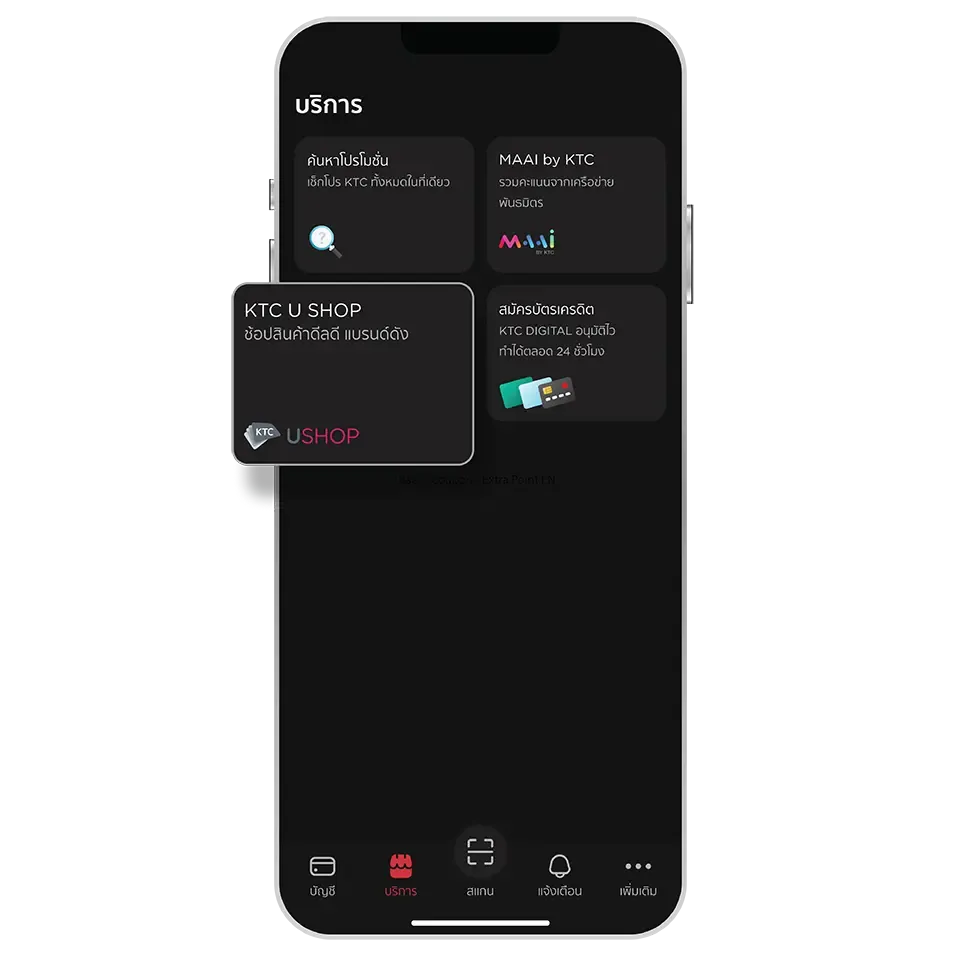
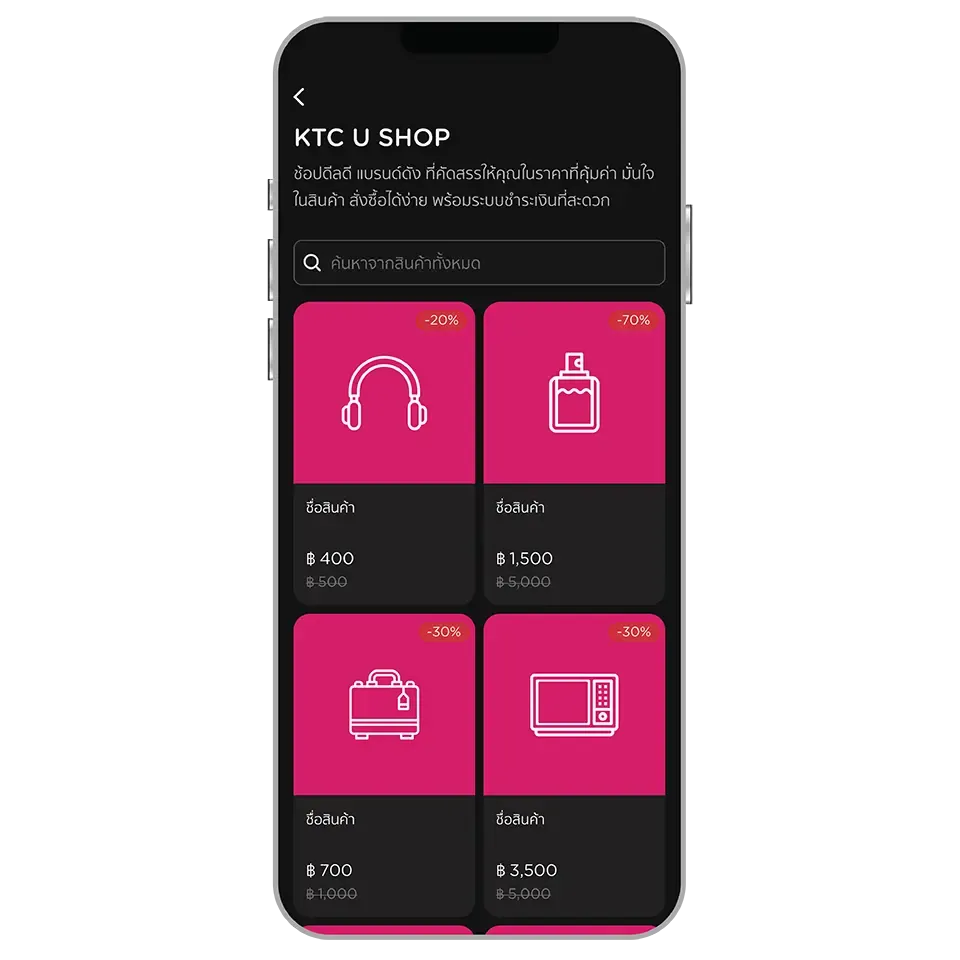
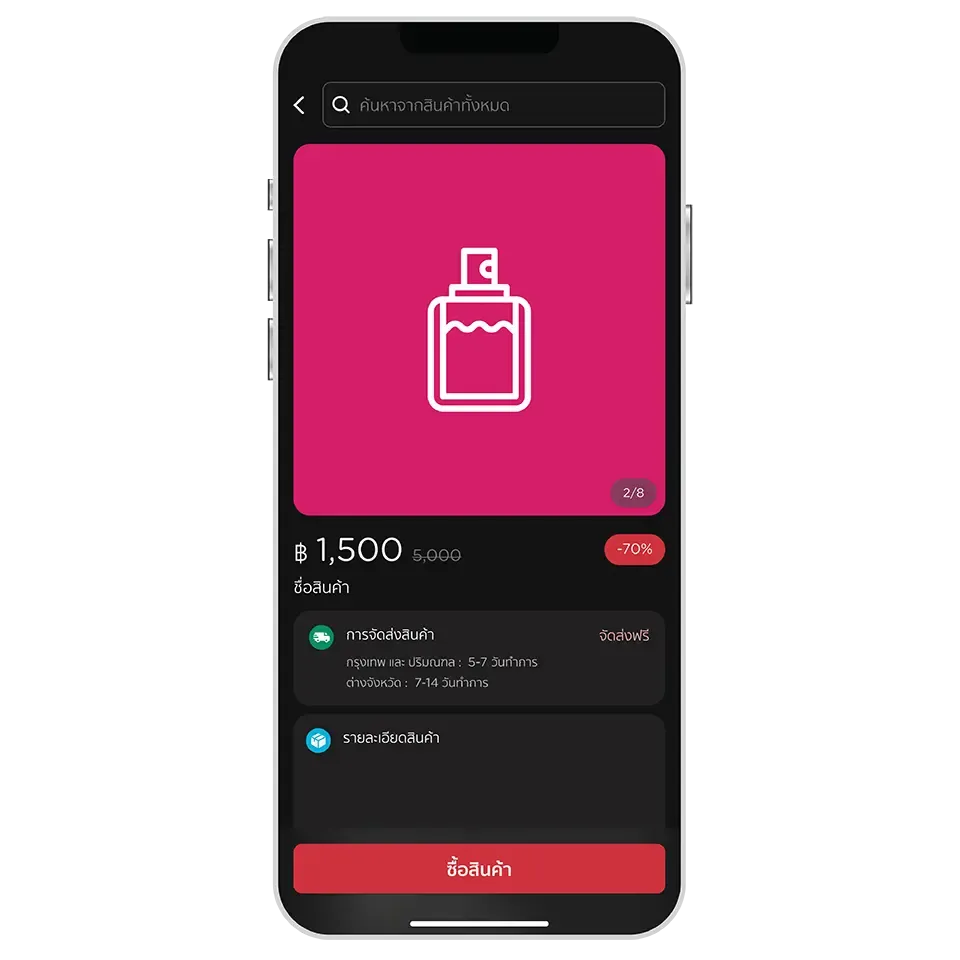
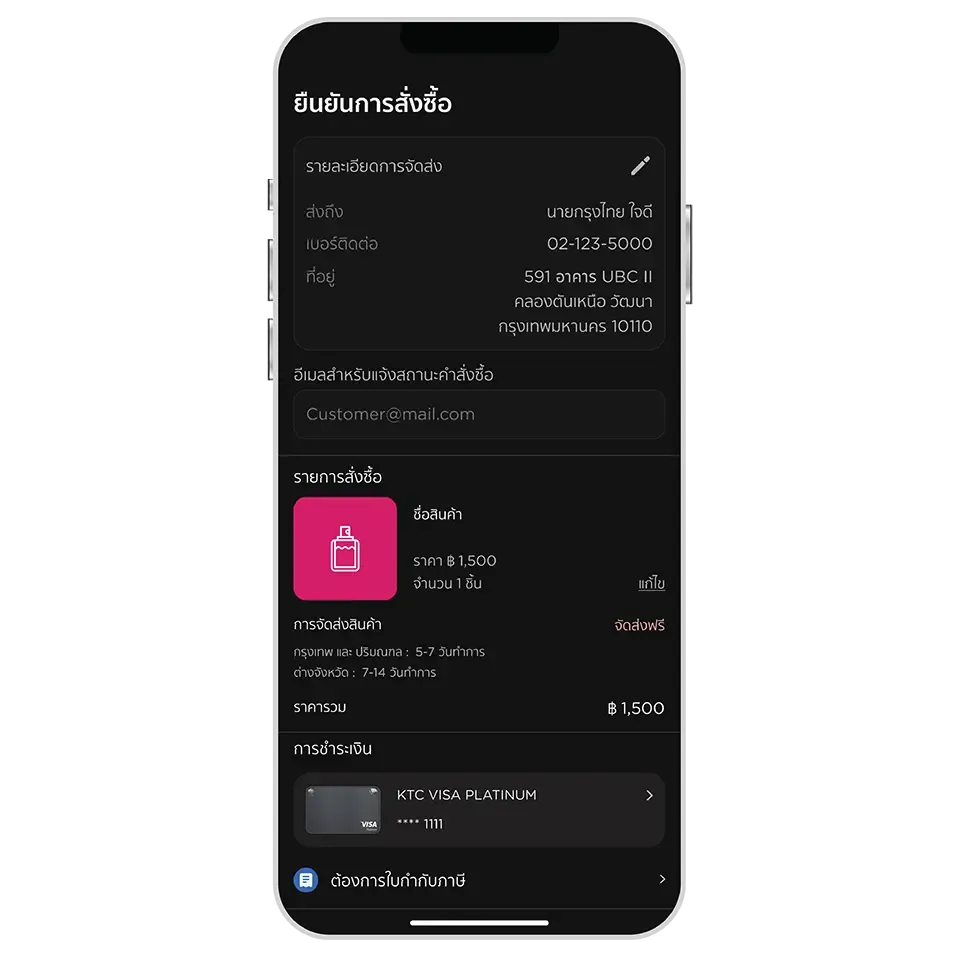
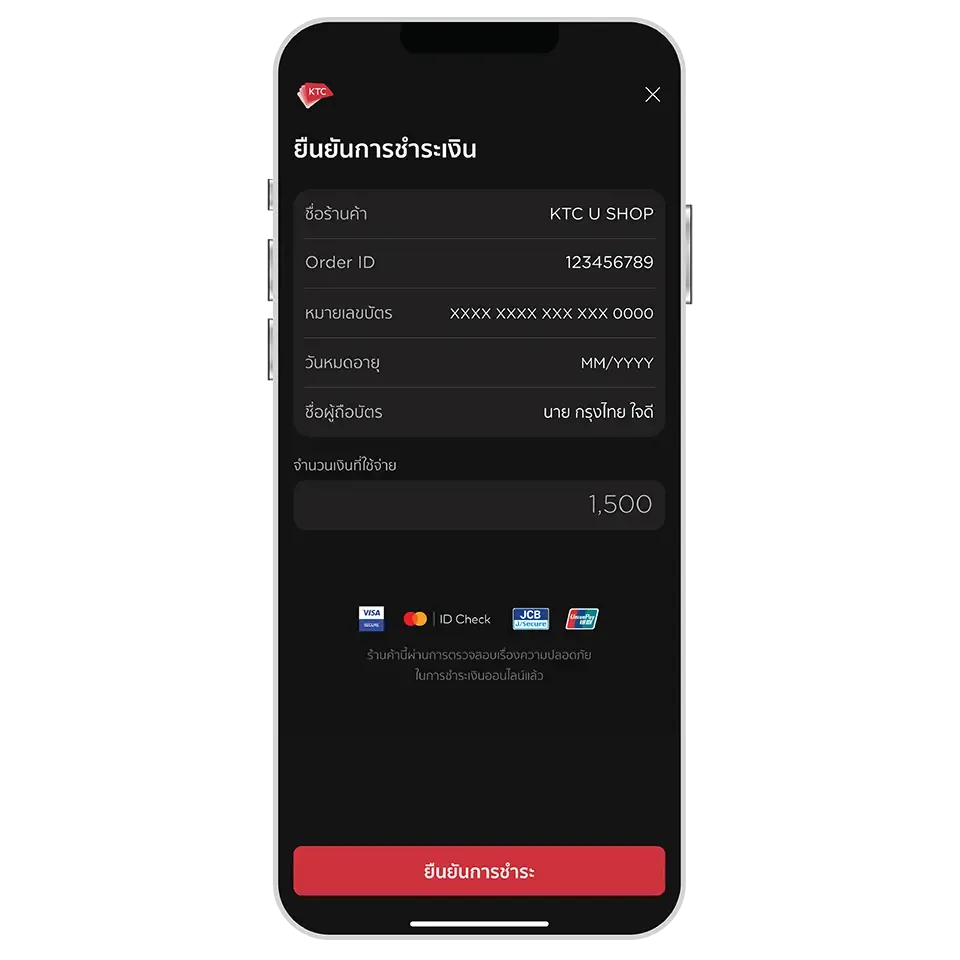
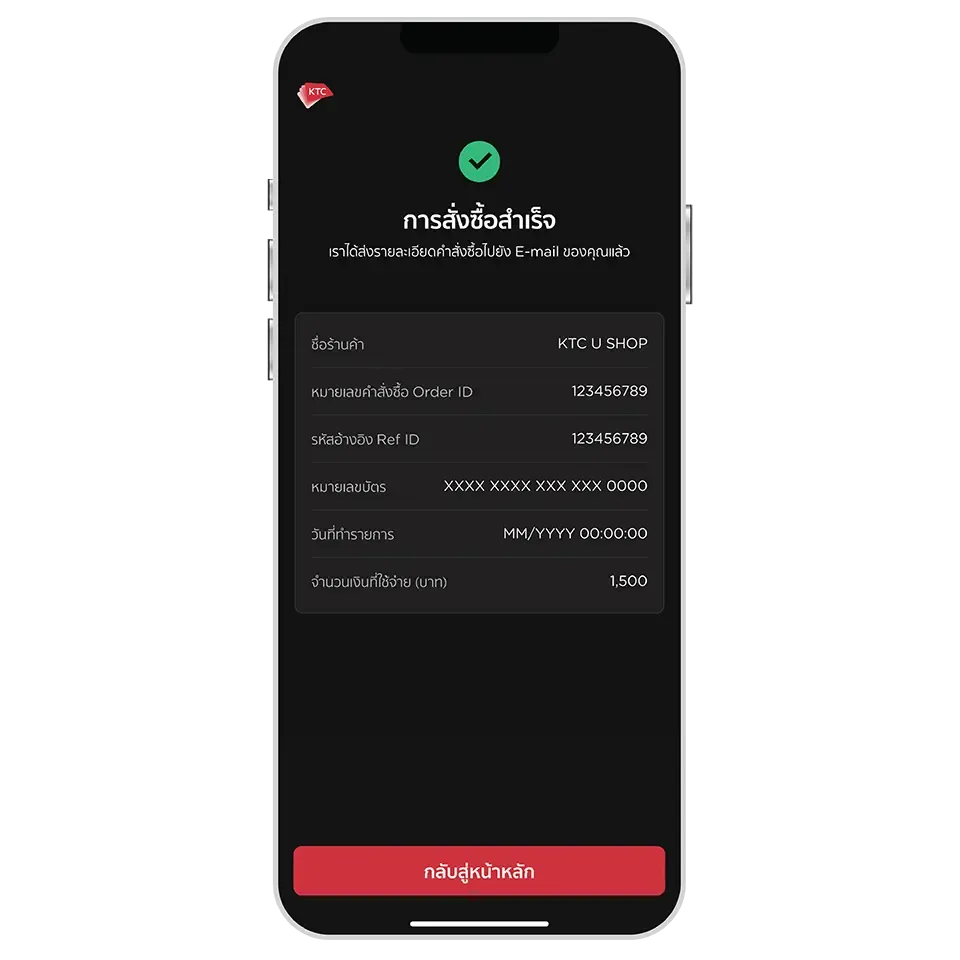
KTC U SHOP is an online shopping platform that connects KTC cardmembers with partner merchants. It offers a curated selection of high-quality products and services, ensuring value for money so members can shop with confidence, convenience, and security.
Yes, you can search for other products by entering keywords in the search box at the top or by selecting from the suggested search keywords displayed.
The additional products can be viewed, purchased, or enquired about more information via the following channels:
LINE: @KTCUSHOP
Facebook: KTCUSHOP
KTC U SHOP on the KTC Mobile app only supports payment using all types of KTC credit cards. Simply select the card and no need to enter the credit card details.
KTC U SHOP on the KTC Mobile app currently does not support redeeming points or installment payments during the checkout step.
To redeem points for discounts or to purchase products, please contact LINE: @KTCUSHOP or KTC PHONE at 02 123 5000.
For installment payments, the completed purchase can be converted at the Installment Payment menu on the KTC Mobile app, See how to use
To check the past orders by referring to the order confirmation email received after a successful purchase.
The delivery status can be checked via the email received, which will include the tracking number and the shipping company details. This email will be sent within 3 days from the date the merchant processes the shipment.
Please contact LINE: @KTCUSHOP or KTC PHONE at 02 123 5000 to verify and update the delivery address.
Please contact LINE: @KTCUSHOP or KTC PHONE at 02 123 5000. KTC will verify the status with the merchant to check if the product has been shipped.
If the product has not been shipped or can still be halted, KTC will proceed with the cancellation and initiate a refund to the card's credit balance.
ลงทะเบียนเข้าใช้งาน
สแกนจ่ายด้วย QR
เบิกถอนเงินสด
ผ่อนชำระด้วยตัวเอง
+ Tips ดูรายการที่ผ่อนชำระไว้
แลกคะแนนเป็นคูปอง
ใช้คูปอง
โอนคะแนนระหว่างบัตร
ดูใบแจ้งยอด
จ่ายบิล KTC
เลือกรับใบแจ้งยอดทางอีเมล
(e-Statement)


อัปเดต KTC Mobile
เวอร์ชั่นใหม่ได้แล้ว วันนี้!
Credit card : Use when necessary and pay back full amount on time to avoid a 16% interest rate per annum. | KTC PROUD : Borrow when necessary and within your means.


 KTC Mobile app